
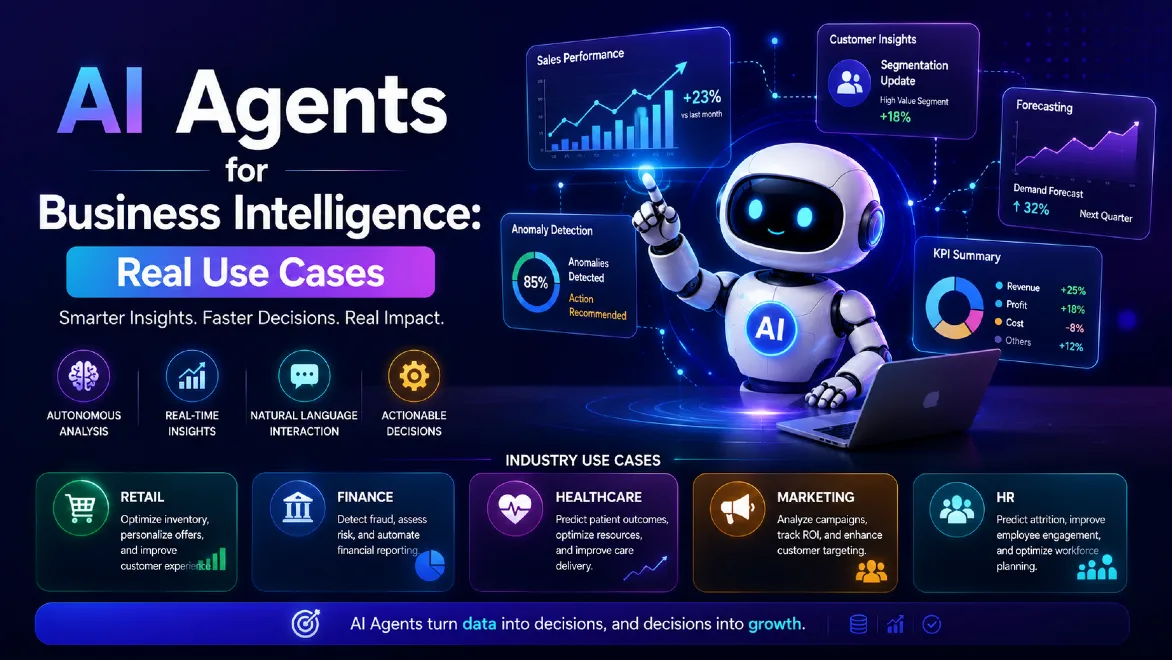
AI Agents for Business Intelligence: Real Use Cases
Most companies still run BI the same way they did a decade ago. Someone builds a dashboard. A stakeholder checks it once a week. If a number looks off, an analyst gets pulled in to figure out why. By the time anyone acts on it, the moment to act has often passed.
That gap between "we have the data" and "we did something useful with it" is exactly what AI agents are starting to close. The role of AI agents in business analytics isn't to replace the dashboard, it's to sit on top of it and act while the dashboard is still being built.
Traditional Business Intelligence relies on dashboards, reports, and human analysts to interpret what's happening in the business. That model worked fine when data volumes were smaller and decisions could wait a few days. It doesn't hold up as well now, when businesses generate more data than any team can manually review, and competitors who move faster on that data start winning deals, retaining customers, and cutting costs before the slower players even notice a trend forming.
What are AI agents in Business Intelligence? AI agents in BI are software systems that go beyond reporting numbers. They connect to your data sources, monitor them continuously, detect patterns or anomalies on their own, explain why something is happening, and recommend or trigger the next action, without waiting for someone to open a dashboard first.
That's the shift in one sentence. Dashboards show you data. AI agents do something with it.
Key Takeaway
Here's the simplest way to think about the three stages of BI maturity:
- Traditional BI tells you what happened. Sales dropped 12% last month.
- Analytics explains why it happened. Sales dropped because a key distributor delayed shipments in the Northeast region.
- AI agents analyze the situation, recommend a response, and in many cases automate it. The agent flags the shipment delay, recommends reallocating inventory from a nearby warehouse, and can trigger that reallocation automatically if given permission to act.
That progression, from description to explanation to action, is the actual value AI agents bring to BI. It's not a new dashboard skin. It's a different relationship between data and decisions.
What Are AI Agents for Business Intelligence?
An AI agent, in the BI context, is a system built on large language models and machine learning that can perceive data, reason about it, and take or recommend action, largely without a human manually querying it every step of the way. IBM's own definition frames it similarly: a system capable of autonomously performing tasks on behalf of a user by designing its own workflow and calling on the tools it needs to get there.
That's different from a chatbot bolted onto a dashboard. A chatbot answers a question when you ask it. An AI assistant helps you get through a task faster, like drafting a query or summarizing a report. An autonomous AI agent goes further: it sets its own sub-goals within boundaries you define, monitors data on a schedule or continuously, and executes multi-step workflows without a person driving each step.
Think of the difference this way. A chatbot is a search box with a friendlier voice. An assistant is a smart co-pilot sitting next to your analyst. An agent is closer to a junior analyst who never sleeps, checks the numbers every hour, and only escalates to a human when something actually needs a judgment call.
| Feature | Traditional BI | AI Agents for BI |
|---|---|---|
| Data analysis | Human-driven | AI-assisted and autonomous |
| Insights | Reports and dashboards | Recommendations and actions |
| Decision process | Manual | Automated workflows |
| Interaction | Static dashboards | Natural language conversations |
| Timing | Scheduled review (daily, weekly) | Continuous monitoring |
| Output | Charts and numbers | Explanations, next steps, triggered actions |
None of this makes dashboards obsolete. Executives still want a clean visual of quarterly performance. But the day-to-day grind of digging through numbers to find the one anomaly that matters is exactly the work agents are built to absorb. That's the practical definition of AI-powered business intelligence: the dashboard stays, but a system now watches it for you.
How AI Agents Work Inside Business Intelligence Platforms
Under the hood, most AI agents built for BI follow a fairly consistent pipeline, even when the vendor branding makes it sound more exotic than it is.
- Data collection. The agent pulls from connected sources: your data warehouse, CRM, ERP, marketing platforms, support tickets, whatever's relevant to its scope.
- Data processing. Raw data gets cleaned, joined, and structured so it's actually usable. This step is unglamorous and it's also where most BI projects quietly fail if the underlying data quality is bad.
- Pattern detection. The agent looks for trends, outliers, and correlations, often using statistical models alongside the language model reasoning on top.
- Business reasoning. This is the part that separates an agent from a plain anomaly detector. The system applies business context, your KPIs, your thresholds, your historical patterns, to decide whether a pattern actually matters.
- Recommendations. The agent produces a plain-language explanation and a suggested next step, not just a chart.
- Automated actions. Where permitted, the agent executes the action directly: updating a CRM field, sending an alert to Slack, adjusting a budget allocation, or kicking off a workflow in another system.
The reason this pipeline matters is connectivity. An agent is only as useful as the systems it can actually see and touch. Modern platforms connect agents to data warehouses like Snowflake or BigQuery, data lakes, CRM systems like Salesforce or HubSpot, ERP platforms like SAP or Oracle, and whatever line-of-business applications hold the operational data that dashboards usually miss. What makes these autonomous analytics agents different from a scheduled data pipeline is that they don't just move data, they interpret it and decide whether it warrants attention.
Most of this reasoning layer runs on generative AI. The role of generative AI in business intelligence is what lets an agent turn a spike in a metric into a written explanation a non-technical manager can actually read, instead of a raw number sitting in a table.
Microsoft's own documentation on Fabric and Copilot integration in Power BI is worth reading if you want the vendor-specific version of this pipeline, and it lines up closely with what's described above. If you're evaluating the underlying tooling before an agent layer even enters the picture, this rundown of the best data analysis tools on the market is a useful starting point.
AI Agents vs Traditional Business Intelligence
It helps to be blunt about what each model is actually good at, instead of pretending one replaces the other outright.
Traditional BI is built around:
- Dashboards that summarize historical performance
- Scheduled or on-demand reports
- KPIs tracked against targets
- Analysis that looks backward, at what already happened
AI agent-powered BI adds:
- Continuous monitoring instead of periodic snapshots
- Automated insight generation instead of manual digging
- Predictive recommendations instead of static historical views
- Decision automation for well-defined, lower-risk actions
The honest reason organizations are shifting from passive analytics to active intelligence isn't that dashboards got worse. It's that the cost of reacting slowly went up. A retail chain that notices a stockout three days late has already lost the sale. A SaaS company that catches churn signals after the cancellation email has already lost the renewal conversation. Agents shrink that lag from days to hours, sometimes minutes.
Real Business Use Cases of AI Agents in Business Intelligence
This is where the theory has to hold up against actual business problems. Below are the AI agents use cases in business I see coming up most often in real implementations, not hypothetical ones.
1. Automated Sales Intelligence
The problem: Sales teams sit on mountains of CRM data, but reps are too busy selling to analyze pipeline health, and sales ops teams are too small to review every deal manually.
How AI agents solve it: An agent monitors CRM activity continuously, tracking deal velocity, engagement drop-offs, and stalled opportunities. When a high-value deal goes quiet, no email replies, no calls logged, no meetings booked in two weeks, the agent flags it and recommends a specific follow-up action, sometimes drafting the outreach itself.
Example: An agent notices that a $200K opportunity hasn't moved stages in 18 days, well past the account's historical average. It cross-references similar past deals that stalled and later were lost, then recommends the rep loop in a solutions engineer, a pattern that correlated with recovered deals in the account's segment.
Business impact: Faster intervention on at-risk deals, better forecast accuracy because pipeline data reflects reality instead of optimistic rep updates, and less time spent by sales managers manually reviewing every opportunity in a pipeline review meeting.
Industries: SaaS, manufacturing, enterprise services, distribution.
2. Customer Analytics and Personalization
The problem: Customer data is scattered across support tickets, purchase history, product usage logs, and marketing touchpoints. Stitching that together manually to predict churn or personalize outreach doesn't scale past a few hundred accounts.
How AI agents solve it: Agents combine behavioral, transactional, and support data to build a live picture of each customer, then flag churn risk, segment customers by value and behavior, and suggest personalized offers or interventions.
What this covers in practice:
- Segmentation that updates automatically as behavior changes, instead of a static quarterly cohort analysis
- Churn prediction that accounts for usage decline, support ticket sentiment, and contract timing together
- Buying behavior analysis that identifies upsell timing based on usage patterns, not just calendar renewal dates
- Personalized recommendations generated per customer rather than per segment
Business impact: Retention teams get a prioritized list of at-risk accounts instead of a spreadsheet they have to build themselves. Marketing teams personalize at a scale that would otherwise require a much larger analyst team.
3. Financial Intelligence
The problem: Finance teams spend a disproportionate amount of time closing books, reconciling numbers, and building the same reports every month, leaving little time for actual forward-looking analysis.
How AI agents solve it: Agents can generate financial reports automatically by pulling from ERP and accounting systems, flag expense anomalies that deviate from historical patterns, monitor transactions for fraud indicators, and build rolling budget forecasts that update as actuals come in.
What this looks like in a real finance team:
- Automated financial reporting that drafts the monthly variance narrative, not just the numbers
- Expense analysis that flags a vendor invoice that's 40% higher than the trailing 12-month average before it gets paid
- Fraud detection that catches unusual transaction patterns, duplicate payments, or round-number invoices that don't match typical vendor billing behavior
- Budget forecasting that adjusts projections in near real time as new spending data comes in, instead of waiting for a quarterly re-forecast
Business impact: Fewer manual hours on report assembly, faster fraud detection before losses compound, and forecasts that reflect current conditions instead of assumptions made three months ago.
Industries: Financial services, retail, any business with complex vendor relationships or high transaction volume.
4. Supply Chain and Operations Intelligence
The problem: Supply chains generate enormous volumes of data across suppliers, warehouses, and logistics providers, but most of it sits in separate systems that don't talk to each other in real time.
How AI agents solve it: Agents pull demand signals, inventory levels, and supplier performance data into one continuous view, then predict shortages, flag supplier risk, and recommend logistics adjustments before a disruption actually hits the shelf.
Coverage areas:
- Inventory prediction that accounts for seasonality, promotions, and regional demand shifts
- Demand forecasting that updates weekly or daily rather than being locked into a quarterly planning cycle
- Supplier risk analysis that flags a supplier showing late shipment patterns before it becomes a stockout
- Logistics optimization that recommends rerouting shipments when a distribution hub is running behind
Business impact: Fewer stockouts, less excess inventory tying up capital, and earlier warning on supplier problems instead of finding out when a shipment doesn't arrive.
Industries: Retail, manufacturing, consumer goods, logistics providers.
5. Healthcare Analytics
The problem: Healthcare organizations sit on some of the richest and most sensitive data of any industry, but staff shortages and regulatory complexity make it hard to turn that data into operational improvement.
How AI agents solve it: Agents analyze patient volume trends, staffing needs, and billing cycles to help administrators plan resources and catch revenue leakage, always within strict governance boundaries given the sensitivity of health data.
Coverage areas:
- Patient trend analysis that identifies rising admission patterns for specific conditions before a unit is overwhelmed
- Resource planning that matches staffing levels to predicted patient volume by shift
- Operational efficiency analysis that flags bottlenecks in patient flow, from intake to discharge
- Revenue cycle analytics that catches claim denials patterns and billing errors before they pile up
Business impact: Better staffing decisions, fewer denied claims sitting in accounts receivable, and administrators who can plan ahead of demand rather than reacting to it.
Industries: Hospital systems, outpatient networks, health insurers.
6. Marketing Intelligence
The problem: Marketing teams run campaigns across a dozen channels and struggle to know which ones are actually driving revenue versus which ones just look good in a vanity metric report.
How AI agents solve it: Agents analyze campaign performance across channels, attribute revenue more accurately than last-click models, and map the actual customer journey from first touch to closed deal.
Coverage areas:
- Campaign performance analysis that flags underperforming spend in real time instead of at the end of a quarter
- Attribution analysis that accounts for multiple touchpoints instead of crediting the last channel a customer touched
- Customer journey insights that show where prospects drop off between stages
- Marketing optimization that reallocates budget toward the channels showing the strongest incremental return
Business impact: Marketing spend that shifts toward what's actually working, without waiting for a quarterly retrospective to catch it.
7. Human Resources Analytics
The problem: HR teams manage some of the most consequential data in the business, employee performance, compensation, retention risk, but most of it lives in disconnected systems that get reviewed only during annual planning.
How AI agents solve it: Agents analyze engagement signals, compensation benchmarks, and workforce composition to flag retention risk and staffing gaps before they turn into resignations or unfilled roles.
Coverage areas:
- Employee retention analysis that flags flight risk based on tenure, compensation position, and engagement survey trends
- Workforce planning that projects headcount needs against business growth targets
- Recruitment insights that show which sourcing channels actually produce hires who stay past a year
- Skill gap identification that maps current team capabilities against upcoming project needs
Business impact: Retention interventions that happen before an employee resigns rather than in the exit interview, and hiring plans grounded in actual workforce data instead of gut feel.
Popular AI Agent and BI Technologies
Vendors are moving fast here, and it's worth knowing where the major platforms actually sit today. Most established AI analytics tools fall into one of two camps: BI platforms that have bolted agent capability onto existing dashboards, and standalone agent-building platforms that connect to your data separately.
Business Intelligence Platforms:
- Microsoft Power BI with Copilot brings natural language querying and automated narrative summaries directly into existing Power BI reports. It fits well for organizations already standardized on the Microsoft stack, and pairs naturally with Microsoft Fabric for data engineering behind the scenes. If you're planning a rollout, this Power BI implementation guide covers licensing, security, and the rollout mistakes worth avoiding.
- Tableau AI (Tableau Pulse and Einstein integration) focuses on proactive insight delivery, surfacing metric changes to users without them needing to open a dashboard.
- Google Looker leans on Gemini integration for conversational analytics and works well for organizations already running on Google Cloud and BigQuery.
- Qlik has built AI-assisted insight generation into its associative analytics engine, useful for organizations with complex, interrelated datasets.
- SAP Analytics Cloud integrates AI-driven planning and forecasting, a natural fit for enterprises already running SAP for finance and operations.
AI Agent Platforms:
- Microsoft Copilot Studio lets organizations build custom agents that connect to Microsoft 365, Dynamics, and external data sources, with a low-code interface aimed at business users, not just developers.
- OpenAI's enterprise offerings provide the model layer many custom BI agents are built on, often integrated through partner platforms rather than used standalone.
- Google Vertex AI Agent Builder gives developers a framework for building agents that connect to Google Cloud data services, suited to organizations with in-house engineering capacity.
- Amazon Bedrock Agents offers similar agent-building capability inside the AWS ecosystem, useful for companies already running their data infrastructure on AWS.
- Salesforce Einstein brings agent capabilities directly into CRM workflows, which makes it a natural fit for the sales intelligence use case described above.
For each of these, the right choice depends less on which one is "best" and more on which cloud and data ecosystem your business already runs on. Migrating your data stack just to use a specific agent platform is rarely worth it. This overlaps with the broader shift in productivity software, where AI features are becoming a default expectation rather than a premium add-on.
Benefits of AI Agents in Business Intelligence
Faster Decision Making
The biggest practical benefit is time. When an agent flags a problem and recommends a response within the hour instead of a week, decisions get made while they still matter. A pricing anomaly caught on day one is a quick fix. Caught on day thirty, it's a quarter of lost margin.
Reduced Analyst Workload
Analysts spend a large share of their time on repetitive tasks: pulling the same report, checking the same thresholds, answering the same "why did this number move" question from different stakeholders. Using AI agents for data analysis absorbs that repetitive layer, freeing analysts to work on the harder, more judgment-heavy questions that actually need a human.
Better Business Forecasting
Predictive models embedded in agents update continuously as new data arrives, rather than requiring a scheduled re-forecast. That means forecasts reflect current conditions, not assumptions locked in weeks earlier.
Real-Time Business Monitoring
Instead of waiting for someone to check a dashboard, agents push alerts and recommendations proactively. McKinsey's State of AI research has repeatedly pointed to this shift from reactive to proactive monitoring as one of the clearer sources of measurable value in early enterprise AI deployments, even as most organizations are still further along in experimentation than in full-scale rollout.
Democratization of Data
Natural language interfaces mean a marketing manager or operations lead can ask a direct question and get an answer, without needing to know SQL or wait on an analyst's availability. That doesn't eliminate the need for skilled analysts, but it does mean fewer basic questions clog up their queue.
Challenges and Risks of AI Agents in BI
None of this comes free of tradeoffs, and it's worth being straight about them.
Data quality issues. An agent making autonomous recommendations off bad or incomplete data will confidently produce bad recommendations. Garbage in, confidently-delivered garbage out.
Security concerns. Agents connected to CRM, ERP, and financial systems represent a wider attack surface than a read-only dashboard. Access controls need to be tighter, not looser, as agents gain more permissions.
AI hallucinations. Language models can generate plausible-sounding explanations that aren't actually grounded in the underlying data. This is a real risk in BI specifically, where a confident but wrong explanation can lead a decision-maker in the wrong direction without them realizing it.
Governance requirements. Who approves what an agent is allowed to do autonomously versus what requires human sign-off? That question needs an answer before deployment, not after an agent takes an action nobody wanted it to take. Working through this properly usually means building an actual data governance framework rather than handling it ad hoc, and in more complex environments it's worth looking at AI governance consulting before agents touch production systems.
Human oversight. Agents work best with clear escalation paths, situations where the system flags something for a human rather than acting alone. Full autonomy sounds appealing in a vendor demo and is usually the wrong starting point in practice.
Integration complexity. Connecting an agent to a decade of legacy systems, inconsistent data definitions, and siloed departments is rarely as simple as flipping a switch, regardless of what the sales deck implies. Gartner's 2025 prediction that 40% of enterprise applications would carry task-specific agents by the end of 2026, up from under 5% the year before, came with an equally pointed warning: a large share of agentic AI projects would stall or get cancelled, and data readiness, not model capability, is consistently the more common blocker in enterprise deployments.
The common thread across all of these: AI agents amplify whatever data governance and quality practices already exist in your organization. Good governance gets better. Bad governance gets worse, faster.
How Businesses Should Prepare for AI Agent Adoption
If you're weighing where to start with business intelligence automation, here's the order that tends to actually work:
- Improve data quality first. No agent capability compensates for inconsistent, duplicated, or poorly labeled data. This is unglamorous work and it's non-negotiable.
- Build modern data infrastructure. A centralized, well-structured data layer, whether that's a warehouse, lakehouse, or platform like Microsoft Fabric, gives agents something reliable to actually work from.
- Define clear business use cases. Don't deploy an agent because it's available. Start from a specific, measurable problem, like reducing time-to-detect for stalled sales opportunities.
- Establish AI governance. Decide upfront what agents can do autonomously, what requires approval, and who's accountable when something goes wrong.
- Start with small automation projects. Pick one workflow, prove the value, then expand. Trying to automate everything at once is how these projects stall. This step-by-step approach to building an AI workflow is a reasonable template for that first project.
- Measure business outcomes, not just adoption. Track whether the agent actually shortened decision time or improved a metric, not just how many people logged in to use it.
The Future of AI Agents and Business Intelligence
The future of business intelligence is fairly clear at this point, even if the exact timeline is debatable.
AI decision intelligence is expanding beyond flagging problems into taking low-risk actions directly, with human review reserved for higher-stakes decisions.
Self-service analytics is becoming less about building your own dashboard and more about asking a direct question and getting a grounded, data-backed answer back.
Natural language BI is turning the query bar into the primary interface for a growing share of business users, with dashboards becoming the reference layer rather than the daily entry point.
Multi-agent systems are starting to appear, where a sales agent, a finance agent, and a supply chain agent share context and coordinate on cross-functional decisions, like adjusting production based on a sales forecast shift the agent detected independently.
AI-powered enterprise operations are moving toward tighter loops between detection and action, shrinking the distance between "the data changed" and "the business responded."
Integration with data platforms like Microsoft Fabric, Snowflake, and BigQuery is deepening, since agents are only as good as the data pipeline feeding them.
The honest way to frame where this is headed: BI stops being a place you go to look something up, and starts being a system that comes to you when something needs attention. Dashboards don't disappear, but they stop being the primary way most people interact with their data.
Frequently Asked Questions
1. What are AI agents in Business Intelligence? AI agents in BI are systems that monitor business data continuously, detect patterns or problems, explain why they're happening, and recommend or automate a response, going beyond the static reporting that traditional dashboards provide.
2. How are AI agents different from traditional BI tools? Traditional BI tools present historical data through dashboards and reports that a person has to review and interpret. AI agents actively monitor that same data, flag issues as they emerge, and can take or suggest action without someone opening a dashboard first.
3. Can AI agents replace business analysts? Not entirely. Agents handle the repetitive monitoring and first-pass analysis well, but interpreting ambiguous situations, understanding business context that isn't captured in the data, and making judgment calls on higher-stakes decisions still needs a skilled analyst. The role shifts toward oversight and strategy rather than manual report-pulling.
4. What are examples of AI agents in business? Common examples include an agent that flags stalled sales opportunities in a CRM, one that detects unusual expense patterns before an invoice is paid, one that predicts inventory shortages before they hit the warehouse floor, and one that flags employee retention risk before a resignation happens.
5. How do AI agents improve data analysis? They shorten the time between a change in the data and a business response, by monitoring continuously instead of waiting for a scheduled review, and by generating plain-language explanations and recommendations instead of raw numbers a person still has to interpret.
6. What industries benefit most from AI-powered BI? Retail, financial services, healthcare, manufacturing, and SaaS businesses tend to see the clearest early value, largely because they generate high volumes of transactional data where fast detection directly affects revenue or cost.
7. What tools support AI agents for Business Intelligence? Platforms like Microsoft Power BI with Copilot, Tableau, Google Looker, Qlik, and SAP Analytics Cloud provide the BI layer, while agent-building platforms like Microsoft Copilot Studio, Google Vertex AI Agents, Amazon Bedrock Agents, and Salesforce Einstein provide the automation and reasoning layer on top.