
Slack vs Microsoft Teams vs Google Chat: Which Is Best?
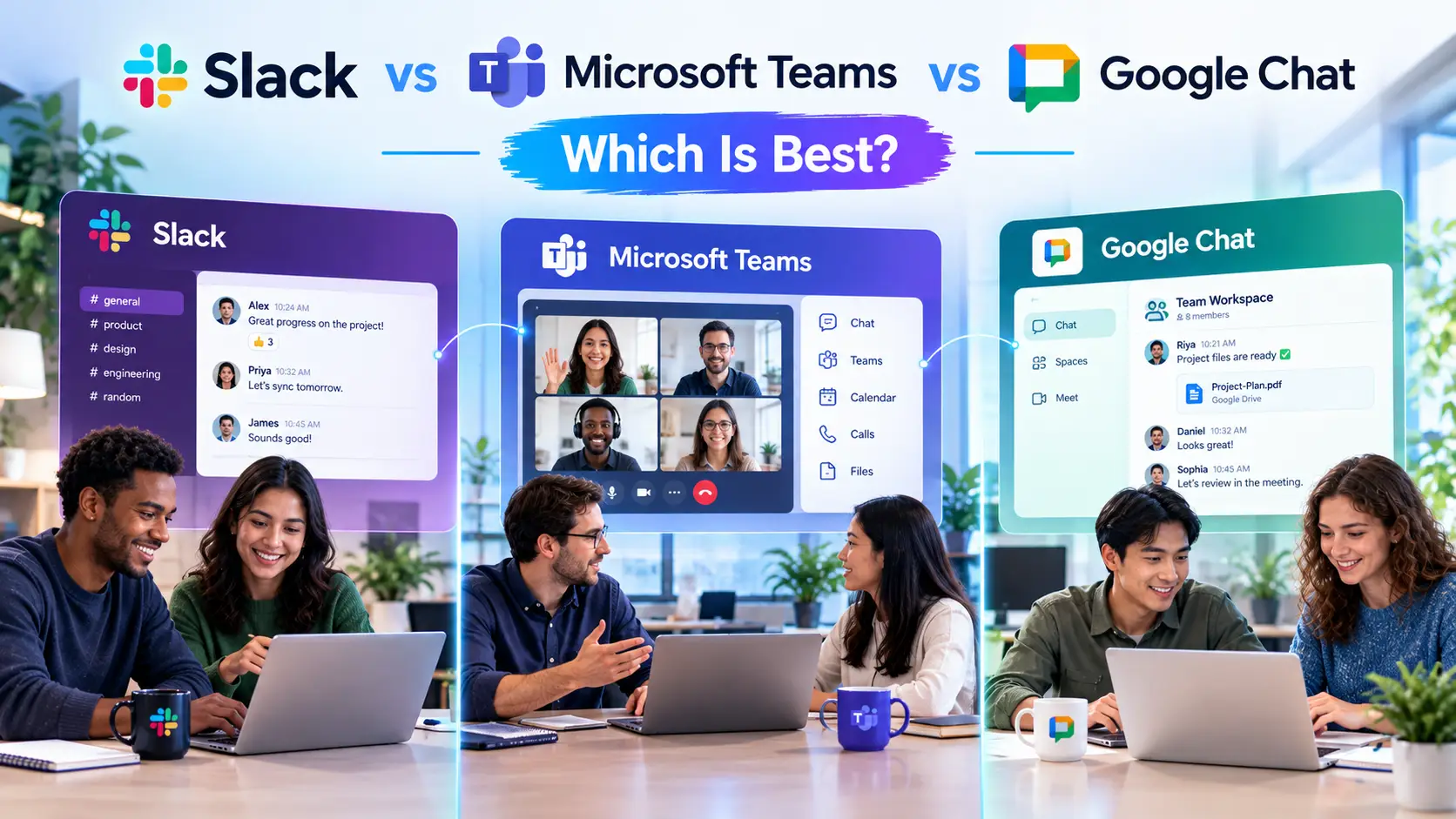
Quick Answer: Slack vs Microsoft Teams vs Google Chat
Pick the chat tool that matches the office suite you already pay for. Companies on Microsoft 365 usually get the most value from Microsoft Teams. Companies on Google Workspace usually get the most value from Google Chat. Slack is the best fit when you want the strongest app marketplace and a chat-first workspace that doesn't depend on any one suite, and when you're willing to pay for it separately.
| If you... | Choose |
|---|---|
| Already use Microsoft 365 (Outlook, SharePoint, Word) | Microsoft Teams |
| Already use Google Workspace (Gmail, Drive, Docs) | Google Chat |
| Want the widest set of third-party integrations | Slack |
| Work often with clients and partners in shared channels | Slack |
| Want chat and video meetings in one bundled license | Teams or Google Chat |
| Need the lowest cost for a small team | Google Chat or Teams, since both are usually bundled |
The rest of this guide compares the three on features, pricing, integrations, security, external collaboration and AI, then helps you decide.
Introduction
Choosing a team chat app looks simple until you try it. All three tools send messages, share files and run video calls. The differences show up later: who can join a channel from outside your company, what your plan actually includes, how much of the tool you pay for twice, and how well it works with the documents and calendar you already live in.
This comparison uses the vendors' own pricing pages and documentation. Where a price comes from a secondary source, the article says so. Prices change often and vary by country and billing term, so confirm the current number on each vendor's site before you buy.
If you are still deciding whether chat should replace some of your email, read our guide to email vs team chat first.
What Is Slack?
Slack is a channel-based messaging platform. Slack's own help center describes it this way: "Work in Slack happens in channels, dedicated spaces that bring together the right internal and external people." Conversations are organized by project, team or topic, with threads for replies, huddles for quick audio calls, and canvases for shared notes.
Slack's biggest strength is its ecosystem. Its marketplace lists more than 2,600 apps, and you can use the Slack API to connect your own internal tools (Slack Help Center). Slack is a standalone product, so you buy it separately from your email and document suite.
What Is Microsoft Teams?
Microsoft Teams is the collaboration hub of Microsoft 365. It combines chat, channels, meetings, calling and file sharing in one app.
Its real advantage is what sits underneath. According to Microsoft Learn, creating a team also creates a Microsoft 365 group, a SharePoint site and document library, an Exchange shared mailbox and calendar, and a OneNote notebook. Teams also ties into Planner and Power BI. If your company already runs on Microsoft 365, a lot of that plumbing is already in place.
What Is Google Chat?
Google Chat is the messaging tool in Google Workspace. Google describes spaces as "persistent collaboration spaces that support up to 500,000 members," with threaded conversations inside them. Chat sits in the left-hand bar of Gmail and links to Calendar, Drive, Meet and Groups (Google Workspace).
Google Chat is the simplest of the three. It does fewer things, but it is easy to learn and costs nothing extra if you already pay for Workspace.
Slack vs Teams vs Google Chat: Side-by-Side Comparison
| Feature | Slack | Microsoft Teams | Google Chat |
|---|---|---|---|
| Best for | Chat-first teams, heavy app use | Microsoft 365 organizations | Google Workspace organizations |
| Sold as | Standalone subscription | Part of Microsoft 365 or standalone | Included in Google Workspace |
| Free plan | Yes, 90 days of history, 10 apps | Yes, with meeting limits | Yes, for personal Google accounts |
| Channels and threads | Channels, threads | Teams, channels, threads | Spaces, threads |
| Video meetings | Huddles (audio and video) | Full meetings built in | Google Meet |
| Integrations | 2,600+ marketplace apps | Large app catalog, strongest in Microsoft tools | Fewer, plus Apps Script and APIs |
| External collaboration | Slack Connect | Guest and external access | Spaces with external users |
| Document tie-in | Links to Google, Microsoft and others | Deep (SharePoint, OneDrive, Office) | Deep (Drive, Docs, Sheets) |
| Learning curve | Low to medium | Medium | Low |
Features Compared
Channels and conversation structure
All three give you channels, threads and direct messages. Slack's channel model is the one the other two copied, and many people find it the most natural. Teams adds a layer above channels, since each team maps to a Microsoft 365 group with its own site and mailbox, which is powerful but heavier to manage. Google Chat uses spaces, which feel closer to a group conversation than a structured channel list.
Video and calls
Slack's huddles are lightweight audio calls you start from a channel. They are fine for a quick talk, but most Slack teams still pair it with Zoom, Google Meet or Teams for larger meetings. Teams has a full meeting platform built in. Google Chat hands calls off to Google Meet, which is included with Workspace.
The Teams free plan limits group meetings to 60 minutes and 100 participants, with 5 GB of cloud storage per user, according to Microsoft's support page.
File sharing and documents
This is where the suite you own matters most. In Teams, files shared in a channel are stored in that team's SharePoint library. In Google Chat, files come from Drive and open in Docs or Sheets right inside the conversation. Google's help documentation says you can attach files up to 200 MB in Chat messages. Slack handles files well but depends on whichever storage tool you connect.
Search
Slack's search is one of its best-liked features, and an active workspace builds a useful archive over time. Teams and Google Chat both search messages and files, and each can also reach into its parent suite, which helps when what you need lives in an email or a document, not a chat.
Pricing Compared
Pricing is where the three tools differ most, because they are packaged differently.
Slack is a per-user subscription. It has a free plan with 90 days of message history, up to 10 app integrations and one-to-one huddles. Paid plans remove the history limit and the app cap. According to Slack's pricing page, Pro and above also allow group external messages with up to 250 organizations. Reported US prices are about $7.25 per user per month on Pro billed annually and $8.75 billed monthly, and about $15 per user per month on Business+ billed annually. Slack showed local-currency prices when we checked, so confirm the US figures on its page.
Microsoft Teams is bundled into Microsoft 365 business plans, and Microsoft also sells it on its own. Teams Essentials was announced at $4 per user per month when it launched, and Microsoft 365 Business Basic, which includes Teams plus web Office apps and cloud services, is priced higher. Check the current Microsoft Teams pricing, since Microsoft has changed how it packages Teams more than once.
Google Chat has no separate price for business users. It comes with every Google Workspace plan. Google lists Business Starter at $7 per user per month on flexible billing, or $5.60 with an annual commitment, with 30 GB of storage per user, Meet calls of up to 100 participants and Gemini in Gmail. Higher plans raise the Meet limit to 150 participants on Standard and 1,000 on Enterprise (Google Workspace pricing).
| Cost point | Slack | Microsoft Teams | Google Chat |
|---|---|---|---|
| Free option | Yes, limited history and apps | Yes, limited meetings | Yes (personal accounts) |
| Entry paid plan | Pro | Teams Essentials or M365 plans | Workspace Business Starter |
| Priced as | Standalone per user | Standalone or bundled | Bundled with Workspace |
| Likely to be paid twice? | Often, next to an office suite | Rarely if on Microsoft 365 | Rarely if on Workspace |
The practical point: if you already pay for Microsoft 365 or Google Workspace, the matching chat tool is effectively free. Adding Slack on top means a second per-user bill, which is only worth it if Slack's strengths matter to your team.
Integrations and Apps
Slack leads on breadth. With more than 2,600 apps in its marketplace, it connects to almost every common business tool, from ticketing and CRM systems to developer platforms. That's why engineering and product teams often prefer it.
Teams has a large app catalog and the best connection to Microsoft's own tools, along with a development platform for custom apps. Google Chat supports apps such as Asana, Jira, Salesforce and Trello, and lets you build custom apps with Chat APIs and Apps Script, including no-code options through AppSheet.
If your workflows need many third-party tools, Slack is the safest bet. If most of your work happens in documents, spreadsheets and email, the native suite integration of Teams or Google Chat matters more.
For ways to connect these tools to the rest of your stack, see our guide to no-code workflow automation tools.
Working With People Outside Your Company
External collaboration is a deciding factor for agencies, consultants and any team that works with clients.
- Slack Connect lets organizations share channels across company lines. On the free plan it is limited to one-to-one external messages, and paid plans allow group channels with other organizations.
- Teams supports guest and external access, though setup is handled through your Microsoft 365 admin settings and can take more planning.
- Google Chat supports conversations with people outside your organization, with admin controls over who can reach whom.
Slack Connect is the most polished of the three for this job, which is one reason agencies and software vendors lean toward it.
Security and Admin Controls
All three vendors offer enterprise-grade security on their business plans, including admin consoles, access controls and audit options. The details differ by plan, so check what your tier includes before you rely on it.
- Slack: the higher plans add features such as enterprise search and multiple SAML configurations. Enterprise+ pricing is by quote.
- Teams: inherits Microsoft 365's identity and compliance tools, since Teams uses identities stored in Microsoft Entra ID. IT teams that already manage Microsoft 365 get one set of controls.
- Google Chat: is governed through the Google Workspace admin console, alongside Gmail and Drive.
If you work under rules such as HIPAA or GDPR, confirm retention, export and legal-hold settings with the vendor. This article is general information and not legal advice. For account safety across all your tools, our list of free password manager apps is a practical place to start.
AI Features
All three have added AI assistants, and the gap changes quickly.
- Slack includes basic AI on the free and Pro plans, covering summaries, search, recaps and file summaries. Business+ adds its Slackbot AI agent, with usage limits.
- Google Chat works with Gemini for message translation, conversation summaries and action items, with a side-panel assistant. On Workspace, Gemini access depends on your plan: Starter includes it in Gmail, and Standard extends it across more apps.
- Teams is paired with Microsoft's AI features, which are sold under separate licensing, so check the add-on options with Microsoft.
For help turning meetings into notes and tasks, see our roundup of the best AI meeting assistants.
Pros and Cons
Slack
Pros
- Widest app marketplace
- Strong search and a clean channel model
- Slack Connect for external partners
- Works regardless of which office suite you use
Cons
- A separate subscription on top of your email and documents
- Free plan limits history to 90 days
- Video meetings are lighter than Teams or Meet
Microsoft Teams
Pros
- Built into Microsoft 365, with SharePoint, Outlook and OneDrive behind it
- Full meetings and calling in one app
- One admin and security model for IT
Cons
- Heavier to set up and manage
- Interface has more going on than the other two
- Strongest when you use the rest of Microsoft 365
Google Chat
Pros
- Included with Google Workspace
- Simple and quick to learn
- Direct links to Gmail, Drive, Docs and Meet
Cons
- Fewer advanced features and integrations than Slack or Teams
- Best value only for Workspace customers
- Less structured than channel-based tools for large organizations
Which One Should You Choose?
Choose Slack if:
- Your team lives in many third-party tools and wants them all in one place.
- You work closely with clients or partners and want shared channels.
- You are a software, product or agency team that values the integration catalog.
- You don't want chat tied to a single office suite.
Choose Microsoft Teams if:
- Your company already pays for Microsoft 365.
- You want chat, meetings and calling in one app.
- Your IT team wants a single set of identity and compliance controls.
Choose Google Chat if:
- You run on Google Workspace and want chat at no extra cost.
- You value simplicity over deep customization.
- Most of your collaboration happens inside Docs, Sheets and Gmail.
Small teams on a budget: if you are already on Workspace or Microsoft 365, start with the bundled tool. You can always add Slack later if you outgrow it. For more on stack choices, see our guides to productivity software for small businesses and project management tools for small teams.
Common Mistakes When Choosing a Team Chat Tool
- Paying twice. Many teams buy Slack while already paying for a suite that includes chat, without checking whether the bundled tool would do.
- Choosing on features alone. A tool nobody opens is worth nothing. Test with a pilot team before a company-wide rollout.
- Ignoring notifications. Default settings favor engagement over focus. Microsoft's 2025 Work Trend Index reports that workers are interrupted every two minutes during core hours, so notification rules matter whichever tool you pick.
- Skipping a channel policy. Without clear rules for what goes where, any of these tools turns noisy. Our guides to slow productivity and digital burnout cover why constant availability costs more than it seems.
- Forgetting retention and compliance. Know how long messages are kept and who can export them before you put sensitive conversations in chat.
Frequently Asked Questions
Which is better, Slack or Microsoft Teams? Neither is better for everyone. Slack is stronger on integrations and external channels. Teams is stronger when your company already uses Microsoft 365, because it connects to Outlook, SharePoint and Office and is often bundled into the license.
Is Google Chat better than Slack? Google Chat is simpler and comes with Google Workspace, so it costs nothing extra for Workspace customers. Slack offers more integrations and more polished external collaboration. For teams that mostly work in Google's tools, Chat is often enough.
Is Microsoft Teams free? There is a free version. According to Microsoft, it limits meetings to 60 minutes and 100 participants and gives each user 5 GB of cloud storage. Business plans remove those limits.
Is Slack free? Yes. The free plan keeps 90 days of message history, allows up to 10 app integrations, and limits huddles and external messages to one-to-one. Paid plans remove those limits.
Does Google Chat come with Google Workspace? Yes. Google Chat is included in all Google Workspace plans, so there is no separate chat subscription for business users.
What is the cheapest team chat option for a small business? Usually the one bundled with the suite you already use: Google Chat on Google Workspace, or Teams on a Microsoft 365 plan. Slack's free plan is also an option for very small teams, within its history and app limits.
Which tool is best for remote teams? All three work well. Teams and Google Chat have the advantage of built-in video meetings. Slack is strong for asynchronous work across time zones, thanks to its search and threads.
Which is best for working with clients? Slack, in most cases, thanks to Slack Connect and its shared channels. Teams and Google Chat can also include outside users, but admin setup is usually more involved.
Can you use Slack with Microsoft Teams or Google Workspace? Yes. Slack connects to both Microsoft and Google tools, so some companies run Slack for chat while keeping their documents and email in Microsoft 365 or Google Workspace.
Is Slack or Teams better for large enterprises? Both serve large organizations. Teams often wins where IT wants one Microsoft-managed stack. Slack Enterprise+ suits companies that want a chat-first workspace and the larger app catalog.
Which has the best AI features? It depends on your suite. Slack offers AI summaries and Slackbot, Google Chat works with Gemini, and Teams works with Microsoft's AI add-ons. Check each vendor's current plan details, since these features and prices change often.
Should I use team chat instead of email? Not entirely. Chat is better for quick internal coordination, while email is better for formal and external messages. Our guide on email vs team chat explains where each fits.
Conclusion
The best team chat app is the one your people will actually use, and in most cases that follows from the software they already work in. Microsoft 365 companies tend to land on Teams, Google Workspace companies on Chat, and teams that want the broadest integrations and the best external channels on Slack.
Key takeaways
- Match the chat tool to your office suite first, and add Slack only when it earns its separate cost.
- Teams and Google Chat are bundled, so they are usually the cheapest option.
- Slack leads on integrations and external collaboration.
- Test with a small group, write a short channel policy and review notification settings.
- Confirm current pricing and plan limits on each vendor's site before you commit.
Next step: list the five tools your team uses most, check which chat app connects to them best, and run a two-week pilot with one department.
Sources
- Google, Share files in Google Chat, Google Chat Help