
Email vs Team Chat: Which Is Better
Quick Answer
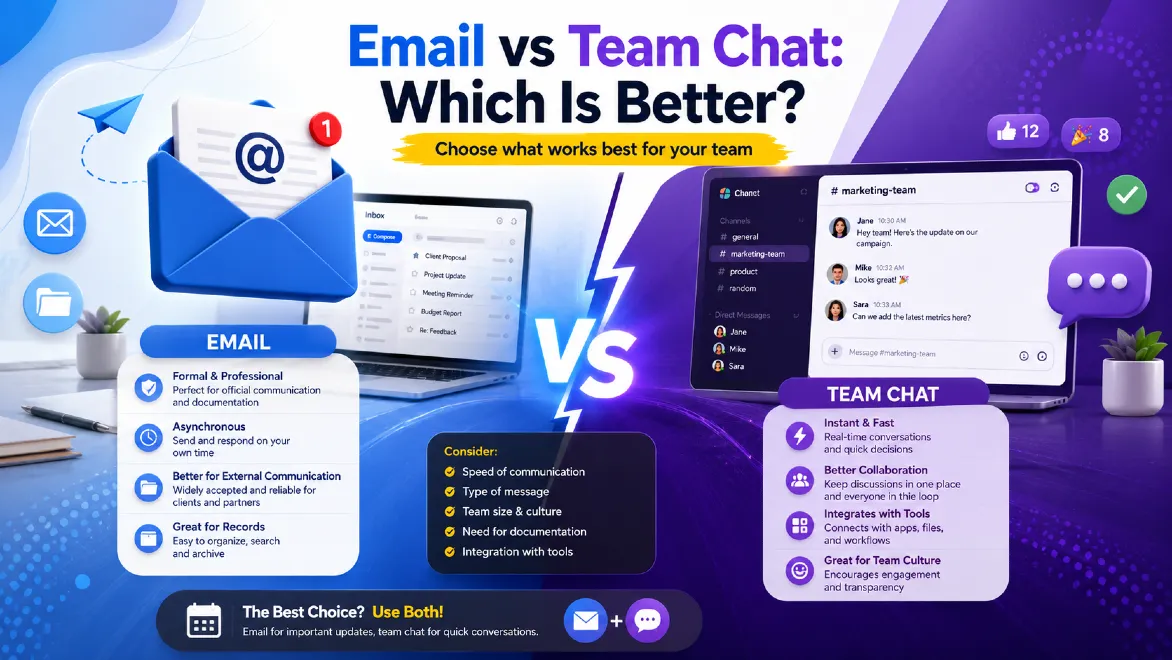
Team chat, like Slack or Microsoft Teams, is best for fast, informal, real-time work. Email is best for formal messages, outside contacts, and anything that needs a paper trail. Most strong teams don't pick one. They use email for official communication and team chat for daily speed, with clear rules for what goes where.
Definition Box
Email communication is a message system used to send formal, documented notes between people or groups. Each user has a unique address, and messages sit in a searchable inbox until someone acts on them.
Team chat software is real-time, channel-based messaging, like Slack, Microsoft Teams, or Google Chat. It's built for instant collaboration, fast decisions, and daily teamwork inside one organization.
Introduction
Every business hits the same debate eventually.
Someone sends a three-paragraph email that could have been a 10-second chat message. Someone else drops an urgent client request into a channel nobody checks after 5 p.m.
That frustration is real, and it's not going away on its own.
I've spent more than a decade advising IT teams, startups, and enterprise operations on their communication channels. Here's what I've learned: the "email vs team chat" debate isn't really about which tool wins. It's about which tool fits the job in front of you.
Get that match wrong, and you pay for it. Deadlines slip. Decisions get buried. People burn out from constant pings.
Get it right, and communication stops being a bottleneck. This guide breaks down both channels honestly. No vendor bias, no hype. Just what you need to build a communication strategy that actually works for your team.
What Is Email Communication?
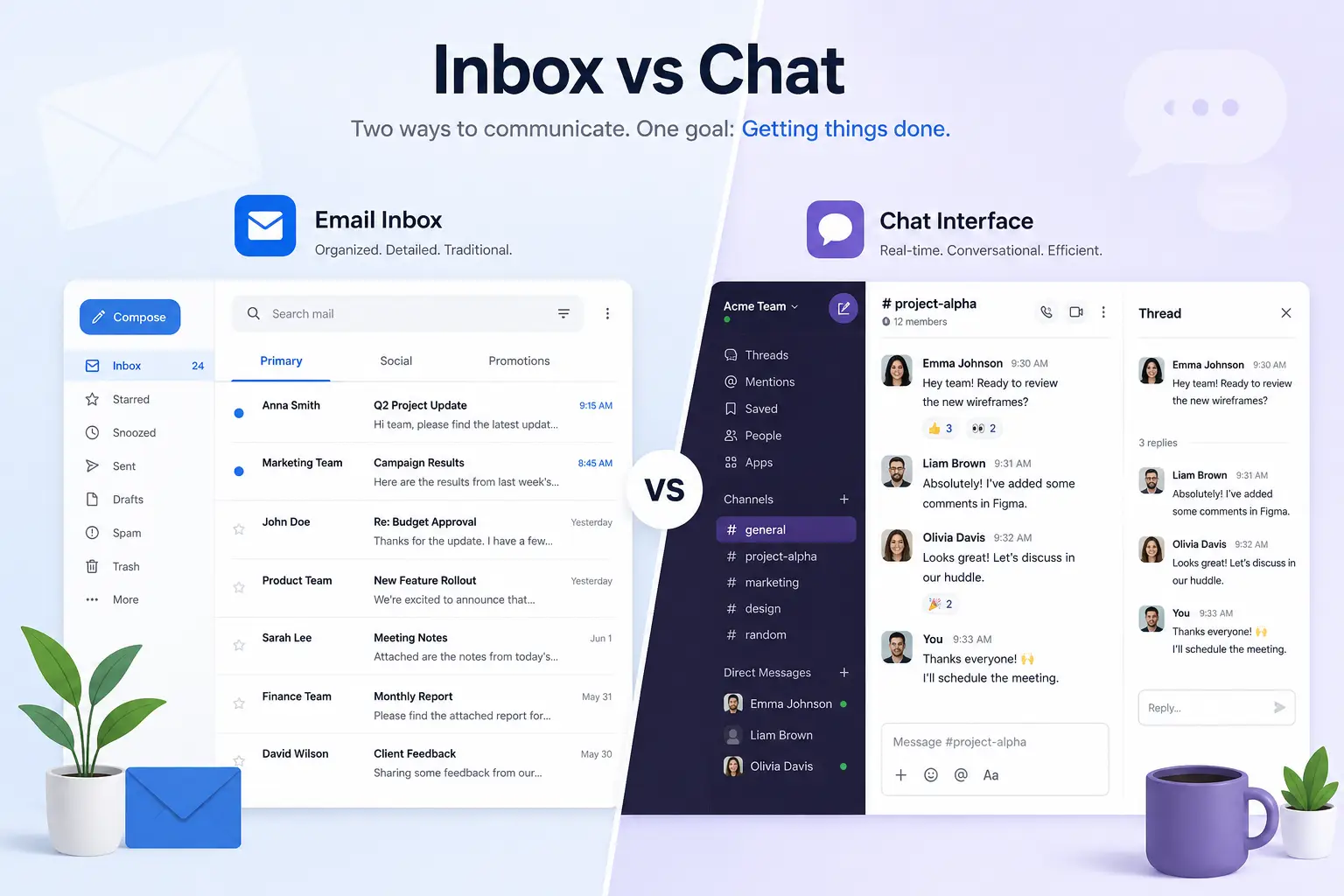
Email is the exchange of digital messages through an address-based system, like Outlook or Gmail. It's existed in some form since the 1970s, and it's still the backbone of formal, asynchronous communication for most businesses.
Email is asynchronous. You send a message, and the other person answers whenever it fits their schedule. Not right away.
That one trait shapes almost everything about how email behaves at work. It's slower by design, but it's built for depth, documentation, and accountability.
Common Business Uses of Email
- Client proposals and contracts
- HR announcements and official notices
- Invoicing and vendor communication
- Legal and compliance documentation
- Updates for external stakeholders
- Formal project sign-offs
McKinsey Global Institute's widely cited research on knowledge worker time found that professionals spend roughly 28% of their workweek reading and answering email. For a 40-hour week, that's around 11 hours. It's a huge chunk of the workday, and it's a big reason so many teams have gone looking for a faster option. You can read the full McKinsey report on workplace communication and productivity for more detail.
What Is Team Chat?
Team chat is real-time, channel-based messaging built for quick internal collaboration. Slack, Microsoft Teams, and Google Chat are the biggest names in team collaboration software today. Think fast back-and-forth, not formal letters.
Instead of one inbox, team chat sorts conversations into channels by project, department, or topic, plus direct messages and threads. Messages are short and casual, and people expect an answer within minutes.
This is what makes team chat feel more like real-time messaging than traditional email. It's technically asynchronous, since nobody has to reply instantly, but the culture around it is not. Research tied to UC Irvine's attention studies found that employees respond right away to roughly 71% of instant message notifications. For email, that number drops to about 41%. That gap says a lot about how differently people treat the two channels.
Common Business Uses of Team Chat
- Daily stand-ups and quick status checks
- Project collaboration and file sharing
- Cross-team troubleshooting
- Social channels for team culture
- Fast decisions that don't need a paper trail
- Integrations with tools like Jira, Google Drive, or a CRM
If you're mapping out your wider software stack, it's worth reviewing this list of best productivity software for small businesses to see how chat tools fit alongside project management and automation platforms.
How Email Works
Email runs on a client-server model, using protocols like SMTP, IMAP, and POP3. Every message passes through mail servers, gets checked, and lands in an inbox. It gets there whether or not the recipient is online.
This setup gives email three key traits:
- It sticks around. Messages sit in the inbox until someone deals with them. Nothing vanishes.
- It's formal. Subject lines, greetings, and signatures give it structure and a clear record.
- It works everywhere. Anyone with an email address can reach anyone else, inside or outside your company.
That last point is why email still matters so much for outside communication. You can't add a client to your Slack workspace for a one-off contract talk. But you can always email them.
Microsoft's own documentation on Exchange Online and Microsoft 365 email services is a solid reference for IT teams. It covers technical detail on security and compliance settings.
How Team Chat Works
Team chat platforms run on cloud-hosted channels instead of personal inboxes. Messages show up instantly for everyone in a channel, and replies are threaded, at least in theory, so context doesn't get lost.
Key parts include:
- Channels, which group conversations by topic, team, or project.
- Threads, which keep replies attached to the original message instead of cluttering the main feed.
- Presence indicators, which show who's online, away, or in a meeting.
- Integrations, which link chat directly to calendars, file storage, and other tools.
This real-time setup is what makes chat feel like a conversation instead of a letter. According to Slack's own help documentation, channels exist to cut down on meetings and long email threads by keeping related talk in one searchable place. You can check Slack's official channel guidance for setup details.
Email vs Team Chat: Side-by-Side Comparison Table
| Feature | Team Chat | |
|---|---|---|
| Communication style | Asynchronous, formal | Real-time, informal |
| Best for | External and formal internal messages | Fast internal teamwork |
| Response expectation | Hours to a day | Minutes |
| Message structure | Subject line, greeting, signature | Short, threaded, casual |
| File sharing | Attachments, size limits | Native, drag-and-drop, connected storage |
| Searchability | Strong, folders and filters | Strong, but can get noisy |
| Onboarding curve | Low, everyone already knows it | Low to moderate |
| External communication | Excellent | Limited, guest access only |
| Documentation and audit trail | Excellent | Moderate, depends on settings |
| Notification fatigue | Lower | Higher |
| Cost | Often bundled with your existing suite | Often a separate per-user cost |
Key Differences
The real difference between email and team chat isn't features. It's tempo.
Email assumes the other person isn't waiting on you right now. Team chat assumes they might be. That single assumption shapes tone, urgency, and even the way people write.
There's also a difference in who owns the conversation. Your email inbox is yours. A chat channel belongs to the organization, and it stays in place even after someone leaves the company, which helps preserve institutional knowledge.
Finally, think about audience. Email crosses company lines with no friction. Team chat is built for people who already share a workspace. That's exactly why it struggles the moment you need to loop in a client, vendor, or job candidate.
Advantages of Email
- Formal and professional. Right for contracts, HR matters, and client-facing communication.
- Works across organizations. No shared platform required.
- Strong documentation. Creates a clear, timestamped record.
- Lower notification pressure. No expectation of an instant reply.
- Reaches everyone. Every business, client, and vendor has an email address.
- Mature security tools. Decades of enterprise-grade encryption, spam filtering, and compliance support.
Disadvantages of Email
- Slow for quick decisions. A two-line question can turn into a five-email thread.
- Overload and clutter. The average professional gets well over 100 emails a day, based on Radicati Group research on business email volume.
- Weak for live collaboration. Not built for real-time problem-solving.
- Threads get messy. Long CC chains fragment context fast.
- High mental cost. UC Irvine research on workplace interruptions found it can take over 23 minutes to fully regain focus after a single email-driven distraction.
Advantages of Team Chat
- Instant collaboration. Great for quick questions and live troubleshooting.
- Better for remote and hybrid teams. Feels like walking over to a coworker's desk, which makes remote collaboration feel less isolating.
- Fewer meetings. Many decisions happen in a five-minute thread instead of a 30-minute call.
- Deep integrations. Connects directly to project tools, file storage, and automation.
- Searchable memory. Channel history often outlasts individual employees.
- Builds culture. Casual channels support bonding, especially for distributed teams.
Disadvantages of Team Chat
- Notification overload. Constant pings break focus all day.
- Instant-reply pressure. Creates a nagging feeling that you always need to be "on."
- Weak for outside contacts. Not built for clients or vendors outside the workspace.
- Message sprawl. Important information gets buried under casual chatter.
- Compliance headaches. Retention and e-discovery rules take real setup work.
When to Use Email
Use email when the message needs a record, involves outside contacts, or doesn't need an answer right away.
Good use cases:
- Sending a client proposal or invoice
- HR announcements, like policy or benefits changes
- Legal or compliance correspondence
- Formal project approvals and sign-offs
- Any message someone might need to reference six months from now
Rule of thumb: if you'd be uncomfortable seeing this message used as evidence in a dispute, or the recipient works outside your company, send it as email.
When to Use Chat
Use team chat when the conversation is internal, time-sensitive, or truly collaborative.
Good use cases:
- "Can you jump on a quick call?"
- Fixing a bug with a developer in real time
- Sharing a file for immediate feedback
- Daily stand-ups and async check-ins
- Coordinating logistics for an internal event
Rule of thumb: if the message would sound natural as a text to a coworker, it belongs in chat, not email.
When to Use Both Together
The most operationally mature companies don't pick one channel. They build a workflow where each tool does what it does best.
A practical hybrid model looks like this:
1. Chat for the Debate, Email for the Decision
Work out the plan in Slack, then send a short summary email so there's a record.
2. Email for Kickoffs, Chat for Execution
Launch a project formally over email, then move daily coordination into a dedicated channel.
3. Chat for Urgency, Email for Everything Else
Save chat pings for things that truly can't wait.
This is the same logic behind well-run project management tools for small teams. The tool you use should match the urgency and permanence of the task. Not just habit.
Gartner's research on digital workplace strategy has repeatedly pointed out that tool sprawl, not tool choice, is what actually kills productivity. The fix is a documented policy on which channel owns which type of message, not cutting one channel out entirely.
Email vs Slack
Slack popularized the channel-based chat model, and it's still the go-to pick for startups, agencies, and tech-forward teams building out their business messaging stack. Compared with email, Slack wins on speed and informal collaboration. It loses on formality and outside reach.
Slack users send an average of 92 messages per day and check the platform roughly 13 times daily, according to workplace communication research. That's a lot of daily volume, and it shows how deeply the tool gets embedded in day-to-day operations. For fast-moving internal teams, Slack often cuts email volume significantly. For anything tied to contracts, compliance, or clients, email still wins.
Check Slack's official Help Center for details on channel permissions, retention, and enterprise security controls before you roll it out company-wide.
Email vs Microsoft Teams
Microsoft Teams has one edge most rivals don't: native integration with Outlook and the full Microsoft 365 suite. That makes the email-versus-chat choice less binary for companies already running Microsoft 365, since both channels live in the same ecosystem.
Microsoft's own 2025 Work Trend Index shows the average worker gets interrupted roughly every two minutes. That's about 275 times a day, from a mix of email, Teams messages, and meeting alerts. It's a good reason to set real notification rules. More integration doesn't automatically mean more output.
For setup details, Microsoft's Teams documentation covers everything from channel structure to compliance retention policies.
Email vs Google Chat
Google Chat plays a similar role for teams built on Google Workspace, tying in tightly with Gmail, Docs, and Meet. Its biggest strength is continuity: a conversation can move from Chat to a Doc to a Meet call without switching platforms.
Compared with email, Google Chat gives faster internal turnaround. But like Slack and Teams, it isn't designed to replace the formality and outside reach of Gmail for client-facing work. Google's own Workspace documentation explains how Chat spaces tie into the rest of the Workspace ecosystem.
Email vs Discord
Discord started as a gaming platform, but it's found real traction with startups, creator businesses, and community-driven teams. It offers voice channels, threaded text chat, and community tools that Slack and Teams don't focus on as heavily.
For structured B2B settings, Discord tends to feel less "professional" out of the box, though many startups customize it well for internal use. Compared with email, it carries the same core tradeoff as other chat tools: faster for internal collaboration, weaker for formal or client-facing correspondence.
Security Comparison
| Factor | Team Chat | |
|---|---|---|
| Encryption standards | Mature, TLS, S/MIME, PGP options | Platform-dependent, generally strong (TLS plus at-rest encryption) |
| Phishing risk | High, the top vector for business email compromise | Lower, but rising as chat adoption grows |
| Data loss prevention (DLP) tools | Widely available and well established | Available on enterprise tiers |
| External sharing risk | Moderate, mainly attachments and spoofed domains | Lower by default, higher if guest access is misconfigured |
| Admin visibility | Strong, mature audit logging | Strong on enterprise plans, weaker on free tiers |
Cisco's threat research consistently ranks email as the top delivery method for phishing and business email compromise attacks. That risk hasn't gone away just because chat adoption has grown. IT and security teams weighing either channel should review Cisco's guidance on email security alongside their chat platform's admin controls.
Compliance Comparison
| Factor | Team Chat | |
|---|---|---|
| Retention policy maturity | Long established and well understood | Improving, but varies by vendor |
| E-discovery support | Strong, industry standard | Strong on enterprise tiers (Teams, Slack Enterprise Grid) |
| Regulatory familiarity (HIPAA, GDPR, FINRA) | High, decades of legal precedent | Growing, but less legal precedent |
| Message editing or deletion risk | Low, harder to alter after sending | Higher, messages can often be edited or deleted |
Regulated industries like healthcare, finance, and law still lean on email for one reason: its long compliance track record. That gives it an edge for anything that needs a defensible audit trail. Chat platforms are catching up fast, but message editability remains a real compliance concern.
Cost Comparison
| Factor | Team Chat | |
|---|---|---|
| Typical pricing model | Often bundled (Microsoft 365, Google Workspace) | Per-user monthly subscription |
| Free tier available | Yes, basic webmail | Yes, with feature or user limits |
| Hidden costs | Storage overages, security add-ons | App integrations, premium support, storage add-ons |
| Enterprise scaling cost | Moderate | Can climb fast with headcount |
For a lean startup, email is nearly always the cheaper baseline, since it's already part of your existing productivity suite. Team chat adds real value, but it's a genuine line item worth budgeting for on purpose, especially once you pass 20 to 30 employees.
Speed, Collaboration, Searchability, and Notifications
| Factor | Team Chat | |
|---|---|---|
| Speed | Hours, asynchronous by design | Minutes, real-time by culture |
| Collaboration | Sequential, one-to-one or CC-based | Simultaneous, multi-person threads |
| Searchability | Strong, mature filters and folders | Strong, but busy channels can get noisy |
| Notifications | Lower volume, less urgent | Higher volume, more interruptions |
| File sharing | Attachment-based, size limits common | Native drag-and-drop, connected cloud storage |
| Best use case | Contracts, client messages, formal records | Daily coordination, quick decisions, remote teamwork |
Common Mistakes Businesses Make
- Treating chat like email. Writing long, formal messages in Slack defeats the whole point of a fast channel.
- Treating email like chat. Expecting instant replies to email creates needless pressure and unrealistic norms.
- No documented channel policy. Without clear rules, employees guess where information lives, and they often guess wrong.
- Ignoring notification settings. Default settings on most chat tools are built for engagement, not focus.
- Losing decisions in chat threads. Big calls made in a channel often vanish without ever getting written down anywhere durable.
- Overloading channels. Dozens of overlapping channels with no naming system make search nearly useless.
The hidden cost of employee disengagement often traces back to exactly this kind of communication chaos. When people don't know where to look for information, they quietly stop trying.
Best Practices
- Set a "channel charter." Write down which types of messages go where, and share it during onboarding.
- Use status indicators honestly. "Do Not Disturb" should mean something. Protect your focus time.
- Default to threads, not new channels. Keep related conversation together so it's easier to search later.
- Summarize chat decisions in email or a shared doc. Don't let important calls disappear into scroll history.
- Audit tool usage every quarter. If a channel or list has gone silent, retire it.
- Train new hires on communication norms, not just tool logins. Culture matters more than the interface.
These habits pair well with the broader time management techniques that protect deep work from constant interruption. They also support the kind of slow productivity approach that values meaningful output over constant responsiveness.
Real Business Examples
The Marketing Agency
A 40-person marketing agency cut internal email volume by roughly a third after moving daily project coordination into Slack channels. They kept all client-facing communication strictly on email, for professionalism and record-keeping.
The Distributed Software Team
A software team spread across four time zones uses Microsoft Teams for real-time pairing and quick unblocks. But they send weekly summary emails to stakeholders, so nothing important depends on someone being online at the right moment.
The Financial Services Firm
A financial services firm, bound by strict compliance rules, keeps Teams for internal chatter only. Anything client-related, like advice, disclosures, or transactions, has to happen exclusively over email with full audit logging.
Across all three, the pattern holds. Chat handles velocity. Email handles the record.
Expert Recommendations
As a communication strategist, my advice to every client is the same. Don't ask "which tool is better." Ask "what does this specific message need?"
If it needs speed, use chat. If it needs a paper trail, use email. If it needs both, use chat first and email second.
Forrester's research on digital workplace maturity has found something useful. Organizations with clear communication protocols report higher employee satisfaction than those that just keep adding tools. Governance matters more than the tool stack itself.
Still shaping your stack? This breakdown of best productivity software for small businesses compares chat, project management, and automation platforms side by side.
Future of Workplace Communication
AI is quietly reshaping both channels. Inboxes increasingly use AI to draft replies, summarize threads, and triage priority messages. Chat platforms are adding AI-generated channel summaries and smarter notification filters to fight fatigue.
The line between "email" and "chat" is also blurring at the infrastructure level. Microsoft Teams and Outlook already share a backend, and similar convergence is happening across the industry. Expect fewer standalone tools and more unified communication hubs that let you switch between async and real-time modes for the same conversation.
What won't change is the core principle. Fast, informal coordination and slow, formal documentation are two different jobs. Whatever the interface looks like in five years, businesses will still need both channels working together. Want to see how AI fits into this shift? This guide on AI agents and how they work is a useful next read.
Final Verdict
Neither email nor team chat wins outright. They solve different problems.
Choose email when the message is formal, external, or needs a permanent record.
Choose team chat when the message is internal, time-sensitive, or truly collaborative.
Choose both when you're running a real business, because most real businesses need speed and documentation. Not just one or the other.
Decision Matrix
| Scenario | Recommended Channel |
|---|---|
| Sending a client contract | |
| Asking a coworker a quick question | Team Chat |
| Announcing a policy change | |
| Coordinating a live product launch | Team Chat |
| Sharing sensitive HR information | |
| Getting a fast answer during a meeting | Team Chat |
| Documenting a project decision | Email (summary) |
| Daily stand-up updates | Team Chat |
| External vendor negotiation | |
| Casual team bonding | Team Chat |
Pros and Cons Summary Table
| Team Chat | ||
|---|---|---|
| Pros | Formal, documented, universal, secure for compliance | Fast, collaborative, integrated, great for remote teams |
| Cons | Slow, prone to overload, weak for live collaboration | Notification fatigue, weak externally, message sprawl |
Frequently Asked Questions
What is team chat?
Team chat is real-time, channel-based messaging software, like Slack, Microsoft Teams, or Google Chat. It's built for fast internal collaboration, file sharing, and quick decisions inside an organization.
Is email better than Slack?
Neither one wins outright. Email is better for formal, external, or documented communication. Slack is better for fast, informal, internal collaboration. Most teams use both, for different jobs.
When should you use email?
Use email for formal communication, outside correspondence, compliance-related messages, and anything that needs a permanent, searchable record.
When should you use chat?
Use chat for quick internal questions, real-time collaboration, file sharing during active projects, and coordination that doesn't need a formal paper trail.
Can businesses replace email with team chat?
No. Chat can cut internal email volume a lot. But email still matters for outside communication, legal documentation, and formal record-keeping that most chat platforms aren't built to handle.
Which communication tool improves productivity more?
It depends on the task. Chat speeds up internal collaboration, while email improves accuracy and accountability for formal communication. Real productivity gains come from matching the tool to the task, not from picking one channel and sticking with it exclusively.
Is Microsoft Teams better than email for business?
Microsoft Teams is better for real-time internal collaboration, especially inside a Microsoft 365 environment. Email is still better for external, formal, or compliance-driven communication.
Does team chat reduce email overload?
Yes, in most organizations. Shifting internal coordination to chat channels usually cuts internal email volume, though external and formal email volume tends to stay steady.
Is Slack more secure than email?
Both can be highly secure when set up correctly. Email has a longer track record with compliance and e-discovery tools. Slack's enterprise tier offers strong encryption and admin controls, but message editability adds a compliance wrinkle email doesn't have.
What is the biggest downside of team chat?
Notification fatigue and the cultural pressure to reply instantly. Both can fragment focus and raise stress for employees juggling multiple channels.
What is the biggest downside of email?
Volume and slow turnaround. Professionals spend a large share of their workweek managing email, and important messages can get buried fast in a busy inbox.
Should startups use email or chat first?
Most startups adopt chat early for internal speed, then formalize their email practices as they add outside clients, vendors, and compliance requirements.
How do you stop chat from becoming as chaotic as email?
Use clear naming rules for channels. Archive inactive ones regularly. Default to threads instead of new channels. Write down a clear policy for what belongs in chat versus email.
Can AI help manage email and chat overload?
Yes. AI-powered triage, summarization, and smart notifications are showing up more often in both email clients and chat platforms. That's cutting down the time spent managing message volume.
What's the best communication tool for remote teams?
Most remote teams rely on a mix. Team chat handles daily coordination and presence. Video calls cover face-to-face moments. Email handles formal or external communication.
Conclusion
The email vs team chat debate isn't a contest with one winner. It's a matching problem. Email brings structure, documentation, and reach beyond your organization's walls. Team chat brings speed, presence, and the collaborative energy that keeps distributed teams moving, whether they're in one office or spread across a hybrid workplace.
Key takeaways:
- Use email for formal, external, or compliance-sensitive communication.
- Use team chat for fast, internal, collaborative coordination.
- Combine both with a documented channel policy, so employees never have to guess which communication channels to use.
- Audit your tools regularly. Sprawl, not tool choice, is what actually kills productivity.
- Layer in AI-assisted triage and summarization as both digital communication channels keep evolving.
Actionable next step: write down your team's channel policy this week. Even a simple one-page guide on what belongs in email versus chat will save hours of confusion every month.
If you're refining your broader workplace communication and productivity stack, explore more on productivity software, project management tools, and AI meeting assistants to keep building a communication system your team actually enjoys using.