
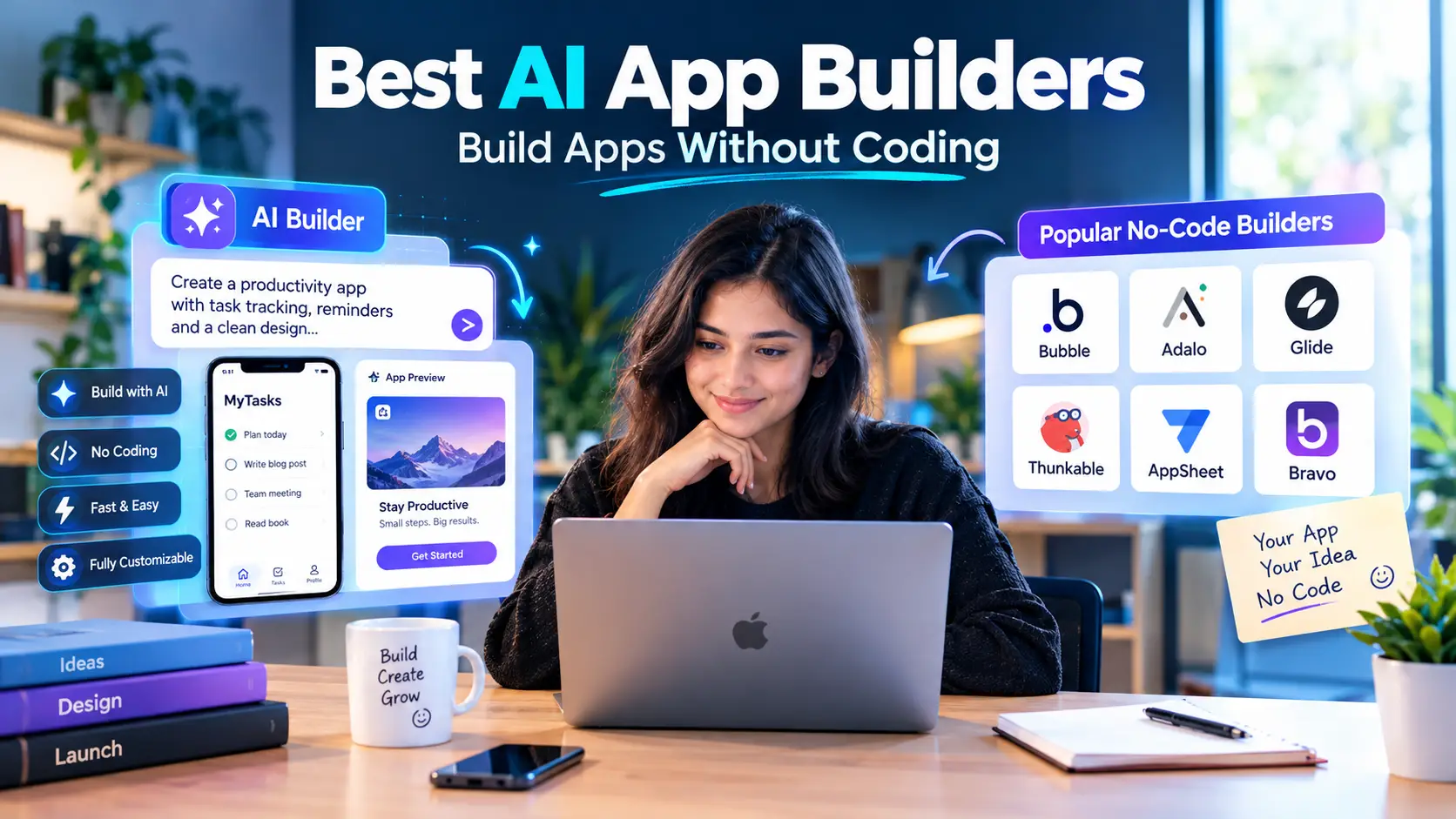
Quick Answer: What Are the Best AI App Builders?
There is no single best AI app builder, because the tools are built for different jobs. Based on what each vendor says it does and what its own pricing and documentation show, this is how the main options line up:
- Lovable: prompt-to-app builder with two-way GitHub sync. Suited to founders who want an app and a code repository they control.
- Bolt: chat-based builder for websites, apps and prototypes, with a free tier and token-based pricing.
- Replit Agent: builds an app from a chat and deploys it inside Replit's own environment.
- v0 by Vercel: an AI agent aimed at real code and full-stack apps, with pull-request workflows for teams that already use Git.
- Base44: an AI platform for apps such as back-office tools and customer portals; its website footer credits Wix.com Ltd.
- Bubble: a visual no-code platform that now also offers AI generation, with a managed runtime.
- FlutterFlow: a visual builder for Flutter apps with code download on paid plans and store deployment.
- Glide: an AI builder for internal business apps built on top of spreadsheets and databases.
The "best" for you depends on four things: what you are building, whether you need to own the code, how much you can spend as usage grows, and who will handle security and maintenance. This guide covers each tool using vendor documentation, labels anything that is editorial judgment, and ends with a way to choose.
Introduction
AI app builders let you describe an app in words and get a working version back. In February 2025, the AI researcher Andrej Karpathy named this style of working "vibe coding," describing it as fully giving in to the vibes and forgetting that the code even exists (Wikipedia). Many products now package the idea into a browser-based tool.
That has made the market crowded and confusing. Some tools generate ordinary code you can take elsewhere. Some run your app on their own platform and do not let you export code. Some focus on websites, others on internal business tools or mobile apps. Pricing is often based on credits or tokens, which makes cost harder to predict than a flat monthly fee.
This article is a research-based comparison of eight widely discussed builders, so you can build apps without coding while understanding the trade-offs. It does not claim to have run each tool through a controlled test. It relies on each vendor's own pricing and product pages (read in October 2026), on published research where relevant, and it flags figures that you should confirm before buying, since pricing and features change often.
If you are still deciding whether an AI builder or a no-code builder is the right category, read our explainer on the difference between AI app builders and no-code app builders first.
What Is an AI App Builder?
An AI app builder is a tool where you describe what you want in plain language and an AI model generates the application: the interface, the logic and often a database and login system. You refine the result by continuing the conversation instead of editing code by hand.
Vendors describe it in similar terms. Bolt's tagline is "Create stunning apps & websites by chatting with AI" (Bolt). Replit says you tell its Agent your app or website idea and "it builds it through chat" with "no coding experience required" (Replit). v0 calls itself "an AI agent that helps anyone create real code and full-stack apps and agents" (v0).
Not every tool on this list is a pure AI generator. Bubble describes itself as "the only no-code AI app builder" (Bubble), and Glide positions itself as an "AI app builder for internal business apps" (Glide). The categories overlap, which is why this guide compares them on practical points instead of labels.
Who these tools are for
They are used by people with no programming background, but not only by them. Y Combinator's Jared Friedman said in 2025 that a quarter of the W25 startup batch had codebases that were 95% AI-generated, and added that those founders were highly technical and capable of building their products from scratch (TechCrunch). That suggests some experienced developers use these tools to move faster, not only people without a programming background.
How to Choose an AI App Builder: Criteria That Matter
Marketing pages emphasize speed. These are the criteria that tend to matter after the first prototype.
- Code ownership and export. Can you take the code with you? Bubble states that its apps "can only be run on the Bubble platform; there's no way of exporting your application as code" (Bubble manual). FlutterFlow, by contrast, advertises "Export your code with the click of a button" (FlutterFlow), though its pricing page shows code download starts on a paid plan.
- Pricing model. Some tools charge a flat monthly fee, others meter credits or tokens, and some combine both with usage limits. The number of times you ask the AI to change something can affect your cost.
- What you can build. Websites, web apps, mobile apps and internal tools are different jobs.
- Backend and data. Does the tool include a database and authentication, or do you connect your own?
- Security. Generated code needs review. Veracode's 2025 report found that AI-generated code introduced security flaws in 45% of its tests, across more than 100 language models, and that larger, newer models did not improve security (Veracode).
- Collaboration and team features. Teams may need roles, single sign-on and shared workspaces.
- Exit plan. What happens if the vendor changes pricing or closes?
The Best AI App Builders Compared
Quick comparison table
| Tool | Best for | Starting paid price (vendor page) | Code export |
|---|---|---|---|
| Lovable | Founders who want code they control | Pro from $25/month | Git sync on all plans; code download on paid plans |
| Bolt | Websites, apps and prototypes by chat | Pro $25/month | Check vendor docs |
| Replit Agent | Building and deploying in one environment | Core $20/month ($18 billed annually) | Check vendor docs |
| v0 | Teams using Git and full-stack apps | Plus $30/user/month | Opens pull requests |
| Base44 | Back-office tools and portals | Starter $16/month (billed annually) | In-app code edits on Starter and above |
| Bubble | Managed no-code apps with AI help | Starter $59/month (billed annually) | No code export |
| FlutterFlow | Mobile apps with store deployment | Basic $39/month | Code download on paid plans |
| Glide | Internal apps on spreadsheets and databases | Basic $25/month | Not applicable (platform-run) |
All prices are what each vendor's pricing page showed in October 2026. Confirm on the vendor's site before buying, since some third-party sites list different numbers.
1. Lovable
What it is: a prompt-to-app builder. Lovable's documentation describes a two-way sync with GitHub: changes in Lovable sync to GitHub, and commits pushed to the active branch sync back. It also lists limits, including one active branch at a time and no import of existing repositories into Lovable (Lovable docs).
Pricing (vendor page): the Free plan gives 5 daily build credits, up to 30 a month, with Git sync but without custom domains, code editing or badge removal. Pro starts at $25 per month with 100 credits and adds custom domains, code editing, removal of the "Edit with Lovable" badge, code download and GitHub, GitLab and Bitbucket sync. Business starts at $50 per month and adds role-based access and single sign-on (Lovable subscription plans). Lovable's pricing page also shows that requests cost different amounts of credits, for example 0.50 for a simple update and 1.20 for adding authentication (Lovable pricing).
Strengths: repository sync gives you a copy of your project outside the platform, and paid plans include code editing.
Watch out for: a widely reported 2025 finding, relayed by Wikipedia and not independently verified here, was that 170 of 1,645 web apps created with Lovable had vulnerabilities allowing unauthorized access to personal information (Wikipedia). Lovable says it now runs a basic security scan on every publish that checks database configurations and row-level security rules (Lovable security). Whichever tool you use, test who can read your data before launch. For background on the company's rise, see our Lovable story.
2. Bolt
What it is: a chat-based builder for "websites, apps & prototypes" (Bolt).
Pricing (vendor page): Free is $0 with a 300K daily token limit and 1M tokens per month, public and private projects, unlimited databases, website hosting and Bolt branding on free websites. Pro is $25 per month and starts at 10M tokens per month, with unused tokens rolling over. Teams is $30 per member per month, and Enterprise is custom (Bolt pricing).
Strengths: a free tier that includes private projects and hosting, and a token model that rolls over on paid plans.
Watch out for: tokens are consumed as you prompt, so costs depend on how much you iterate. Check Bolt's documentation for current export and deployment options before relying on any specific one. Our write-up on the Bolt.new story covers the company background.
3. Replit Agent
What it is: Replit says that you "tell Replit Agent your app or website idea, and it builds it through chat," and describes Replit as a place to "create, launch, and grow apps, sites, tools, and businesses in one place" (Replit).
Pricing (vendor page): the Core plan is listed at $20 per month, or $18 billed annually, and includes AI integrations, "$20 towards most powerful models," up to 60 projects on Free Mode and unlimited workspaces. Pro is $100 per month ($90 billed annually) and adds 10 parallel agents, up to 15 collaborators and database rollback up to 28 days. Enterprise is custom (Replit pricing).
Strengths: building, running and deploying happen in one environment, which reduces setup.
Watch out for: the plan includes a dollar amount towards the most powerful models, so heavy use of those models may go beyond what the plan covers. The Replit pricing page did not clearly describe a standalone free tier when read, so verify what the free option includes.
4. v0 by Vercel
What it is: v0 says it is "an AI agent that helps anyone create real code and full-stack apps and agents," and that you can "ship features, refine designs, update copy, and create live prototypes, all with a prompt," then deploy or open a pull request for review (v0).
Pricing (vendor page): Free is $0 with a 7 message per day limit. Plus is $30 per user per month with $30 of included monthly credits plus $2 of free daily credits on login. Business is $100 per user per month and adds training opt-out by default. Enterprise is custom (v0 pricing).
Strengths: pull-request workflows suit teams that already review code in Git.
Watch out for: pricing is per user, which adds up for teams, and credit-based usage can vary.
5. Base44
What it is: Base44 describes itself as "an AI platform for building fully functioning apps in minutes," where you describe a productivity tool, a back-office system, a customer portal or an enterprise product and it builds it. The footer on its site carries Wix.com Ltd.'s copyright (Base44).
Pricing (vendor page, billed annually): Free is $0 with 25 message credits and 100 integration credits, up to 5 apps, and includes authentication, database and analytics. Starter is $16 per month, Builder $40, Pro $80 and Elite $160, with message credits rising from 100 to 1,200 per month. In-app code edits and domain connection start on Starter (Base44 pricing).
Strengths: a low entry price and a free tier that includes a database and authentication.
Watch out for: credits are split into message credits and integration credits, so check which one your usage will consume.
6. Bubble
What it is: a visual no-code platform that now describes itself as "the only no-code AI app builder" for web and mobile apps (Bubble).
Pricing (vendor page): Free is $0 with a development version and 50K workload units per month. Starter is $59 per month billed annually with 175K workload units, Growth is $209 with 250K and Team is $549 with 500K (Bubble pricing). Some third-party sites list different figures, so use the vendor page.
Strengths: you own your design and data, and the platform runs the app for you. If Bubble were discontinued, its source code would be released under an open-source license, according to its ownership page (Bubble manual).
Watch out for: apps cannot be exported as code, so moving off Bubble means rebuilding. You can export your data as CSV or through its API.
7. FlutterFlow
What it is: a visual builder for apps built on Flutter, deployable to the App Store, Play Store and web, with Firebase and Supabase integrations (FlutterFlow).
Pricing (vendor page): Free is $0 with 2 projects, no code download or APK export and 5 AI requests per lifetime. Basic is $39 per month with unlimited projects, code download, APK download and 50 AI requests per month. Growth is $80 per month for the first seat and adds GitHub integration. Business is $150 per month for the first seat and adds Figma frame import and CLI access (FlutterFlow pricing).
Strengths: code download and store deployment on paid plans, which suits mobile-first projects.
Watch out for: the free plan cannot download code, and AI generation is capped by request counts.
8. Glide
What it is: Glide describes itself as an "AI app builder for internal business apps" that turns spreadsheets into apps and agents, connecting to sources such as Google Sheets, Excel, Airtable, Salesforce and PostgreSQL (Glide).
Pricing (vendor page): Free is $0 with 2 team members and 0 published apps. Basic is $25 per month with 100 credits and 2 published apps. Plus is $50 with 250 credits and 5 published apps. Pro is $125 with 500 credits and unlimited published apps (Glide pricing).
Strengths: it connects to the data your business already has, which suits internal tools.
Watch out for: the free plan allows no published apps, so you can build but not launch without paying. It is aimed at internal business apps, not consumer products.
Which AI App Builder Should You Choose?
This is editorial judgment based on the vendor information above, not the result of a test.
| If you want... | Consider |
|---|---|
| A prototype and a code repository you control | Lovable, Bolt or v0 |
| Building and hosting in one place | Replit Agent |
| A managed platform where the vendor runs everything | Bubble |
| A mobile app with store deployment | FlutterFlow |
| An internal tool on top of spreadsheets or databases | Glide |
| A low-priced entry with a built-in database | Base44 |
| Pull-request workflows with a team | v0 |
Two rules of thumb help. First, if you may need to leave the platform, favor tools with code export and repository sync. Second, if nobody can maintain code, a managed platform reduces the work, at the cost of lock-in.
Cost: What You Will Actually Pay
Plan prices are only part of the cost.
- Credits and tokens. Lovable charges different credit amounts per request, Bolt meters tokens, v0 and Replit apply dollar-based credits and Base44 splits message and integration credits. More iterations can mean more spend.
- Per-seat pricing. v0, Teams plans and some FlutterFlow tiers charge per user.
- Usage metrics. Bubble's workload units rise with how much work your app does.
- Services outside the plan. Domains, email, payments and third-party databases may be billed separately.
- Rework. Fixing or rebuilding an app that outgrew its first tool is a real cost that plan comparisons do not show.
A sensible approach is to start on a free tier, build the smallest version that tests your idea, and estimate usage before upgrading.
Security and Quality: Review Before You Launch
A working preview does not prove that an app is safe. Treat generated code like code from an unknown contributor.
Supabase, a backend service that some AI builders connect to, warns that "a table in an exposed schema without RLS is readable and writable by any role with a grant on it" (Supabase docs). RLS means Row Level Security, the rules that control who can read or change each row of data.
A short pre-launch checklist:
- Test data access while logged out and as a second user.
- Keep secret keys out of front-end code and repositories.
- Turn on any built-in security scanning and read its findings.
- Collect only the data you need.
- For payments or sensitive personal data, get a professional review.
- Use dummy data in prototypes.
Common Mistakes When Choosing an AI App Builder
- Picking by hype. Judge each tool on ownership, security, pricing and fit, not on how popular it is.
- Not checking export options. Find out whether you can take your code or only your data.
- Ignoring usage-based costs. Estimate prompt volume or traffic before choosing a plan.
- Launching without a security check. Test access rules before real users arrive.
- Building before validating. Confirm people want the product first. Our guide to validating a Micro-SaaS idea covers how.
- Using a prototype tool for a production job. A tool good for demos may need rework before it handles real load or sensitive data.
Frequently Asked Questions
What is the best AI app builder? There is no single best one. Lovable, Bolt and v0 suit people who want code they can take elsewhere, Bubble suits a managed no-code platform, FlutterFlow suits mobile apps and Glide suits internal business tools. Choose by what you are building, whether you need code ownership and what usage will cost.
Can I really build an app without coding? You can describe an app and get a working version from these tools without writing code. Reviewing the result still matters, especially for security. Veracode's 2025 research found security flaws in 45% of its tests of AI-generated code (Veracode).
Which AI app builder is free? Several have free tiers. Lovable's gives 5 daily build credits up to 30 a month, Bolt's gives 1M tokens per month, v0's limits you to 7 messages a day, Base44's gives 25 message credits and Glide's free plan allows no published apps. Free tiers change, so check the vendor's page.
Can I export the code from an AI app builder? It depends on the tool. Lovable offers Git sync (code download on paid plans), FlutterFlow offers code download on paid plans, and Bubble does not allow code export. Confirm the current terms before building.
Are AI app builders secure? Not by default. Generated code and backend settings need review, and apps should be tested for who can read and write data. Lovable, for example, says it runs a basic security scan on every publish, but you remain responsible for the final check.
What is the difference between an AI app builder and a no-code app builder? An AI builder generates code from prompts, while a no-code builder is configured visually and usually runs on the vendor's platform. Some tools now do both. Our comparison of AI and no-code app builders explains the trade-offs.
How much do AI app builders cost? The paid plans listed on vendor pages in October 2026 start at roughly $16 to $59 per month for the entry tiers of the tools covered here, with higher tiers for teams. Usage-based credits or tokens can push the real cost higher.
Which is best for a mobile app? FlutterFlow advertises deployment to the App Store and Play Store, and Bubble says it builds web and mobile apps. Check each tool's current mobile support for your needs.
Which is best for an internal business tool? Glide is built for internal apps on top of spreadsheets and databases, and Base44 lists back-office systems among its examples.
Should I learn to code anyway? It helps. Being able to read generated code makes it easier to catch errors and judge security, but it is not required to start.
Conclusion
The best AI app builder is the one whose trade-offs match your project. Lovable, Bolt and v0 favor generated code and fast iteration. Replit bundles building and deployment. Base44 offers a low entry price. Bubble and Glide give managed platforms at the cost of lock-in or a narrower focus. FlutterFlow targets mobile apps with code download on paid plans.
Whichever you pick, check four things before committing: who owns the code, what the cost will be at your real usage, who can read your data, and how you would leave. Start on a free tier, test a small version of your idea, and review security before real users arrive.
Sources
- Bolt, Home and Pricing
- Replit, Agent and Pricing
- v0, Home and Pricing
- Base44, Home and Pricing
- Bubble, Home, Pricing and Application and data ownership
- FlutterFlow, Home and Pricing
- Glide, Home and Pricing
- Lovable, Subscription plans, GitHub integration, Pricing and Security
- Veracode, 2025 GenAI Code Security Report
- Supabase, Row Level Security
- TechCrunch, A quarter of startups in YC's current cohort have codebases that are almost entirely AI-generated (March 2025)
- Wikipedia, Vibe coding (term origin; the reported Lovable vulnerability figure is not independently verified)