
Quick Answer: AI App Builder vs No-Code App Builder
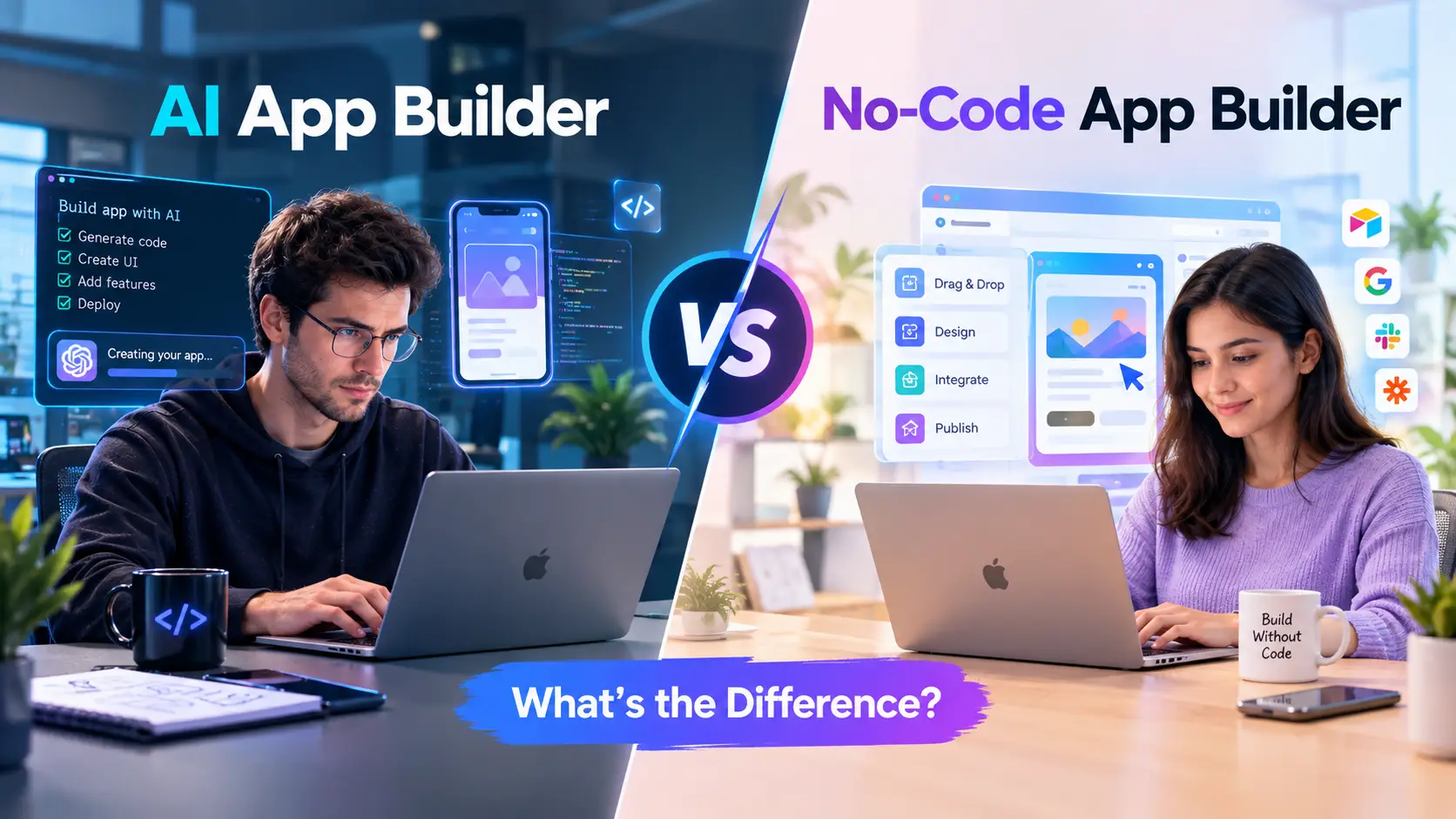
The difference between an AI app builder and a no-code app builder comes down to how you tell the tool what to build, and what you end up owning afterwards.
- A no-code app builder (Bubble is a well-known example) gives you a visual editor. You drag elements onto a page, define data types and set up workflows by clicking. The platform interprets your configuration and runs the app for you.
- An AI app builder (Lovable and Bolt.new are well-known examples) takes a plain-language prompt, generates source code, and lets you keep refining it through chat. The output is usually a standard code project you can inspect, edit and often export.
The line is blurring: some no-code platforms have added AI generation, and some AI builders offer visual editing. So the useful question is not which label a product carries, but four practical ones. How much control do you want over the result? Who owns the code? How predictable is the cost? Who is responsible for security and maintenance once the app has real users?
This guide explains the two approaches, compares them on the points that matter, and gives a decision framework. It relies on vendor documentation and published research, and it labels anything that is an illustration rather than a measured result.
Introduction
Building software used to mean hiring developers or learning to code. Two families of tools changed that. No-code builders arrived first and let non-programmers assemble apps from visual components. More recently, AI app builders let people describe an app in words and receive working code. In February 2025, the AI researcher Andrej Karpathy gave this style of working a name, "vibe coding", which he described as fully giving in to the vibes and forgetting that the code even exists (Wikipedia).
The two approaches overlap enough to confuse buyers. Both promise an app without a development team. Both have free tiers. Both are marketed to founders, small businesses and internal-tools teams. But they differ in what happens under the hood, and those differences decide whether the app you build today is still workable in a year.
If you are weighing an AI app builder vs no-code app builder for a real project, the sections below walk through the definitions, the trade-offs and the questions to ask before you commit. If your project is still an idea, it is worth validating demand first; our guide to validating a Micro-SaaS idea covers how to do that before spending on any builder.
What Is a No-Code App Builder?
A no-code app builder is a platform where you create an app by configuring it, not by writing code. You typically work with three things:
- Visual design: you place buttons, forms, lists and images on a canvas.
- Data model: you define the types of records your app stores, such as customers, orders or tasks.
- Workflows: you set rules such as "when this form is submitted, create a record and send an email."
The platform then runs the app. What you build is not a code project in the usual sense. Bubble describes the arrangement directly in its documentation: you own your app's design and your users' data, while Bubble retains ownership of the underlying code, and "Bubble apps can only be run on the Bubble platform; there's no way of exporting your application as code" (Bubble manual). The same page says that if Bubble were ever discontinued, its source code would be made available under an open-source license, and that you can export your data as CSV or through its API.
That design has clear strengths and one clear cost:
- Strength: a stable, managed runtime. The platform handles hosting, database infrastructure and updates. You are configuring features, not operating servers.
- Strength: predictable building blocks. Because you assemble from the platform's own components, behavior is consistent from one project to the next.
- Cost: platform dependence. Your app lives where the platform lets it live. Moving elsewhere generally means rebuilding.
Bubble is one widely used example. Product names, pricing and features change often, so check each vendor's own site before deciding.
What Is an AI App Builder?
An AI app builder starts from a prompt. You describe the app, and a large language model writes the code, designs the interface and wires up a backend. You then refine the result by chatting: "add a login page", "make the dashboard show last month's totals", "fix this error."
Lovable is one example: you describe the app, it generates the project, and you can sync the result to a GitHub repository (details below). Supabase is a backend commonly used alongside tools like this, and it comes up again in the security section.
Because the output is real code, two things follow:
- You can usually take it with you. Lovable's documentation describes a two-way sync with a GitHub repository: changes in Lovable sync to GitHub, and commits pushed to the active branch sync back. It also lists limits, such as one active branch at a time and no import of existing repositories into Lovable (Lovable docs).
- The quality is only as good as what the model generates and what you review. That is where the main risks sit, covered in the security section below.
AI builders are not limited to non-programmers. Y Combinator's Jared Friedman said in 2025 that a quarter of the W25 startup batch had codebases that were 95% AI-generated, and stressed that those founders were highly technical and could have built the products from scratch (TechCrunch). That suggests some experienced developers use these tools to move faster, not only people avoiding code.
For deeper looks at two of the best-known AI builders, see our write-ups on Lovable and Bolt.new.
AI App Builder vs No-Code App Builder: Side-by-Side Comparison
| Factor | No-code app builder | AI app builder |
|---|---|---|
| How you build | Visual editor: drag, drop, configure | Natural-language prompts and chat |
| What you get | A configuration that runs on the vendor's platform | A code project, often exportable |
| Code ownership | Platform keeps the code; you own design and data | You generally have access to the generated code |
| Moving to another host | Typically means rebuilding | Possible through repository sync or export |
| Predictability | High: you control each element | Lower: the model may change things you did not ask for |
| Learning curve | Moderate: you learn the platform's concepts | Low to start; harder when you need to debug generated code |
| Security responsibility | Platform handles much of the infrastructure | Shared: generated code and backend settings need review |
| Typical pricing model | Plan tiers plus usage metrics | Credits or usage consumed per prompt, plus plan tiers |
| Best for | Structured apps with defined workflows | Fast prototypes and custom interfaces |
This table is a generalization. Individual products blur the lines, and the right choice depends on the project.
How Each Approach Works Under the Hood
No-code: an interpretation engine
In general, a no-code platform stores your app as configuration: pages, elements, data types and workflow steps. When someone opens your app, the platform's engine reads that configuration and runs it. No source code is produced for you to maintain.
That is consistent with Bubble's statement that its apps cannot be exported as code: what you can take with you is the data, not a code project.
AI: code generation plus a managed backend
An AI builder asks a model to produce source files. The platform typically runs a preview, deploys the result and connects services such as authentication and a database. When you ask for a change, the model edits the code. That is flexible, but it also means the model can produce a different result for a similar prompt, and it can introduce errors you have to notice.
Where the lines blur
Because products in both categories keep adding each other's features, a more useful buyer's question is: what is the foundation? Is the output a platform-specific configuration, or a standard code project? The answer shapes ownership, cost and exit options far more than the interface does.
Code Ownership and Lock-In
Lock-in is the least visible difference at the start and the most expensive one later.
No-code lock-in. On Bubble, code cannot be exported and the app runs only on Bubble, according to its own ownership page (Bubble manual). You can export data, and the open-source contingency applies only if the company is discontinued. If you outgrow the platform, plan on rebuilding the app on a new foundation while carrying your data across.
AI-builder portability, with caveats. Because AI builders produce standard code, repository sync gives you a copy you can host elsewhere. But portability is not the same as independence:
- The generated project may depend on services the builder set up, such as an authentication provider and database. Moving the code does not automatically move those.
- Lovable's GitHub integration is one-directional for repositories: you can export from Lovable to GitHub, but importing an existing repository into Lovable is not supported (Lovable docs).
- Code you did not write is code you still have to understand to maintain.
Practical test. Before committing, ask: if this vendor doubled its prices or shut down tomorrow, what exactly could I take with me, and could someone else run it? For a throwaway prototype the answer barely matters. For a product you intend to sell, it matters a lot.
Security: A Key Practical Difference
Security deserves its own section because the two approaches fail in different ways.
What the research says about AI-generated code
Veracode's 2025 GenAI Code Security Report analyzed code generated by over 100 large language models across Java, JavaScript, Python and C#. Its headline finding was that AI-generated code introduced risky security flaws in 45% of tests, and that larger, newer models did not improve security (Veracode).
That does not mean every AI-built app is insecure. It means generated code needs the same scrutiny as any code from an unknown contributor, and that "the AI wrote it" is not a reason to skip review.
A concrete example: database access rules
The clearest illustration involves Supabase, the backend many AI builders use. Supabase's documentation warns that "a table in an exposed schema without RLS is readable and writable by any role with a grant on it" (Supabase docs). RLS stands for Row Level Security, the database rules that decide who can read or change which rows.
Wikipedia's summary of vibe coding reports a May 2025 finding that 170 of 1,645 web applications created with Lovable had vulnerabilities that allowed unauthorized access to personal information (Wikipedia). This is a reported figure that has not been independently verified here. Lovable says it now runs a basic security scan on every publish that checks database configurations and RLS rules (Lovable security), so the vendor now checks for this class of problem.
The lesson holds regardless of the exact numbers: a database that looks fine in a demo can be wide open to the internet, and nothing in the prompt-and-preview loop forces you to notice.
Security in no-code platforms
No-code platforms are not automatically safe either. Privacy rules in a visual editor can be misconfigured just as database rules can. The difference is mainly where the risk sits. With no-code, the vendor controls the runtime, so you are mostly responsible for the configuration choices you make. With AI builders, you are also responsible for the code that was generated and for the backend settings it created.
A short security checklist for either approach
- Confirm who can read and write each data type, and test it while logged out.
- Keep secret keys out of the front-end code and out of the repository.
- Turn on the vendor's security scanning and read its findings instead of dismissing them.
- Limit what the app collects. Data you never store cannot leak.
- For anything handling payments or sensitive personal data, get a professional review before launch.
Cost and Pricing Models
Pricing differs in structure more than in headline price, and published prices change, so treat the figures below as a snapshot of vendor pages at the time of writing and confirm before buying.
No-code pricing: plan tiers plus usage
Bubble's pricing page lists a free plan with 50K workload units per month and a development version, then paid tiers: Starter at $59 per month billed annually with 175K workload units, Growth at $209 per month billed annually with 250K, and Team at $549 per month billed annually with 500K (Bubble pricing). Some third-party comparison sites list different numbers, so rely on the vendor's current page.
Workload units are a usage-based measure, so an app that does more work consumes more of them. Check Bubble's documentation for exactly what counts, and estimate your traffic before choosing a tier.
AI-builder pricing: credits per prompt
Lovable's pricing page describes a free tier with a daily grant of 5 build credits, up to 30 a month, and shows that different requests cost different amounts: a simple update is listed at 0.50 credits, adding authentication at 1.20 credits and a complex landing page at 1.70 credits (Lovable pricing). Because credits are charged per request, the number of changes you make, not only the size of the final app, can affect cost.
What neither price shows
- Your time. An AI builder can produce a first version quickly, but debugging unfamiliar generated code can take longer than building a feature visually, and vice versa.
- Hosting and services. Databases, email, payments and domains may be billed separately.
- Exit costs. Rebuilding an app that outgrew a no-code platform, or rewriting AI-generated code that cannot scale, is a real expense that rarely appears in a plan comparison.
Control, Customization and Scalability
Customization. A no-code platform lets you build what its components allow. When you hit a limit you can often extend with plugins, but you are still inside the platform. An AI builder, producing ordinary code, has few inherent limits on what the interface can be, though the model may struggle with unusual or complex requirements and you may need a developer to finish the job.
Predictability. In a visual editor, you change the specific element you select. With prompt-based editing, the model decides which files to edit, so a request about one screen may touch other parts of the code. Good practice is to keep changes small, review what changed, and use version control, which repository sync makes straightforward.
Scalability. Neither approach guarantees scale. No-code platforms scale within their plans and architecture, and usage-based pricing grows with traffic. AI-generated apps scale as well as their architecture and queries allow, which depends on code you must review. For a small internal tool or an early product, both are usually adequate. For a product expected to handle heavy load, plan an architecture review early.
Maintenance. This is the quiet cost. A no-code vendor maintains the runtime for you. With generated code, dependencies age, libraries release security fixes and someone has to keep the project updated. If nobody on your team can read the code, that work will eventually need to be hired out.
When to Choose a No-Code App Builder
A no-code builder is usually the better fit when:
- The app is built around structured data and defined workflows, such as an internal tracker, a booking flow, a directory or a simple marketplace.
- You want the vendor to own infrastructure and maintenance, and you have no one who can maintain code.
- You prefer predictable, controllable editing over conversational editing.
- You are comfortable with platform dependence in exchange for a managed runtime.
- The app is an internal tool where the cost of switching later is low.
For automation-style projects that connect existing tools without building a full app, a workflow tool may be a better category than either builder. Our overview of no-code workflow automation tools covers those.
When to Choose an AI App Builder
An AI builder is usually the better fit when:
- You need a fast prototype to test an idea with users before investing in a full build.
- You want standard code you can hand to a developer later, and portability matters.
- The interface or logic is custom enough that a fixed component set would feel limiting.
- You or a teammate can read and review code, or you can budget for a developer review.
- You are comfortable iterating through prompts and checking the results carefully.
A Hybrid Approach
The choice is not always either-or. One option is to use one tool to learn quickly and another to build durably:
- Use an AI builder to produce a clickable prototype and test the idea with a handful of potential users.
- If the idea holds up, decide whether to keep the generated code (and have it reviewed and hardened) or to rebuild the validated workflow on a no-code platform for managed maintenance.
- Move any sensitive logic, such as payments and authentication, to well-established services instead of generating it from scratch.
This sequence keeps the cheap, fast phase for the uncertain part of a project and the more careful phase for the part that has proven worth building.
Three Illustrative Scenarios
The scenarios below are hypothetical examples to show the reasoning, not case studies. They contain no measured results.
Scenario 1: A small business wants a client intake portal. The requirements are well defined: a form, a client record, a status field and email notifications. There is no one on staff who writes code. A no-code builder fits, because the workflow maps to visual building blocks and the vendor handles the runtime. The main thing to confirm is the pricing tier against expected usage.
Scenario 2: A founder wants to test a new product concept. The idea is uncertain and the interface is unusual. An AI builder lets them produce a working prototype quickly and show it to people. Because they plan to hire a developer if it works, standard exportable code is a benefit. Before any real users sign up, they have the backend access rules reviewed.
Scenario 3: A team needs an internal dashboard. The data already lives in a database and the audience is a dozen colleagues. Either approach could work. The deciding factors are who will maintain it and whether the data is sensitive. If the data is sensitive and nobody can review generated code, a no-code platform with careful privacy settings may be the safer choice.
Common Mistakes to Avoid
- Choosing by label instead of by requirements. "AI" and "no-code" are marketing categories. Evaluate ownership, security and pricing, not the badge.
- Skipping the access-rules check. A working demo does not prove that data is protected. Test while logged out and as a different user.
- Ignoring the exit plan. Decide in advance what you would do if pricing changed or the platform shut down.
- Treating generated code as finished. Review it, especially authentication, payments and anything handling personal data.
- Underestimating usage-based costs. Estimate traffic and prompt volume before committing to a plan.
- Building before validating. The cheapest app is the one you confirm people want first.
- Putting sensitive data into a prototype. Use dummy data until the security review is done.
Decision Checklist
Answer these before choosing:
- Can anyone on my team read and maintain code? (If no, lean no-code or budget for a developer.)
- Do I need to move the app elsewhere later? (If yes, favor exportable code.)
- How sensitive is the data the app will hold?
- Is the workflow well defined, or is the idea still changing?
- What will the app cost at my expected usage, not just on the free tier?
- Who is responsible for security reviews and updates?
- What is my exit plan if the vendor changes terms?
Frequently Asked Questions
What is the main difference between an AI app builder and a no-code app builder? A no-code builder is configured visually and runs on the vendor's platform, while an AI builder generates source code from prompts. The practical differences are in how you edit the app, whether you can export it and who is responsible for the code's quality and security.
Is an AI app builder the same as vibe coding? They are closely related. Vibe coding is a style of development in which you describe what you want to an AI model and let it write the code, a term Andrej Karpathy introduced in February 2025 (Wikipedia). AI app builders are products that package this workflow.
Can I export an app from a no-code builder? It depends on the platform. Bubble states that its apps cannot be exported as code and can run only on Bubble, though you can export your data (Bubble manual). Check the specific vendor's documentation before you build.
Can I export an app from an AI builder? Often, but it depends on the tool. Lovable documents a GitHub sync that keeps a repository in step with your project, though it also lists limitations such as one active branch and no import of existing repositories (Lovable docs). Exported code may still depend on backend services you need to move separately.
Which is more secure, an AI app builder or a no-code app builder? Neither is secure by default. Veracode's 2025 research found security flaws in 45% of tests of AI-generated code (Veracode), so generated code needs review. No-code apps can also be misconfigured. In both cases, check who can read and write your data before launch.
Which is cheaper? It depends on usage. No-code platforms combine plan tiers with usage metrics, while AI builders typically meter credits per prompt. The cheapest option at the prototype stage is not always the cheapest once the app has users or needs rework, so compare costs at your expected usage.
Do I need to know how to code to use an AI app builder? Not to get started, since you describe the app in words. But reading and reviewing code becomes valuable when something breaks or when you handle sensitive data. Technical founders use these tools too: Y Combinator's Jared Friedman said technical founders in a 2025 batch had codebases that were largely AI-generated (TechCrunch)
Can I use both together? Yes. One approach is to prototype with an AI builder and then decide whether to keep and harden the generated code or rebuild the validated workflow on a no-code platform.
Is no-code going away because of AI? This article does not cite evidence that it is. Some no-code platforms are adding AI features and some AI builders are adding visual tools, so the categories look to be converging. Judge each tool by what it delivers for your project.
What should I check before launching an app built with either tool? Test data access as a logged-out and as a different user, confirm no secret keys are exposed, review authentication and payment handling, check the pricing at your expected usage, and decide on an exit plan.
Conclusion
The AI app builder vs no-code app builder question is less about which technology is better and more about which trade-off suits your project. No-code builders offer a managed runtime and predictable editing, at the price of platform dependence. AI builders offer speed and portable code, at the price of reviewing what the model wrote and taking responsibility for security and maintenance.
For a well-defined workflow with no one to maintain code, a no-code builder is usually the safer path. For a fast prototype or a custom product where you can review code, an AI builder is often the quicker route. For most serious products, a hybrid of rapid AI prototyping followed by careful hardening, or a rebuild once the idea is proven, reduces both cost and risk.
Whichever you choose, confirm who owns the code, test who can read your data, check pricing at real usage and keep an exit plan. Those four checks matter more than the label on the tool.
Sources
- Bubble, Application and data ownership (Bubble manual)
- Bubble, Pricing (read October 2026)
- Lovable, GitHub integration, Pricing and Security
- Veracode, 2025 GenAI Code Security Report
- Supabase, Row Level Security
- TechCrunch, A quarter of startups in YC's current cohort have codebases that are almost entirely AI-generated (March 2025)
- Wikipedia, Vibe coding (for the term's origin and a reported Lovable vulnerability figure that has not been independently verified)