
Microsoft Fabric Explained: What It Is, Features, Benefits & Use Cases
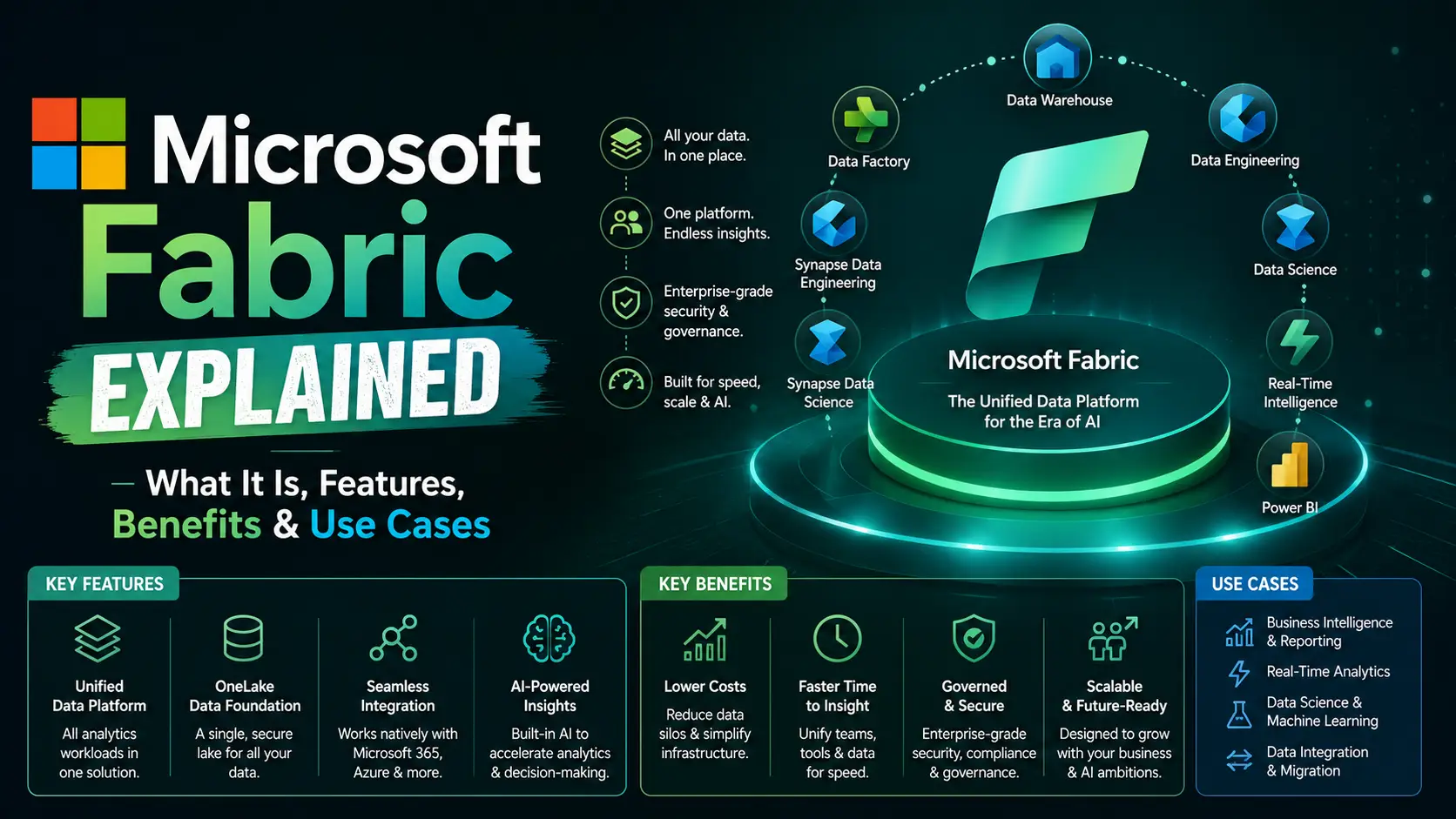
If you've spent any time in enterprise data circles over the past two years, you've probably heard someone mention Microsoft Fabric. Maybe a colleague brought it up during a budget meeting. Maybe your CTO asked why you're still paying for three separate Azure services when "everything is supposed to be in one platform now."
That question is exactly why this guide exists. Microsoft Fabric Explained in plain language, without the marketing gloss, is what business owners, data leaders, and IT teams actually need before they commit budget and engineering hours to a new platform. This article walks through what Fabric is, how it works, what it costs, and where it genuinely helps or falls short.
Whether you're a CIO deciding on next year's data strategy, a data engineer evaluating a migration, or a beginner trying to understand the buzz, you'll find a clear, honest breakdown here.
Quick Answer: What Is Microsoft Fabric?
Microsoft Fabric is a software-as-a-service analytics platform that combines data engineering, data integration, data warehousing, real-time intelligence, data science, and business intelligence into one unified system. It uses a single storage layer called OneLake, so every tool reads and writes the same data instead of copying it between separate services. Fabric replaces the old approach of stitching together Azure Synapse, Data Factory, and Power BI Premium as standalone products.
What Is Microsoft Fabric?
Microsoft Fabric is an end-to-end data analytics platform, delivered entirely as a cloud service. You don't provision virtual machines, size Spark clusters, or manage storage accounts. You subscribe to a capacity, create a workspace, and start building.
At its core, Fabric brings together seven main workloads: Data Factory, Data Engineering, Data Science, Data Warehouse, Real-Time Intelligence, Power BI, and Fabric Databases. Each one used to be a separate Azure product with its own login, its own billing, and its own copy of your data. Fabric puts them all on top of one shared foundation instead.
That foundation is OneLake, a single logical data lake for your entire organization. Think of it the way you think about OneDrive for files. You don't create a new hard drive every time you start a new Word document. Fabric applies that same logic to enterprise data.
The result is that a data engineer can clean a dataset with Spark, a database administrator can query that same dataset with T-SQL, and a Power BI analyst can build a report from it, all without anyone copying or moving the underlying files. That's the single idea that most of Fabric's value flows from.
Why Microsoft Created Fabric
Before Fabric launched in 2023, a typical enterprise data stack on Azure looked like a patchwork quilt. Teams pieced together Azure Data Factory for pipelines, Azure Synapse for warehousing, Azure Databricks or Synapse Spark for data science, Azure Data Lake Storage for raw files, and Power BI Premium for reporting.
Each of those tools had its own security model, its own way of storing data, and its own bill. Data got copied and re-copied between systems, which created duplicate storage costs, sync delays, and governance headaches. A sensitivity label applied in one system often didn't carry over to the next.
Microsoft built Fabric to solve that sprawl directly. Instead of asking customers to integrate five products, Microsoft packaged the capabilities into one SaaS platform with one security model, one governance layer, and one copy of the data. It's less about adding new capability and more about removing the friction between capabilities that already existed.
Core Components of Microsoft Fabric
Fabric is organized around a shared platform layer with specialized workloads sitting on top. Here's what each one actually does.
OneLake OneLake is the centralized, logical data lake underneath every Fabric workload (for how lakes, warehouses and lakehouses differ, see our data warehouse vs data lake vs lakehouse guide). It's built on Azure Data Lake Storage Gen2 and stores data in the open Delta Lake format, which is Parquet files plus a transaction log. Because every workload reads from and writes to OneLake, you avoid the duplicate copies that plagued the old Azure stack. OneLake also supports "shortcuts," which let you reference data sitting in AWS S3 or Google Cloud Storage without physically moving it.
Data Factory This is Fabric's data integration and orchestration layer. It includes over 300 connectors for pulling data from databases, SaaS apps, and files, plus a low-code interface called Dataflow Gen2 for building transformation pipelines. If you've used Power Query in Excel or Power BI, the experience will feel familiar.
Data Engineering This workload gives you a managed Apache Spark environment for large-scale data transformation. You get notebooks that support Python, Scala, R, and Spark SQL, along with Copilot assistance for writing code. Data engineers use this to build the Bronze, Silver, and Gold layers of a medallion architecture.
Data Science Built for machine learning workflows, this component integrates with Azure Machine Learning and MLflow for experiment tracking. Data scientists can train, validate, and deploy models using the same data that engineers and analysts already work with in OneLake, without exporting anything.
Data Warehouse Fabric's Data Warehouse is a fully managed, SQL-based warehouse that stores data in open Delta Parquet format instead of a proprietary format. It supports full transactional T-SQL capabilities while still keeping data queryable by Spark and other engines. Microsoft sometimes calls this a "lake warehouse" because it blends warehouse structure with lakehouse flexibility.
Real-Time Intelligence Formerly called Real-Time Analytics, this workload handles streaming data from sources like IoT devices, application logs, and Kafka. It includes Eventstreams for ingestion, KQL databases for fast querying, and Data Activator for setting automated alerts when metrics cross a threshold.
Power BI Power BI is Fabric's business intelligence (BI) tool and reporting layer, and it's deeply integrated rather than bolted on. Its biggest advantage inside Fabric is Direct Lake mode, which lets reports query OneLake data directly without a separate import or refresh step.
Copilot Copilot is Microsoft's generative AI assistant embedded across Fabric workloads. It can help write Spark code, generate DAX measures, summarize datasets, and answer natural-language questions about your data. It respects the same permission boundaries as the rest of the platform, so it won't surface data a user isn't allowed to see.
How Microsoft Fabric Works
In practice, a Fabric deployment starts with a capacity, which is a pool of shared compute power measured in Capacity Units. You assign that capacity to one or more workspaces, and workspaces are where the actual work happens.
Inside a workspace, you create "items." An item might be a lakehouse, a warehouse, a pipeline, a notebook, an eventstream, or a Power BI report. Every item stores its data in OneLake, and every workload in the workspace can draw from that same pool of data.
Here's a simple example. A retail company ingests point-of-sale data through a Data Factory pipeline. A data engineer cleans and structures it into Bronze, Silver, and Gold layers using Spark notebooks. A SQL analyst queries the Gold layer directly with T-SQL for ad hoc reporting. Meanwhile, a Power BI report reads that same Gold layer through Direct Lake mode, so the dashboard reflects near real-time numbers without a nightly refresh job.
No data left OneLake at any point in that workflow. That's the practical payoff of a unified analytics platform instead of five disconnected tools.
Microsoft Fabric Architecture Explained
Fabric's architecture rests on two ideas: shared storage and shared compute. Understanding both helps explain why Fabric behaves so differently from a traditional data stack.
Storage layer OneLake sits at the bottom of everything. It's one logical lake per tenant, organized hierarchically by tenant, domain, workspace, and item. Data lands here through pipelines, mirroring, streaming, or direct writes from Spark and SQL engines, always in Delta Parquet format.
Compute layer Above storage sit the compute engines: Spark for data engineering, Polaris for the SQL warehouse, VertiPaq and Direct Lake for Power BI, and Kusto (KQL) for real-time analytics. These engines are decoupled from storage, meaning they can scale independently and spin up only when needed.
Governance layer Wrapping around both layers is security and governance, powered by Microsoft Entra ID for identity and Microsoft Purview for data governance, sensitivity labeling, and auditing. Permissions apply consistently whether someone accesses data through Spark, SQL, or a Power BI report.
Here's a simplified view of how the layers stack together:
| Layer | What It Handles | Key Technologies |
|---|---|---|
| Consumption | Reports, dashboards, apps | Power BI, Copilot, GraphQL API |
| Compute | Processing and querying | Spark, Polaris, VertiPaq, KQL |
| Storage | Data persistence | OneLake, Delta Lake, Parquet |
| Governance | Security and compliance | Microsoft Entra ID, Purview |
This layered design is why a Spark job, a T-SQL query, and a Power BI report can all touch the same physical files without stepping on each other or requiring separate copies of the data.
Key Features of Microsoft Fabric
A few features tend to come up in almost every Fabric conversation, so it's worth calling them out directly.
- Direct Lake mode: Power BI queries OneLake data directly, skipping the traditional import-and-refresh cycle for faster, fresher reports.
- Shortcuts: Reference data in AWS S3, Google Cloud Storage, or other Azure storage accounts without copying it into OneLake.
- Mirroring: Continuously replicate data from operational databases like Azure SQL, Cosmos DB, or Snowflake into OneLake in near real time, without building custom pipelines.
- Medallion architecture support: Native tools for organizing data into Bronze (raw), Silver (cleaned), and Gold (business-ready) layers.
- Copilot integration: AI assistance for code generation, data summarization, and natural-language querying across workloads.
- Unified governance: Purview-backed sensitivity labels and access policies apply automatically across every workload and even across tenants through OneLake data sharing.
- Capacity-based licensing: One shared compute pool serves every workload instead of separate bills for separate products.
- OneLake Catalog: A centralized place to discover, explore, and govern data assets across the entire tenant.
Benefits of Microsoft Fabric for Businesses
The technical features matter, but leadership teams usually care more about business outcomes. Here's where Fabric tends to deliver real value.
Lower total cost of ownership. Consolidating separate licenses for Synapse, Data Factory, and Power BI Premium into one capacity often reduces overall spend, especially for organizations already using more than one of those services.
Faster time to insight. Direct Lake mode and shared storage remove the lag between data landing and data being reportable, which matters for operational dashboards that need to reflect current conditions.
Simplified governance. One security model and one set of sensitivity labels means compliance teams don't have to reconcile policies across five different systems.
Reduced data duplication. Because every workload reads the same OneLake files, you're not paying to store and sync the same dataset five different ways.
Easier collaboration across roles. Data engineers, analysts, scientists, and BI developers work from the same data in the same platform, which cuts down on handoff friction and version mismatches.
Built-in AI assistance. Copilot reduces the learning curve for less technical users and speeds up repetitive coding tasks for experienced developers.
Who Should Use Microsoft Fabric
Fabric isn't a one-size-fits-all tool, and it helps to be honest about that upfront. It tends to be the strongest fit for organizations already invested in the Microsoft ecosystem, particularly those using Power BI, Azure, or Microsoft 365 extensively.
Mid-sized to large enterprises juggling multiple data tools and struggling with sprawl are natural candidates. So are organizations planning a migration off legacy Synapse or Power BI Premium capacity, since Microsoft has been steering both toward Fabric.
Smaller businesses and startups can use Fabric too, thanks to entry-level capacity tiers, but the value proposition is strongest once you have several data roles working on the same information. A single analyst running occasional reports probably doesn't need the full platform.
Microsoft Fabric Use Cases by Industry
Abstract features are easier to evaluate with concrete examples. Here's how different industries typically apply Fabric.
Healthcare Hospitals use Fabric to unify patient records, lab results, and operational data for population health analytics, while Purview governance helps manage HIPAA-related access controls across the platform.
Finance Banks and insurers use Real-Time Intelligence to monitor transactions for fraud patterns as they happen, and use the Data Warehouse workload for regulatory reporting that requires strict auditability.
Retail Retailers combine point-of-sale, inventory, and e-commerce data in OneLake to power demand forecasting models and near real-time inventory dashboards across stores and warehouses.
Manufacturing IoT sensor data from production lines flows through Eventstreams into Real-Time Intelligence, letting plant managers catch equipment anomalies before they cause downtime.
Logistics Fleet and shipment tracking data lands continuously through mirroring and streaming, giving logistics coordinators live visibility into delivery status and route performance.
Education Universities use Fabric to bring together enrollment, financial aid, and academic performance data, supporting retention analytics without exposing sensitive student records outside governed workspaces.
SaaS Companies Product usage telemetry, billing data, and customer support tickets converge in Fabric so product and revenue teams can analyze churn and feature adoption from the same source of truth.
Government Public sector agencies use Fabric's governance and compliance features to consolidate citizen services data while meeting strict data residency and security requirements.
Microsoft Fabric vs Azure Synapse
This is one of the most common points of confusion, so it deserves a direct comparison.
| Aspect | Microsoft Fabric | Azure Synapse Analytics |
|---|---|---|
| Delivery model | Fully managed SaaS | PaaS, requires more infrastructure setup |
| Storage | Unified OneLake, open Delta format | Separate storage accounts per service |
| Billing | Single capacity (F-SKU) | Separate billing per service component |
| Data movement | Zero-copy across workloads | Often requires copying between services |
| Real-time analytics | Native Real-Time Intelligence workload | Requires separate Azure Data Explorer |
| Best for | Unified, modern analytics platforms | Existing Synapse investments, specific PaaS control needs |
Microsoft has positioned Fabric as the evolution of Synapse rather than a competing product, and new feature investment is going almost entirely into Fabric. That said, organizations with heavily customized Synapse deployments, particularly those relying on dedicated SQL pools with specific networking configurations, may have valid reasons to stay put a while longer. Migration is worth planning for, but it doesn't need to happen overnight.
Microsoft Fabric vs Power BI
This comparison confuses people for a different reason: Power BI isn't a competitor to Fabric, it's part of it.
| Aspect | Power BI (Standalone) | Power BI Within Fabric |
|---|---|---|
| Data connection | Import or DirectQuery | Import, DirectQuery, or Direct Lake |
| Data source | External, often duplicated | OneLake, shared with other workloads |
| Licensing | Pro, PPU, or Premium capacity | Included in Fabric F-SKU capacity |
| Scope | Reporting and visualization only | Reporting plus engineering, warehousing, real-time, and science |
If your organization only needs reporting and dashboards, standalone Power BI with a Pro or Premium Per User license may still make sense, especially at smaller scale. But if you're also doing data engineering, warehousing, or real-time analytics, running Power BI inside Fabric usually removes redundant licensing and unlocks Direct Lake performance.
Microsoft Fabric Pricing Overview
Fabric uses capacity-based pricing rather than per-user licensing for most of its workloads. You purchase an F-SKU, ranging from F2 up through F2048, and each tier doubles the Capacity Units of the one before it. That capacity is shared across every workload running in your tenant.
Entry-level F2 capacity starts in the low hundreds of dollars per month, while enterprise-scale F64 capacity typically runs several thousand dollars per month, with steeper tiers available for very large organizations. F64 is worth noting specifically because it's the threshold where report viewers with only a free Power BI license can view content without needing individual Pro licenses, which changes the economics for organizations with large reporting audiences.
You can buy capacity as pay-as-you-go, which bills hourly and can be paused, or as a one-year reserved commitment, which typically offers a substantial discount over pay-as-you-go rates. OneLake storage is billed separately per gigabyte, and Power BI Pro or Premium Per User licenses are still required for content creators on capacities below F64, as detailed in Microsoft's Fabric licensing documentation.
Pricing changes periodically, and regional rates vary, so treat any specific dollar figures as directional. Always check Microsoft's official Fabric pricing page for current numbers before budgeting or signing a contract.
Challenges and Limitations
No platform is without trade-offs, and a fair evaluation means naming them honestly.
Learning curve. Teams coming from a traditional data warehouse background need time to adjust to lakehouse concepts, Delta format, and the medallion architecture pattern.
Capacity throttling. Because compute is shared across all workloads on a capacity, a heavy Spark job or a runaway query can slow down Power BI refreshes running on the same capacity if it isn't sized correctly.
Feature maturity varies. Some workloads, like Fabric Databases and Fabric IQ, are newer and still evolving, so documentation and community knowledge lag behind more established components like Power BI.
Migration complexity. Moving from Synapse dedicated SQL pools or Power BI Premium to Fabric isn't always a simple lift-and-shift, particularly for organizations with heavy customization or complex row-level security setups.
Cost predictability. Capacity-based pricing can be harder to forecast than per-user licensing until your team understands actual consumption patterns, which usually takes a few months of monitoring.
Best Practices for Implementing Microsoft Fabric
Organizations that get the most value from Fabric tend to follow a similar playbook.
- Start with a pilot workload rather than migrating everything at once. Pick one business domain and prove the model before scaling.
- Right-size your capacity by running actual workloads on pay-as-you-go pricing for several weeks and reviewing the Capacity Metrics app before committing to a reserved SKU.
- Design your medallion architecture early. Decide how Bronze, Silver, and Gold layers will be structured before teams start building, so naming and access patterns stay consistent.
- Set up governance from day one. Apply Purview sensitivity labels and workspace roles before data volume grows, since retrofitting governance later is far more work.
- Train teams on Direct Lake mode specifically, since it changes how Power BI models should be designed compared to traditional import mode.
- Monitor capacity consumption regularly to catch a single workload starving others of compute before it becomes a production issue.
- Use shortcuts and mirroring instead of building custom pipelines wherever possible, since they reduce maintenance overhead significantly.
Future of Microsoft Fabric
Microsoft has been shipping Fabric updates on a monthly cadence, and the direction of investment is clear: deeper AI integration, expanded governance tooling, and a growing set of workloads beyond the original seven. Fabric Databases, which brings transactional OLTP capability into the same platform as analytics, is a good example of Microsoft extending Fabric's scope rather than keeping it purely analytical.
Copilot capabilities are expanding steadily too, moving from simple code suggestions toward more autonomous data agents that can answer business questions directly. Given Microsoft's pace of release, expect the platform's edges to keep moving for the next few years, which is worth factoring into any long-term architecture decision.
Frequently Asked Questions
What is Microsoft Fabric? Microsoft Fabric is a unified, SaaS-based analytics platform that combines data engineering, data warehousing, real-time intelligence, data science, and business intelligence on top of a single data lake called OneLake.
Is Microsoft Fabric replacing Power BI? No. Power BI is a core workload inside Fabric, not something it replaces. Standalone Power BI licensing still exists, but Power BI's most advanced capabilities, like Direct Lake mode, are tied to Fabric capacity.
Is Microsoft Fabric replacing Azure Synapse? Effectively, yes, for new projects. Microsoft is directing new feature investment toward Fabric, and Synapse's capabilities have largely been absorbed into Fabric's Data Engineering and Data Warehouse workloads.
Who should use Microsoft Fabric? Organizations already using multiple Microsoft data tools, teams dealing with data sprawl across separate systems, and businesses planning to modernize their analytics stack are the strongest candidates.
How secure is Microsoft Fabric? Fabric uses Microsoft Entra ID for identity and Microsoft Purview for governance, applying consistent permissions, sensitivity labels, and audit logging across every workload automatically.
Can small businesses use Microsoft Fabric? Yes. Entry-level F2 capacity is priced for small teams, though the platform's biggest advantages show up once multiple data roles are working from shared data.
Does Microsoft Fabric include AI? Yes. Copilot is built into most Fabric workloads, assisting with code generation, data summarization, and natural-language queries, all while respecting existing permission boundaries.
What is OneLake? OneLake is Fabric's single logical data lake for an entire organization, storing data in open Delta Parquet format so every workload can read and write the same files without duplication.
What workloads are included in Microsoft Fabric? The core workloads are Data Factory, Data Engineering, Data Science, Data Warehouse, Real-Time Intelligence, Power BI, and Fabric Databases, all running on shared OneLake storage.
How much does Microsoft Fabric cost? Pricing is capacity-based, starting with smaller F-SKUs priced in the low hundreds of dollars monthly and scaling up to enterprise tiers costing several thousand dollars monthly, plus separate charges for storage and Power BI creator licenses. Check Microsoft's official pricing page for current rates.
How long does Microsoft Fabric implementation take? A focused pilot can go live in a few weeks. A full enterprise rollout, including governance setup and migration from legacy systems, typically takes a few months depending on data volume and complexity.
Is Microsoft Fabric suitable for enterprise analytics? Yes. Fabric was built specifically for enterprise-scale analytics, with capacity tiers up to F2048, robust governance through Purview, and support for large concurrent user bases, particularly at F64 and above.
Conclusion
Microsoft Fabric brings together data engineering, warehousing, real-time analytics, data science, and business intelligence under one platform, anchored by OneLake as a shared data foundation. That consolidation removes a lot of the friction and duplicate cost that came with stitching together separate Azure services, and the shared governance model genuinely simplifies compliance for many organizations.
It isn't the right fit for everyone, and it comes with a real learning curve along with capacity planning decisions that take some trial and error to get right. The organizations that benefit most tend to already be running multiple Microsoft data tools and dealing with the sprawl that comes with it.
If you're evaluating Fabric, the best approach is to look past the momentum around it and assess it against your own data maturity, existing tool investments, and team skill sets. Microsoft Fabric Explained honestly means weighing genuine strengths against real trade-offs, not chasing a trend because everyone else is talking about it. Run a focused pilot, measure the results against your specific business goals, and let that evidence guide the bigger decision.
Related Reading
- Microsoft Fabric vs Traditional Data Governance Platforms: Key differences.
- Power BI for Business: Building a business intelligence portal.