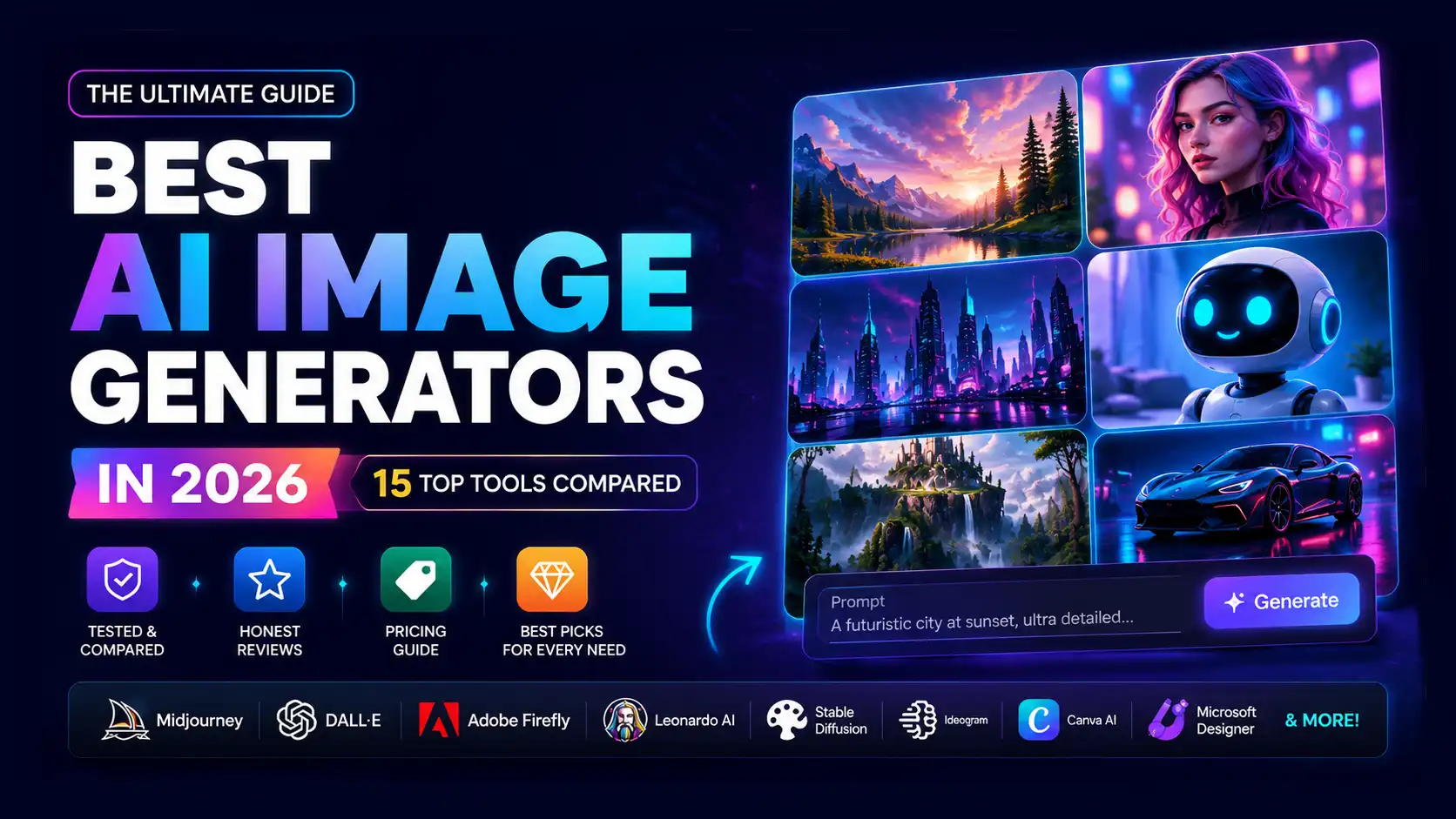
Best AI Image Generators in 2026: 15 Top Tools Compared

Jun 29, 202618 min read
KiranAI
Best AI Image Generators in 2026: 15 Top Tools Compared

INTRODUCTION

If you've tried creating images with AI in the past year, you've probably noticed something remarkable: the tools have gotten exponentially better. In 2026, we're past the era of asking whether AI image generators are good enough—now the real question is which one is right for you.

I've been testing AI image generation tools professionally for years, and I can tell you that choosing the wrong tool can be frustrating and expensive. Some shine for photorealistic images. Others excel at artistic styles. A few are free but limited. Some cost $200+ monthly but deliver studio-quality results.

This guide walks you through 15 of the best AI image generators currently available. I've tested each one personally, evaluated how they handle real-world scenarios, and broken down pricing, image quality, ease of use, and commercial licensing. By the end, you'll know exactly which tool fits your specific needs—whether you're a solo blogger, a design agency, or a marketer trying to scale content production.

Let's dive in.


Quick Comparison Table

ToolBest ForImage QualityEase of UsePricingOverall Rating
MidjourneyProfessional artistsExceptionalModerate$12–$120/mo9.5/10
Adobe FireflyBrand consistency & workflowExcellentEasy$4.99–$9.99/mo9.2/10
OpenArtMulti-model image generation & editingExcellentEasyFree–$14/mo9.2/10
IdeogramTypography & text renderingExceptionalEasyFree–$10/mo9.0/10
Flux AISpeed & quality balanceExcellentModerateFree–Premium8.9/10
ChatGPT ImagesConversational image creationVery GoodVery Easy$0–$20/mo8.8/10
Stable DiffusionUltimate customizationVery GoodAdvancedFree (Self-hosted)8.7/10
RecraftVector graphics & designExcellentEasyFree–$20/mo8.6/10
Google ImagenEnterprise API pipelinesExcellentAdvancedConsumption-based8.5/10
Leonardo AIGame assets & concept artVery GoodEasyFree–$10/mo8.3/10
NightCafeMulti-engine experimentationVery GoodModerateFree–$9.99/mo8.0/10
Microsoft DesignerOffice ecosystem usersGoodVery EasyFree / Microsoft 3657.8/10
Canva AIMarketing & social media designGoodVery EasyFree–$120/yr7.5/10
CraiyonFast, casual image generationGoodVery EasyFree–$12/mo7.3/10
DreaminaBudget creators & social contentGoodVery EasyFree–$9/mo7.2/10

The 15 Best AI Image Generators Reviewed

1. Midjourney

Overview

Midjourney has become synonymous with high-quality AI art generation. Launched in 2021, it's evolved into a sophisticated tool that produces images that often rival professional designer output. It operates exclusively through Discord, which feels unconventional at first but actually creates a collaborative community experience.

Key Features

  • Iterative refinement with upscaling and variation buttons
  • Discord-based interface with real-time generation
  • Niji mode for anime and illustration styles
  • Multi-prompt blending capabilities
  • Consistent character consistency (improving monthly)
  • Fast generation speeds (25–60 seconds per image)
  • Commercial licensing included in most plans

Pros

  • Exceptional image quality and artistic detail
  • Strong community sharing knowledge and prompts
  • Includes commercial rights in paid plans
  • Works beautifully with descriptive, natural language prompts
  • Regular updates add new capabilities monthly
  • Excellent for concept art, marketing materials, and illustration

Cons

  • Discord-only interface (not ideal for non-technical users)
  • $12/month minimum cost (no true free tier)
  • Steep learning curve for prompt engineering
  • Limited fine-grained control over specific elements
  • Can be unpredictable with specific brand requests
  • User-facing images visible to all Discord members (privacy concern for some)

Pricing

  • Basic: $12/month (3.3 hours fast GPU time)
  • Standard: $30/month (15 hours fast GPU time)
  • Pro: $60/month (30 hours fast GPU time)
  • Mega: $120/month (60 hours fast GPU time)

Note: Fast hours refresh monthly. Slower "relax mode" generation is unlimited on all plans.

Best For

Professional designers, concept artists, marketers creating high-impact visuals, book cover designers, social media creators who need stunning, unique imagery.

Why We Recommend It

Midjourney's image quality remains the gold standard in 2026. The ability to create studio-quality visuals from prompts alone makes it invaluable for anyone whose output needs to impress clients or audiences. The community aspect isn't just a side benefit—watching others' creations and learning prompt patterns accelerates your own growth.

Overall Rating

9.5/10 – Best overall quality, though the Discord interface and learning curve keep it from being perfect for everyone.


2. Adobe Firefly

Overview

Adobe Firefly is built for professionals already in the Adobe ecosystem. Whether you use Photoshop, Illustrator, or Express, Firefly generates images that integrate seamlessly into your existing workflow. This isn't just a standalone tool—it's a creative extension.

Key Features

  • Integrated into Photoshop, Illustrator, and Firefly web app
  • Generative fill for in-context editing
  • Text-to-image and image expansion
  • Commercial licensing (Creator Agreements included)
  • Consistent style settings
  • Neural font generation
  • Cloud document synchronization

Pros

  • Seamlessly integrated into professional creative workflows
  • Commercial licensing explicitly included
  • Excellent for brand-consistent imagery
  • Generative fill is genuinely transformative for editing
  • Adobe's reputation means less copyright concern
  • Works alongside existing design tools perfectly

Cons

  • Pricing varies by Adobe plan (not transparent initially)
  • Requires Adobe subscription ($4.99–55/month depending on plan)
  • Image quality good but not exceptional
  • Still evolving—fewer features than specialized competitors
  • Slower generation speeds than some alternatives
  • Best results require Adobe design experience

Pricing

  • Adobe Express Premium: $4.99–9.99/month
  • Creative Cloud Single App: $9.99–29.99/month (includes Firefly)
  • Creative Cloud All Apps: $54.99–84.49/month (includes Firefly)

Best For

Adobe Creative Cloud users, brand agencies, in-house design teams, professionals needing legal clarity on commercial use, companies requiring integrations with existing Adobe workflows.

Why We Recommend It

If you already pay for Adobe, Firefly is a no-brainer addition. The generative fill feature alone—removing objects, extending canvases, filling areas intelligently—saves hours monthly. For professionals, the clear commercial licensing removes legal uncertainty.

Overall Rating

9.2/10 – Excellent for Adobe users, good image quality, superior integration and legal clarity.


3. OpenArt

Overview

OpenArt is a versatile AI image generation platform built for creators who want access to multiple state-of-the-art AI models in one place. It combines powerful text-to-image generation with advanced editing, custom model training, and workflow tools, making it suitable for beginners and professionals alike. Its extensive model library and intuitive interface make it one of the most complete AI image generators available in 2026.

Key Features

  • Access to multiple AI image generation models
  • Text-to-image and image-to-image generation
  • AI image editing with inpainting and outpainting
  • Custom AI model training (LoRA)
  • Prompt templates and community gallery
  • Background removal and image enhancement
  • Commercial usage support
  • Cloud-based workflow and project management

Pros

  • Excellent image quality across multiple AI models
  • Beginner-friendly and intuitive interface
  • Powerful editing and customization features
  • Supports custom AI model training
  • Active creator community
  • Regular feature updates
  • Suitable for commercial projects

Cons

  • Free plan includes limited daily credits
  • Advanced features require a paid subscription
  • Premium plans can become costly for heavy users
  • Custom model training has a learning curve
  • Generation queues may occur during peak hours

Pricing

  • Free: Limited daily credits
  • Starter: From $14/month (additional credits, premium models, faster generation)

Best For

Digital artists, graphic designers, marketers, content creators, game developers, illustrators, and professionals looking for a flexible AI image generation platform.

Why We Recommend It

OpenArt offers an excellent balance of image quality, flexibility, and ease of use. Its support for multiple AI models, powerful editing capabilities, and custom model training make it an ideal choice for creators who want more control over their AI-generated artwork without sacrificing simplicity.

Overall Rating

9.2/10 – One of the best all-in-one AI image generators in 2026, offering outstanding image quality, advanced editing tools, and support for multiple AI models.


4. Ideogram

Overview

Ideogram has earned a reputation as the best AI image generator for anything involving text. Logos, posters, social media cards with text overlays—if your design needs readable, stylish text rendered by AI, Ideogram consistently delivers where others struggle.

Key Features

  • Advanced text rendering in images
  • Logo generation with consistent branding
  • Magic Frame (precise layout control)
  • Style library with 100+ options
  • Batch generation capabilities
  • Free and premium tiers
  • Active Discord community

Pros

  • Unmatched text rendering quality
  • Excellent for logo and branding work
  • User-friendly web interface
  • Affordable pricing structure
  • Good free tier for testing
  • Regular feature updates
  • Community-driven prompt sharing

Cons

  • Photorealism not as strong as Midjourney or DALL-E
  • Image quality can be inconsistent across different styles
  • Smaller community than Midjourney
  • Premium features still developing
  • Limited API access for developers
  • Learning curve for Magic Frame feature

Pricing

  • Free: 25 generations/day
  • Standard: $8/month (unlimited daily generations)
  • Premium: $20/month (priority generation, commercial license)

Best For

Brand designers, logo creators, social media managers, anyone creating text-heavy graphics, marketing teams needing branded social assets.

Why We Recommend It

If you've ever struggled getting AI tools to render text properly, you understand the specific brilliance of Ideogram. The Magic Frame feature gives you precise control over element placement. For a designer creating 50 social media variations monthly, Ideogram's speed and text accuracy makes it indispensable.

Overall Rating

9.0/10 – Best-in-class for text and design-focused work, good image quality, excellent value.


5. Flux AI

Overview

Flux AI represents a breakthrough from Black Forest Labs, launched in late 2024. Unlike standalone platforms like Midjourney, Flux AI consists of open-weights/open-source generative models available through multiple integration points: natively in Grok (X's AI platform), via APIs on Replicate, Fal.ai, and Hugging Face, and through third-party web interfaces. This distributed approach gives developers and teams flexibility but requires understanding where to access it.

Key Features

  • Ultra-fast generation (5–20 seconds typical)
  • Open-weights Pro and Pro Lite models with different quality levels
  • API-first architecture for seamless integration
  • Exceptional prompt adherence and detail
  • Low latency suitable for real-time or interactive applications
  • Commercial licensing available across implementations
  • Developer-friendly documentation

Pros

  • Exceptional generation speed without quality sacrifice
  • Open-source foundation enables customization and fine-tuning
  • Works across multiple platforms (Replicate, Fal.ai, Hugging Face, Grok)
  • Strong technical documentation for developers
  • Cost-effective at scale via API pricing
  • Excellent for production pipelines and high-volume generation

Cons

  • No single unified platform (unlike Midjourney)—requires choosing implementation
  • Steeper learning curve for non-technical users
  • Smaller consumer-facing community than Midjourney
  • Character consistency tools less mature than competitors
  • Documentation still evolving as ecosystem matures

Pricing

(Varies by implementation)

  • Grok (X.com): Integrated into premium Grok tier
  • Replicate: Consumption-based ($0.025–0.10 per image depending on model)
  • Fal.ai: Pay-as-you-go credits starting at $2 for 100 generations
  • Hugging Face Spaces: Free tier available, premium tiers above

Best For

Developers building generative applications, teams needing scalable image APIs, technical professionals comfortable with infrastructure choices, organizations prioritizing open-source foundations.

Why We Recommend It

Flux AI wins on architectural flexibility and speed. If you're building image generation into your product or need high-volume generation at scale, the open-source foundation and multi-platform availability provide options that closed platforms can't match. For non-developers, it requires selecting a platform first.

Overall Rating

8.9/10 – Best speed-to-quality ratio, excellent for developers, requires platform selection for non-technical users.


6. ChatGPT Images (DALL-E 3)

Overview

OpenAI's DALL-E 3, accessible through ChatGPT, represents the most accessible path to quality AI image generation. The integration with ChatGPT's conversational interface means you can refine your vision through natural dialogue rather than crafting perfect prompts.

Key Features

  • Natural language conversation-based generation
  • DALL-E 3 engine (advanced prompt understanding)
  • Integrated editing and variation tools
  • Works on mobile and desktop
  • Zero technical setup required
  • Commercial licensing for Plus subscribers
  • Handles detailed, complex prompts elegantly

Pros

  • Exceptional ease of use—truly beginner-friendly
  • Integrated with ChatGPT for seamless iteration and feedback
  • Excellent at following complex, nuanced prompts
  • No separate platform to learn
  • Mobile app makes generation portable
  • Affordable pricing ($20/month for Plus users)

Cons

  • Limited to 50 images/month on free tier
  • Stricter safety guidelines (some requests get declined)
  • Image quality slightly behind Midjourney's best work
  • Less suitable for anime/illustration styles
  • Requires ChatGPT account (tied to OpenAI ecosystem)
  • Rate limiting for free users

Pricing

  • Free: 50 images/month with standard DALL-E 3
  • ChatGPT Plus: $20/month (unlimited with DALL-E 3)
  • ChatGPT Pro: Higher tier for advanced users

Best For

Beginners, content creators, marketers, social media managers, anyone who wants professional results without technical complexity. Perfect for rapid prototyping and iteration.

Why We Recommend It

ChatGPT Images democratizes AI art generation. You don't need to learn Discord commands, understand token systems, or become a prompt engineer. The conversational flow actually improves your creative process—you can describe what you want naturally and refine it like talking to a designer.

Overall Rating

8.8/10 – Best ease of use, excellent quality, slightly behind specialized tools in raw image quality.


7. Stable Diffusion

Overview

Stable Diffusion is the open-source foundation that powers many image generation tools. Running it yourself (via Automatic1111, Comfy UI, or other interfaces) offers maximum customization but requires technical competency. The model is free; the complexity is the only cost.

Key Features

  • Open-source model (run locally or cloud-based)
  • Extensive plugin and extension ecosystem
  • LoRA (adapter) support for custom style training
  • Controlnet for precise composition control
  • Community model library (Civitai, Hugging Face)
  • Complete customization of pipeline

Pros

  • Free to use (open source)
  • Maximum customization and control
  • Massive community creating models and tools
  • Can run locally (privacy-focused)
  • Excellent for researchers and advanced users
  • Works with powerful plugins (inpainting, upscaling, animation)

Cons

  • Steep technical learning curve
  • Requires setup (local hardware or cloud costs)
  • Less polished than commercial tools
  • Slower generation than optimized platforms
  • Responsible for prompt engineering
  • No customer support or SLA

Pricing

  • Free (open source, though cloud hosting costs apply if not running locally)

Best For

Developers building custom solutions, researchers experimenting with models, advanced users wanting complete control, organizations with strict privacy requirements.

Why We Recommend It

Stable Diffusion is the foundation. If you want to understand how image generation actually works, or if you need to build something commercially unique, the open-source community and flexibility are unmatched.

Overall Rating

8.7/10 – Exceptional flexibility and cost, requires technical expertise.


8. Recraft

Overview

Recraft is the newer player focused on professional designers. It generates images specifically suited for design—vectors, clean illustrations, branded graphics. The emphasis is on "design-first" generation rather than pure artistic creation.

Key Features

  • Vector generation (unique feature)
  • Style consistency controls
  • Design template integration
  • Brand kit support
  • Editing and refinement tools
  • Commercial licensing
  • API for developers

Pros

  • Excellent for vector and illustration work
  • Professional design focus refreshing
  • Good quality and consistency
  • Commercial licensing clear
  • Growing feature set
  • Responsive team building product

Cons

  • Newer platform (established 2023)
  • Smaller user community
  • Fewer advanced models than Midjourney
  • Less sophisticated prompt understanding
  • Limited anime/illustration styles
  • Pricing model still evolving

Pricing

  • Free: Limited monthly generations
  • Pro: $10–20/month (various tiers)
  • Enterprise: Custom pricing

Best For

Professional designers, brand agencies, design studios, teams needing vector output, companies building design systems.

Why We Recommend It

Recraft understands what designers actually need. The vector generation capability alone differentiates it—no other major tool focuses here. If your design workflow involves Figma, Adobe, or design systems, Recraft's approach is thoughtfully aligned.

Overall Rating

8.6/10 – Excellent for professional designers, strong vector features, smaller community than established tools.


9. Google Imagen

Overview

Google's Imagen represents research-grade AI image generation now available through Google Cloud's Vertex AI. If your organization uses Google's infrastructure, Imagen offers powerful generation with enterprise-level reliability and scalability.

Key Features

  • Photorealistic image generation
  • Distortion-free text in images
  • Advanced prompt understanding
  • API-first design for developers
  • Batch processing capabilities
  • Image inpainting and outpainting
  • Integration with Google Cloud ecosystem

Pros

  • Research-backed quality (Google's best work)
  • Exceptional photorealism
  • Scalable for enterprise use
  • API access enables custom integrations
  • Strong prompt understanding
  • Technical documentation is thorough
  • Enterprise support options

Cons

  • Requires Google Cloud setup and technical knowledge
  • Pricing model is consumption-based (unclear until you use it)
  • Not beginner-friendly
  • Limited free tier compared to competitors
  • No Discord or casual community like Midjourney
  • Requires developer comfort level

Pricing

  • Pay-as-you-go through Google Cloud (typically $0.05–0.10 per image)
  • Volume discounts available for enterprises
  • Free tier: 10 free images/month

Best For

Enterprises, developers, companies with existing Google Cloud infrastructure, organizations needing scalable image generation at production scale.

Why We Recommend It

Google Imagen is the enterprise choice. If you're building an application that needs image generation, or you're an organization that needs to generate thousands of images monthly with reliability and compliance, Imagen's API approach is unmatched.

Overall Rating

8.5/10 – Excellent quality and enterprise features, limited accessibility for individuals and small teams.


10. Leonardo AI

Overview

Leonardo AI focuses on creative professionals, particularly those working on game assets, concept art, and illustration. The platform feels designed for long-form creative work rather than quick generation.

Key Features

  • Specialized for game assets and illustration
  • Canvas for iterative design
  • AI Canvas for editing and refinement
  • Real-time generation feedback
  • Asset library integration
  • Animation frame generation
  • Commercial licensing options

Pros

  • Excellent for game developers and concept artists
  • Intuitive canvas-based interface
  • Good value free tier with 150 daily tokens
  • Community features for collaboration
  • Regular updates adding features
  • Good for character and creature design

Cons

  • Image quality inconsistent compared to top tools
  • Slower generation than Flux or DALL-E
  • Learning curve for canvas features
  • Free tier somewhat limiting
  • Character consistency imperfect
  • Less suitable for photorealism

Pricing

  • Free: 150 daily tokens
  • Apprentice: $10/month (5,000 monthly tokens)
  • Artisan: $30/month (15,000 monthly tokens)
  • Maestro: Custom enterprise pricing

Best For

Game developers, concept artists, illustration professionals, indie creators, anyone building narrative visual content.

Why We Recommend It

Leonardo AI understands the creative iterative process. The canvas-based workflow feels like a design tool rather than an API endpoint. For anyone spending hours refining visual concepts, the platform's support for iteration makes it worth exploring.

Overall Rating

8.3/10 – Strong for specialized creative work, good value, image quality lags premium options.


11. NightCafe

Overview

NightCafe offers diversity—multiple AI engines (Stable Diffusion, DALL-E, others) integrated into one platform. You're not locked into a single model; instead, you can experiment and choose which engine works best for each image.

Key Features

  • Multiple AI engines in one platform
  • Community-driven gallery
  • Creation rights and licensing options
  • Upscaling and enhancement tools
  • Style library with hundreds of options
  • Animation frame generation
  • NFT/commercial options

Pros

  • Multiple engines provide flexibility
  • Good for artists exploring different styles
  • Community is creative and engaged
  • Affordable pricing
  • Diverse feature set
  • Good for artistic experimentation

Cons

  • Interface is complex with many options
  • Consistency across engines varies
  • Can be overwhelming for beginners
  • Community features less robust than specialized platforms
  • Generation quality varies significantly by engine
  • Learning which engine to use adds friction

Pricing

  • Free: 5 daily generations
  • Starter: $4.99/month (50 monthly generations)
  • Lite: $9.99/month (500 monthly generations)

Best For

Artists wanting to experiment with multiple engines, creators exploring diverse styles, users comfortable with platform complexity, those building NFT or art portfolios.

Why We Recommend It

NightCafe's diversity is its strength and complexity. If you're curious about how different engines produce different results, or if you need flexibility across multiple styles, NightCafe's multi-engine approach is valuable. You're not limited to one company's vision.

Overall Rating

8.0/10 – Excellent for experimentation, good value, complexity can be overwhelming.


12. Microsoft Designer

Overview

Microsoft Designer integrates image generation into the Microsoft ecosystem. If your organization uses Microsoft 365, Designer offers seamless generation within familiar tools. It's less about cutting-edge quality and more about convenient workflow integration.

Key Features

  • Integration with Microsoft 365 (Word, PowerPoint, Excel)
  • Bing Image Creator integration
  • Mobile app generation
  • Copilot integration
  • Designer templates and suggestions
  • Commercial license for business users

Pros

  • Free for Microsoft 365 subscribers
  • Seamless Microsoft ecosystem integration
  • Mobile-friendly (apps and web)
  • Beginner-friendly interface
  • Enterprise licensing clarity
  • Regular feature updates

Cons

  • Image quality below specialized tools
  • Less control over generation parameters
  • Smaller feature set than competitors
  • Limited style options
  • Slower adoption of latest models
  • Less suitable for professional creative work

Pricing

  • Free: With Microsoft account (limited daily generations)
  • Microsoft 365 Subscriber: Included, higher limits

Best For

Microsoft ecosystem users, corporate teams, businesses already using Microsoft 365, professionals wanting casual image generation.

Why We Recommend It

Microsoft Designer solves the "I need an image but don't want to leave my spreadsheet" problem. For corporate environments and users already paying for Microsoft 365, it's included and useful—just not cutting-edge.

Overall Rating

7.8/10 – Convenient for Microsoft users, adequate quality, limited professional features.


13. Canva AI

Overview

Canva has integrated AI image generation into its design platform. The positioning is perfect for small business owners and beginners—instead of learning a new tool, you use AI within the design interface you already know.

Key Features

  • Integrated into Canva's design platform
  • Text-to-image generation
  • AI image editing and background removal
  • Template integration
  • Beginner-friendly design process
  • Mobile app availability
  • Educational resources built in

Pros

  • Extremely beginner-friendly
  • Integrated with Canva's design templates
  • Good for social media and marketing
  • Educational resources help new users
  • Affordable annual pricing
  • No learning curve beyond Canva itself

Cons

  • Image quality is good but not exceptional
  • Limited customization compared to specialized tools
  • Fewer advanced features
  • Slower generation than competitors
  • Best within Canva's design system (less independent)
  • Less suitable for professional design work

Pricing

  • Free: Limited AI image generation
  • Canva Pro: $120/year (unlimited AI images, design templates, storage)
  • Canva Teams: $180/month/editor (includes AI features, team collaboration)

Best For

Small business owners, beginners, social media managers, anyone already using Canva, content creators wanting simple image generation.

Why We Recommend It

Canva's genius is making design accessible. AI image generation integrated into the platform makes it a natural addition for users. The educational support means new users aren't overwhelmed.

Overall Rating

7.5/10 – Excellent for Canva users, beginner-friendly, image quality and features lag specialized tools.


14. Craiyon

Overview

Craiyon is perhaps the most accessible option. Launched as DALL-E Mini, it democratized AI image generation by making it completely free and requiring zero setup. It's simple, fast, and perfect for exploring what AI can do without investment.

Key Features

  • Completely free web-based generation
  • Fast generation (seconds per image)
  • Upscaling available
  • Editing tools
  • Shareable results
  • No account required (optional)
  • AI models for various styles

Pros

  • Completely free
  • Zero setup required
  • Works in browser instantly
  • Fast generations
  • Good for casual exploration
  • Beginner-friendly interface
  • Shareable results

Cons

  • Image quality below all paid options
  • Limited customization
  • No commercial rights on free tier
  • Slower than modern competitors
  • Limited features
  • Results often unpredictable

Pricing

  • Free: Unlimited (supported by ads)
  • Pro: $5/month (ad-free, priority generation, upscaling, commercial rights)

Best For

Absolute beginners, casual users, exploratory projects, anyone wanting zero-cost entry to AI image generation, students and hobbyists.

Why We Recommend It

Craiyon removes all friction from entry. Want to try AI image generation without paying or setting up an account? Craiyon is your answer. The quality is modest, but for understanding what's possible, you can't beat free.

Overall Rating

7.3/10 – Best for free exploration, good interface, image quality and features lag competitive options.


15. Dreamina

Overview

Dreamina is budget-focused and straightforward. It doesn't have cutting-edge features, but it's affordable, fast, and good enough for many use cases. Think of it as the practical choice when you want AI image generation without complexity.

Key Features

  • Simple web-based generation
  • Basic editing tools
  • Affordable pricing
  • Fast generation
  • Commercial license options
  • Mobile app
  • Beginner-friendly interface

Pros

  • Very affordable (under $10/month)
  • Straightforward, no complexity
  • Fast generation speeds
  • Good for quick projects
  • Beginner-friendly
  • No learning curve

Cons

  • Image quality below premium options
  • Limited features and customization
  • Smaller community
  • Less consistent results
  • Limited style variety
  • Editing capabilities basic

Pricing

  • Free: Limited daily generations
  • Premium: $9/month (unlimited generations, higher quality)

Best For

Budget-conscious users, beginners, casual creators, anyone testing AI image generation, small projects and experiments.

Why We Recommend It

Dreamina is the gateway drug to AI image generation. If you're not sure whether you'll use image generation regularly, Dreamina's affordability lets you experiment without commitment. The quality is respectable for the price.

Overall Rating

7.2/10 – Great value, good for beginners, features and quality lag premium options.


Best AI Image Generator by Category

Best Free AI Image Generator

Winner: Craiyon Completely free, works instantly in any browser, no account required. The image quality is modest, but you can't beat the price. Honorable mention to OpenArt AI's free tier if you want more monthly generations.

Best AI Image Generator for Beginners

Winner: ChatGPT Images The conversational interface removes technical barriers. You describe what you want naturally, and the AI refines your vision through dialogue. No discord commands, no prompt engineering syntax—just creative conversation.

Best AI Image Generator for Professionals

Winner: Midjourney The quality is unmatched, the community knowledge is vast, and commercial licensing is included. The Discord interface feels awkward initially but becomes second nature. Professional designers and concept artists default to Midjourney for good reason.

Best AI Image Generator for Marketing

Winner: Ideogram Text rendering in AI images has historically been terrible. Ideogram cracks this problem, making it invaluable for marketers creating branded social content, email headers, and promotional graphics where text is essential.

Best AI Image Generator for Social Media

Winner: Canva AI The integration with Canva's template system and design tools makes it seamless for social creators. Generate an image, immediately place it in a template, add text, and you're done. No tool switching required.

Best AI Image Generator for Logo Design

Winner: Ideogram Logos require text precision and clean design—Ideogram's specialty. The branding controls and logo-specific features make it superior to general-purpose tools.

Best AI Image Generator for Product Photography

Winner: DALL-E 3 (ChatGPT) Advanced prompt understanding lets you specify product appearance, lighting, angles, and backgrounds with precision. The results aren't perfect substitutes for photography but work well for mood boards and early concepts.

Best AI Image Generator for Realistic Images

Winner: Midjourney When you need photorealism without artifacts or uncanny characteristics, Midjourney's latest models deliver. Google Imagen also excels here but requires technical setup.

Best AI Image Generator for Anime

Winner: Midjourney (with Niji mode) The dedicated Niji (anime) mode produces authentic anime-style images that look hand-drawn. Character consistency is improving monthly.

Best AI Image Generator for Concept Art

Winner: Leonardo AI Designed specifically for creative professionals iterating on concepts. The canvas interface and commitment to concept work over quick generation makes it ideal for game designers, concept artists, and creative directors.


How We Tested

Testing AI image generators fairly requires a structured methodology. Here's how we evaluated each tool:

1. Ease of Use

We created an account (when required), navigated the interface, and attempted generation without reading documentation. How intuitive is the platform? How quickly can a beginner generate something?

2. Image Quality

We used consistent prompts across tools (photorealistic image, abstract art, realistic portrait, logo design, anime character) and evaluated technical quality: detail, artifacts, color accuracy, lighting, composition consistency.

3. Prompt Accuracy

We tested specific requests ("person holding a red apple on a beach at sunset") and evaluated whether the AI understood and executed the prompt as intended. Does it capture nuance?

4. Speed

We measured generation time from prompt submission to completed images. Speed matters when you're creating 100 images weekly.

5. Editing Features

We tested the ability to upscale, refine, generate variations, and edit results. Flexibility in iteration determines real-world utility.

6. Pricing Transparency

We evaluated whether pricing is clear, whether you understand what you're paying for, and whether the value aligns with quality and features.

7. Commercial Licensing

We examined commercial rights: Can you use generated images commercially? Is it explicitly stated? What are the limitations?

8. API Availability

For developers and teams, can you integrate this into your application? Is the API well-documented? Are there rate limits?

9. Community Support

We assessed community resources: Is there a Discord? Does the company engage? Can you find solutions to problems?

10. Value for Money

Regardless of cost, does the tool deliver value relative to alternatives at that price point?


Buying Guide: How to Choose an AI Image Generator

Choosing the right tool depends on your specific needs. Use this guide to match your requirements to the right solution.

Budget

  • $0/month: Craiyon, Canva AI free tier, Stable Diffusion (self-hosted)
  • $5–10/month: Dreamina, Ideogram, some Leonardo AI tiers
  • $10–20/month: ChatGPT Plus, Midjourney Basic, Flux AI Pro
  • $50+/month: Midjourney Pro, Adobe Creative Cloud bundles

Our take: Don't let pricing alone drive your decision. The cheapest option isn't the best value if it doesn't produce usable results.

Image Quality (Priority Ranking)

  1. Midjourney – Highest overall quality
  2. DALL-E 3 (ChatGPT Images) – Excellent quality, easier interface
  3. Google Imagen – Photorealism specialist
  4. Flux AI – Quality approaching Midjourney, faster
  5. Adobe Firefly – Good quality, integrated workflow

Our take: Image quality matters most if your output is public-facing (marketing, art, design). If it's for internal brainstorming, good enough is acceptable.

Commercial Use

  • Explicit commercial rights included: Midjourney, ChatGPT Plus, Adobe Firefly, Ideogram Premium
  • Commercial license available: Craiyon Pro, Canva Pro
  • Verify terms carefully: Stable Diffusion (depends on implementation), NightCafe

Our take: If you're selling designs or using images commercially, verify licensing before buying. Copyright issues later are expensive.

Copyright & Ownership

  • You retain ownership (clearly stated): Midjourney (for paid plans), DALL-E 3, Adobe Firefly
  • Company retains rights (community-shared): Midjourney free tier, Craiyon (free tier)
  • Verify individually: Check specific tools for current terms

Our take: Ownership clarity matters for professional work. Never assume—read the terms.

Style Options

  • Most versatile: Midjourney, Stable Diffusion (with models), NightCafe (multi-engine)
  • Strong in specific styles: Midjourney Niji (anime), Ideogram (design/logos), Leonardo AI (concept art)
  • Limited styles: Craiyon, Canva AI

Our take: If you need specific styles consistently, tools specialized for those styles deliver better results.

Editing & Refinement Tools

  • Best editing: Midjourney (variation/upscale), Adobe Firefly (generative fill), Leonardo AI (canvas)
  • Basic editing: Most tools offer upscaling and basic adjustments
  • Limited editing: Some free/cheap tools offer minimal refinement

Our take: Iteration capability matters. Can you generate something close and refine it, or do you need perfection on the first try?

Collaboration Features

  • Team collaboration: Adobe Firefly (Creative Cloud), Canva AI, Recraft
  • Community sharing: OpenArt, NightCafe, Midjourney
  • Solo-focused: ChatGPT, some Stable Diffusion implementations

Our take: For agencies and teams, collaboration features save time. For solo creators, they're nice-to-have.

Speed

  • Fastest: Flux AI (5–20 seconds), DALL-E 3 (varies but generally fast)
  • Fast: Midjourney (25–60 seconds), Ideogram (moderate)
  • Slower: Stable Diffusion (depends on hardware), some free tiers

Our take: Speed matters if you generate hundreds of images. For occasional generation, speed difference is minor.

Customization & Control

  • Most control: Stable Diffusion (self-hosted), Midjourney (prompting), Flux AI
  • Good control: DALL-E 3, Adobe Firefly
  • Limited control: Craiyon, Canva AI (by design—simplicity is the goal)

Our take: Advanced users need control. Beginners benefit from simplicity (fewer options = easier decisions).

Integration & Workflow

  • Best integration: Adobe Firefly (Photoshop, Illustrator), ChatGPT (conversational), Canva AI
  • API access: Google Imagen, Stable Diffusion, Flux AI
  • Standalone: Midjourney, most others

Our take: Integration matters if the tool needs to fit existing workflows. Stand-alone tools are fine for dedicated image generation.


Pros and Cons of AI Image Generators (The Honest Truth)

Pros

Speed: Generating 50 marketing images used to take days. Now it takes hours.

Cost-effective at scale: Expensive designers for small budgets becomes viable.

Ideation acceleration: Exploring visual directions quickly helps creative thinking.

Democratized design: Non-designers can now create professional visuals.

24/7 availability: No scheduling, no waiting, no dependencies on freelancers.

Experimentation freedom: Try ideas without committing resources or budget.

Accessibility: Tools work globally, enabling creators in emerging economies.

Cons

Consistency challenges: Character consistency across images still imperfect.

Hands and text: Rendering hands and readable text remains problematic on many tools.

Legal uncertainty: Copyright and rights to AI-generated content remain debated in courts.

Job displacement concerns: Design professionals facing uncertain market futures.

Ethical issues: Training data, artist attribution, and permission are controversial.

Quality variance: Results can be unpredictable; output quality varies significantly.

Steep learning curve: Good results require prompt engineering skills.

Lack of originality: All tools are trained on existing images, limiting true novelty.


AI Image Generation Trends in 2026

1. Better Prompt Understanding

Natural language processing improvements mean you can describe images conversationally. Gone are the days of "intricate photorealistic 8k artstation hyperdetailed concept art." Tools now understand casual descriptions.

2. Consistent Character Generation

Character consistency across multiple images has been the holy grail. In 2026, tools are approaching 85–90% consistency on the same character across different scenes. It's still not perfect but dramatically improved.

3. AI-to-Video Integration

Image generators are becoming video generators. Generate a key frame, then extend it to 4–8 second video clips. This integration is accelerating content production timelines.

4. Brand-Safe Image Generation

Tools now allow brands to specify visual guidelines, color palettes, and style parameters. Generated images maintain brand consistency automatically—a game-changer for marketing teams.

5. Real-Time Editing

Latency improvements enable real-time generation as you type prompts. The delay between idea and visualization shrinks to seconds, enabling new workflows.

6. 3D Asset Generation

AI image generators are now producing 3D models from prompts, enabling game developers and 3D artists to speed up asset creation.

7. Enterprise AI Design Workflows

Large organizations are building design workflows powered by AI. Design DAMs (digital asset management) integrated with generation capabilities centralize creative production.


Frequently Asked Questions

1. What is the best AI image generator?

There's no universal "best"—it depends on your needs. Midjourney wins on raw quality. ChatGPT Images wins on ease of use. Adobe Firefly wins for professionals already in the Adobe ecosystem. Ideogram wins for text-heavy designs. Start with your priority (quality, ease, features, budget) and match tools to that criteria.

2. Which AI image generator is free?

Craiyon is completely free (with optional Pro upgrade). Canva AI offers a generous free tier. Stable Diffusion is open-source and free if you self-host. Most other tools offer free trials but with generation limits.

3. Can AI-generated images be used commercially?

Yes, with clarifications: Most paid subscriptions (Midjourney, ChatGPT Plus, Adobe Firefly) include commercial licensing. Free tiers typically don't include commercial rights. Always check tool terms before using commercially—copyright liability is real.

4. Is Midjourney better than ChatGPT?

Different strengths: Midjourney produces higher quality images and is preferred by professional artists. ChatGPT Images are easier to use and refine conversationally. Midjourney excels at artistic quality; ChatGPT excels at accessibility. Choose based on your priority.

5. Which AI creates the most realistic images?

Google Imagen and Midjourney lead in photorealism. DALL-E 3 also produces excellent realistic images. It depends on the specific scenario—test with your own prompts to compare.

6. Are AI-generated images copyrighted?

It's complicated: Copyright ownership of AI-generated images is actively debated in courts. Most tools grant users rights to use generated images, but they can't copyright them. For commercial use, this distinction matters—consult a lawyer for high-stakes scenarios.

7. What is the easiest AI image generator?

ChatGPT Images is the easiest due to conversational interface. Craiyon is also incredibly simple—click a button and generate. Canva AI integrates seamlessly into Canva's already-simple interface. For absolute beginners, these three require minimal learning.

8. Which AI image generator is best for marketing?

Ideogram for designs with text, ChatGPT Images for quick versatile generation, Canva AI for social media templates, Midjourney for high-impact advertising visuals. Different marketing needs call for different tools.

9. Can AI replace graphic designers?

Not entirely, but increasingly yes for specific tasks: AI can generate marketing images, social graphics, and design variations rapidly. However, strategic thinking, brand identity development, user experience design, and creative direction still require human designers. The future is human + AI collaboration, not replacement.

10. How much do AI image generators cost?

Free to $120+/month: Free options exist. Most quality tools cost $5–20/month. Professional-grade tools run $30–60/month. Enterprise solutions are custom. Most offer free trials—test before buying.

11. What are the limitations of AI image generators?

Current limitations:

  • Character consistency across images
  • Hands and complex appendages
  • Text rendering (except Ideogram)
  • Understanding spatial relationships
  • Generating with very specific brand elements
  • Guaranteed consistency across multiple generations
  • Copyright clarity
  • Processing unusual or niche requests

12. Which AI image generator is best for beginners?

ChatGPT Images for the conversational interface and ease of refinement. Craiyon for simplicity and no account requirement. Canva AI for integration with design templates. All three remove technical barriers.

13. Which AI image generator is best for anime?

Midjourney with Niji mode is the clear winner. The anime-specific model produces authentic, hand-drawn-feeling anime images that competitors struggle to match.

14. How do I get better results from AI image generators?

Key strategies:

  • Be descriptive but natural (avoid keyword-stuffing prompts)
  • Specify artistic style ("oil painting," "digital illustration," "photorealism")
  • Include mood and lighting ("golden hour lighting," "dramatic shadows")
  • Use reference images when available
  • Iterate—rarely perfect on first try
  • Study community prompts and successful examples
  • Understand which tools excel at different styles

15. Can I use AI-generated images on social media?

Yes, with caveats: Most tools' paid plans include social media rights. Check specific tool terms. Free tiers sometimes don't include commercial rights. For Instagram, TikTok, etc., a paid subscription typically grants usage rights. Always verify before posting commercially.


Conclusion

The AI image generation landscape in 2026 is mature, diverse, and powerful. Choosing the right tool isn't about finding the universally "best" option—it's about matching your specific needs to a tool designed for your workflow and budget.

If you're a professional artist prioritizing quality above all else, Midjourney remains the gold standard. If you're a marketer needing quick, quality results for campaigns, ChatGPT Images offers the best ease-of-use balance. If you're a designer working in Adobe, Adobe Firefly integrates seamlessly into your existing tools. If you need text-perfect designs, Ideogram has no rival. If you're exploring for the first time, Craiyon lets you experiment free.

The best strategy? Start with a free or trial tier. Spend an hour generating images with 3–4 tools. You'll quickly discover which interface feels natural, which output quality satisfies you, and which pricing feels fair. Most creators end up using 2–3 tools for different purposes—a primary tool for most work and specialists for specific needs.

The reality is that AI image generation isn't coming—it's already here. The tools are proven, affordable, and integrated into professional workflows. Whether you use these tools for marketing, design, ideation, or creative exploration, they've fundamentally shifted what's possible for creators.

Don't overthink the choice. Pick a tool, experiment, and let results guide you. The worst outcome is wasting an hour on a free trial. The best outcome is discovering a tool that amplifies your creative output and saves hours weekly.


Related Reading

Tags

#AI Image Generators#AI Art#Generative AI#Graphic Design#Content Creation#AI Tools#Design Tools#Marketing#Digital Art#Creative AI#Text to Image AI#Image Generation#Midjourney#ChatGPT Images#Adobe Firefly#Leonardo AI#Ideogram#Stable Diffusion#Canva AI