
Introduction
You're staring at a blank script document. Your upload deadline is tomorrow. Your video editor just quit. And you haven't recorded voiceovers yet.
Sound familiar? This was me three years ago. But 2026 is different.
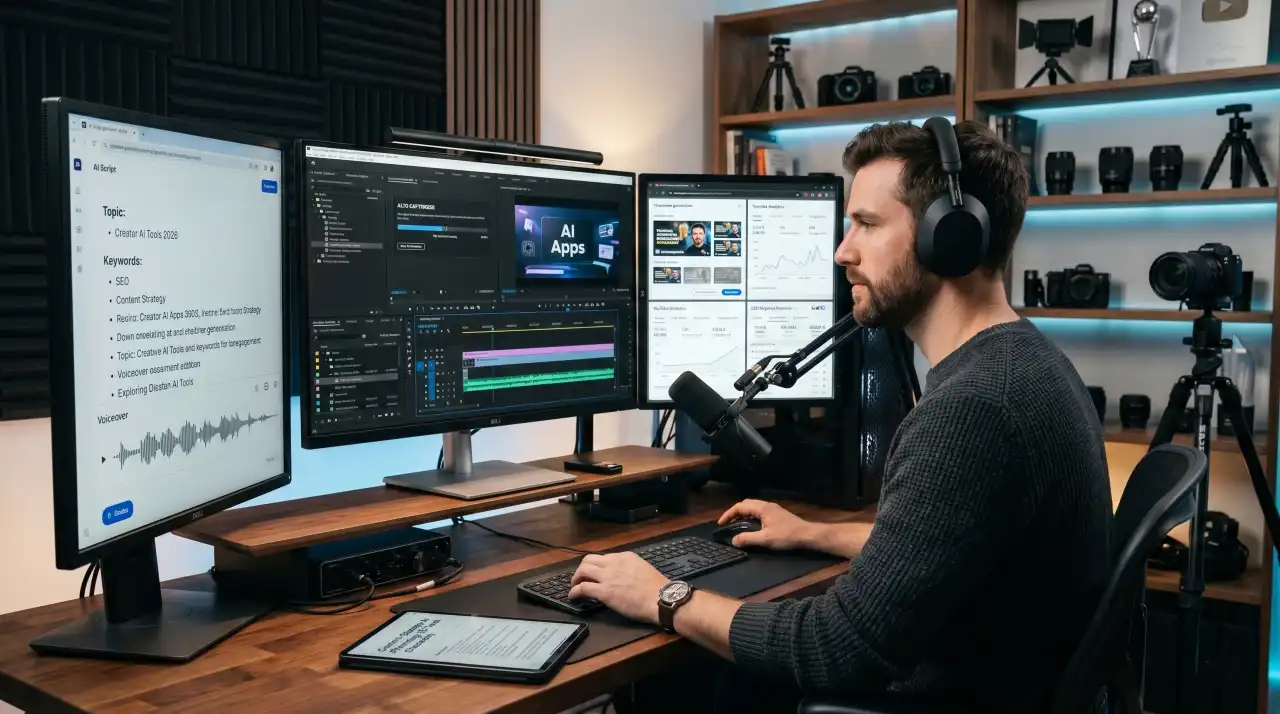
The best AI apps for YouTubers have fundamentally changed how creators work. I'm not talking about the hype cycle of early 2024—I'm talking about tools that have matured, integrated into real workflows, and become indispensable for creators who want to stay competitive without burning out.
If you've been away from AI tools for a year or two, what you'll find now will surprise you. AI isn't just writing rough outlines anymore. It's generating entire scripts with proper pacing. It's editing full videos while you sleep. It's creating custom thumbnails that actually convert. It's analyzing your channel and telling you exactly what topic will drive growth.
For beginner creators, AI tools mean you can launch a channel alone. For professional teams, they mean scaling from 10 videos a month to 100. For faceless channels, they mean creating 24/7 without showing your face once.
Here's what I've tested, broken down honestly: the 15 best AI apps for YouTubers right now, which ones are worth your money, which are free wins, and how to combine them into a workflow that actually saves you time (not just promises to).
Quick Comparison Table
| Tool | Best For | Free Plan | Starting Price | Top AI Feature |
|---|---|---|---|---|
| ChatGPT | Script writing, brainstorming, SEO optimization | Yes (GPT-4 limited) | $20/mo | Reasoning, context awareness |
| Claude | Long-form content, fact-checking, nuanced scripts | Yes (Claude 3.5 Sonnet) | $20/mo | Document analysis, long-context understanding |
| Google Gemini | Research, quick generation, multimodal tasks | Yes | $20/mo (premium) | Real-time Google search integration |
| Descript | Editing, transcription, video repurposing | Limited (watermarked) | $12/mo | AI-powered editing, silence removal, filler word removal |
| Runway | Video generation, effects, upscaling | Limited | $15/mo | Text-to-video, motion tracking, background removal |
| Opus Clip | Clip generation, Shorts creation, viral moments | Free | Freemium | AI-powered highlight detection, auto-framing |
| ElevenLabs | AI voiceovers, voice cloning | Limited (free credits) | $11/mo | Realistic voice generation, multi-language support |
| Canva Magic Studio | Thumbnails, graphics, social media | Yes (basic) | Free + pro features | AI image generation, design templates |
| VidIQ | SEO optimization, keyword research, analytics | Limited | $10/mo | AI-powered title suggestions, competitor analysis |
| TubeBuddy | Channel management, SEO, bulk operations | Limited | $9.90/mo | A/B testing, tag suggestions, trend analysis |
| CapCut AI | Video editing, effects, captions | Yes | Free + pro | Auto-captions in 10+ languages, beat-synced editing |
| Adobe Premiere Pro (with AI) | Professional editing, color grading, motion | Requires subscription | $22.49/mo | Generative extend, speech-to-text, auto-reframe |
| Pictory | Script-to-video, content repurposing | Limited | $15/mo | Text-to-video conversion, auto-captions |
| HeyGen | AI avatar videos, faceless content, animations | Limited | $15/mo | Photorealistic avatars, voice synthesis, multi-language |
| Midjourney | Thumbnail creation, custom artwork, visual assets | Limited trial | $10/mo (lowest tier) | Text-to-image generation, style consistency |
The 15 Best AI Apps for YouTubers
1. ChatGPT
Best For: Script writing, brainstorming, SEO optimization, title generation
Key Features
- Generates full scripts with proper pacing and hooks
- Creates multiple title variations optimized for CTR
- Researches trends and suggests topic angles
- Analyzes competitor videos and identifies gaps
- Writes video descriptions, chapters, and hashtags
- Supports custom instructions for consistent tone
Pros
- Still the most capable general-purpose AI for creative work
- Excellent at reasoning through story structure
- Great for brainstorming multiple angles on one topic
- Can analyze what made competitor videos successful
- Intuitive interface requires no learning curve
- Plus membership gives you GPT-4o, which is genuinely better for complex scripts
Cons
- Requires manual refinement—it won't write a perfect script on first try
- Token limitations can be restrictive for full video series outlines
- Free version (GPT-4o mini) is decent but less reliable for nuance
- Doesn't integrate directly with video platforms
- You still need your own voice/personality to avoid sounding generic
Pricing Free tier includes GPT-4o mini (sufficient for basic scripts). ChatGPT Plus is $20/month for GPT-4o with unlimited usage.
Platforms Web, iOS, Android, API integration available.
Why You Should Use It If you're using only one AI tool, ChatGPT is the safest bet. It's versatile enough for scripts, titles, descriptions, and research. It won't replace your creativity, but it'll eliminate the blank page problem every single time.
Who Should Avoid It Creators who already use Claude or Gemini may not need ChatGPT—it's incremental value at that point.
Final Verdict Still the industry standard. Not the flashiest, but the most useful. Start here if you're new to AI for content creation.
2. Claude
Best For: Long-form content, fact-checking, detailed scripts, nuanced writing
Key Features
- Analyzes uploaded documents and scripts
- Fact-checks claims against its training data
- Writes longer scripts (200K token context window)
- Excels at nuanced, thoughtful content
- Better at understanding creative briefs and maintaining brand voice
- Strong at identifying logical gaps in arguments
Pros
- Superior at understanding complex instructions and maintaining consistency
- Token window is 5x larger than ChatGPT, so longer projects fit better
- Genuinely better at distinguishing between opinion and fact
- Great for scripts that require sensitive topics handled correctly
- Reads PDFs and documents, so you can feed it competitor analysis
- Claude's reasoning actually feels more like a collaborator than a tool
Cons
- Smaller community, so fewer tutorials and shared prompts
- API slightly pricier than ChatGPT for high-volume use
- Free tier is limited but usable
- Slower response times than ChatGPT in some cases
- Less mature ecosystem of integrations
Pricing Free tier available with 3.5 Sonnet. Claude Pro is $20/month for unlimited usage of the latest models.
Platforms Web interface, API, Claude for iOS available.
Why You Should Use It Use Claude specifically for scripts where accuracy matters—educational content, finance, news commentary, anything where you can't afford bad information going into production.
Who Should Avoid It Creators needing raw speed and countless variations quickly. ChatGPT handles that workflow better.
Final Verdict The thinking creator's choice. Better for quality than quantity. If you're serious about script writing, Claude will save you editing time.
3. Google Gemini
Best For: Integrated research, quick generation, real-time information
Key Features
- Real-time Google Search integration (finds current trends)
- Multimodal input (analyze images, videos)
- Free version is generous
- Upload documents, images, and even video for analysis
- Integration with Google Workspace (Docs, Sheets, Gmail)
- Noticeably faster generation than competitors
Pros
- Can search the current web, so scripts include today's news, not training data
- Free tier is genuinely robust—you get most features
- Fastest response times among the major models
- Great for quick brainstorming and variation generation
- The image analysis is helpful for analyzing competitor thumbnails
- Integrates with your Gmail for research
Cons
- Creative writing isn't as nuanced as Claude or ChatGPT
- Free tier has daily limits (still quite generous)
- Less consistent at maintaining complex character voices
- Can be overly cautious with certain topics
- Fewer third-party integrations than ChatGPT
Pricing Free tier covers most use cases. Gemini Advanced (via Google One) is included in premium plans, typically $20/month.
Platforms Web, mobile, API, Workspace integration.
Why You Should Use It If you're covering news, trends, or time-sensitive topics, Gemini is your research partner. Launch Gemini, search "top YouTube trends this week," and start scripting.
Who Should Avoid It Narrative-heavy creators (storytellers, fiction channels) will find ChatGPT or Claude more satisfying.
Final Verdict The smart choice for research-backed content. Not the creative heavyweight, but the most practical for news and trend-based channels.
4. Descript
Best For: Video editing, transcription, repurposing long-form content into clips
Key Features
- Transcribes video to editable text (edit text, video edits automatically)
- AI removes filler words and silence
- One-click Shorts generation from long videos
- Overdub feature for AI voice replacements
- Auto-captions with speaker identification
- Removes background noise and audio artifacts
Pros
- Workflow is genuinely different from traditional editing—faster and more intuitive
- Transcription accuracy is excellent, even with background noise
- The text-based editing is life-changing once you experience it
- Auto-clip generation actually creates watchable content (not just random segments)
- Built-in stock media library saves time
- Learning curve is minimal—it just feels natural
Cons
- Rendering can be slow on large projects
- Overdub feature requires some tweaking to sound natural
- Limited color grading and advanced effects (not Premiere Pro)
- Desktop app can be resource-heavy
- Free tier is watermarked and very limited
- Switching from traditional editing is a mental shift (some resist it)
Pricing Free tier (watermarked, limited). Standard is $12/month. Pro is $24/month for priority rendering.
Platforms Desktop (Mac, Windows), web version available.
Why You Should Use It If you're spending 5+ hours editing each video, Descript pays for itself in time saved. The "edit the transcript, not the timeline" approach is genuinely faster.
Who Should Avoid It Creators needing advanced color grading or effects. It's not a Premiere replacement; it's an editing simplifier.
Final Verdict Best editing tool for creators who don't want to be editors. Worth the subscription fee.
5. Runway
Best For: Video generation, AI effects, upscaling, background removal
Key Features
- Text-to-video generation (describe a scene, get a video)
- Motion tracking and object manipulation
- Background removal and replacement
- Video upscaling (low-res to HD)
- Green screen removal without green screen
- Image-to-video animation (static image becomes video)
- Inpainting and generative extend
Pros
- Text-to-video quality has genuinely improved—visually compelling
- Can create B-roll automatically, saving production time
- Upscaling is excellent, especially for older footage
- The motion tracking is more intuitive than After Effects
- Free tier includes reasonable monthly credits
- Integrates with Premiere Pro
Cons
- Text-to-video sometimes lacks coherence in longer sequences
- Video generation is slow (takes 2-5 minutes per clip)
- Costs add up fast if generating many videos daily
- Quality still visibly AI-generated in some scenarios
- Learning the UI takes time; it's not intuitive at first
- Free tier credits deplete quickly for heavy use
Pricing Free tier with monthly credits. Standard is $15/month; Pro is $35/month. Additional credits available.
Platforms Web-based, API access available.
Why You Should Use It For faceless channels needing B-roll, or any creator wanting to generate visual content from descriptions. Saves money vs. stock footage.
Who Should Avoid It Creators with specific visual styles that need perfect consistency. Runway is still somewhat painterly and variable.
Final Verdict Powerful for B-roll generation and effects. Best used as a tool in your workflow, not a replacement for filming.
6. Opus Clip
Best For: Clip generation, Shorts creation, extracting viral moments from long-form content
Key Features
- AI identifies the most engaging moments in your video
- Automatically reframes for different aspect ratios (vertical, square, cinematic)
- Generates captions with proper timing
- Suggests trending sounds and music
- Creates multiple clips from one long video
- One-click publishing to social platforms
Pros
- Completely free tier is genuinely generous
- Time-saving is massive—turns 1-hour video into 10-15 Shorts
- Clip quality is excellent, actually watchable
- AI reframing works better than you'd expect
- No watermark on free version
- Publishing directly to platforms saves another step
Cons
- Automated framing can sometimes cut off important visuals
- Captions are auto-generated, need light editing for accuracy
- Can't always identify niche humor or subtle moments
- Limited control over which moments get clipped
- Some creators prefer manual selection for consistency
Pricing Free plan is surprisingly complete. Premium starts at $30/month for advanced features (larger files, priority processing).
Platforms Web-based, integrates with YouTube, TikTok, Instagram.
Why You Should Use It If you're not repurposing long-form content into Shorts, you're leaving growth on the table. Opus Clip makes this automatic.
Who Should Avoid It Creators with very niche content where the algorithm doesn't match mainstream trends. May miss your best moments.
Final Verdict The easiest way to 10x your content distribution without extra filming. Free tier alone justifies use.
7. ElevenLabs
Best For: AI voiceovers, voice cloning, multi-language content
Key Features
- Realistic AI voiceovers in 35+ languages
- Voice cloning (train on your own voice)
- Emotion control (happy, sad, energetic voiceovers)
- Isolated audio file output (no syncing needed)
- Audiobook creation
- Dubbing for international audiences
Pros
- Voice quality is genuinely impressive—most people won't detect it's AI
- Emotion control is subtle and natural-sounding
- Clone your voice for consistency across videos
- Pricing is reasonable for commercial use
- API-friendly for integration into workflows
- Multilingual capacity for expanding reach
Cons
- Voice cloning requires training time and samples
- Free tier credits are limited
- Slight robotic quality remains for some accents
- Emotion control is limited compared to human performance
- Can't clone celebrity voices (obviously for legal reasons)
- Requires uploading scripts, not direct video integration
Pricing Free tier (limited). Creator plan is $11/month. Pro tier is $99/month for commercial use.
Platforms Web interface, API, integration with video platforms.
Why You Should Use It Eliminates recording voiceovers yourself. For educational channels or voiceover-heavy content, this saves enormous time and money.
Who Should Avoid It Channels where your voice IS the brand (personality-driven channels). Faceless channels absolutely should use this.
Final Verdict Professional-quality voiceovers without recording equipment. Worth every penny for faceless channels.
8. Canva Magic Studio
Best For: Thumbnail creation, quick graphics, social media assets
Key Features
- AI image generation (text to image)
- Auto-design for templates (feed text, get designed thumbnail)
- Background removal and replacement
- Brand kit for consistency
- Thousands of templates for any format
- Resize designs for multiple platforms instantly
Pros
- Free tier is genuinely usable for thumbnails
- Thumbnail-specific templates designed for conversion
- Speed is unmatched—create 10 thumbnails in 15 minutes
- Brand consistency features keep visuals aligned
- No design experience needed
- Integrates design and image generation seamlessly
Cons
- AI-generated images sometimes look generic or stock-like
- Text generation in images can be awkward
- Design templates can feel dated
- Free tier limits are moderate (not extremely limiting but present)
- Less powerful than dedicated design tools like Photoshop
Pricing Free tier with basic features. Canva Pro is $14.99/month (or $119.99/year).
Platforms Web, iOS, Android, desktop app available.
Why You Should Use It Thumbnails drive CTR. Canva makes A/B testing thumbnail designs trivial. Free tier is enough to test this theory.
Who Should Avoid It Designers who already use Photoshop. You'll probably find Canva limiting.
Final Verdict Best bang-for-buck for thumbnails. The free tier alone is worth experimenting with.
9. VidIQ
Best For: SEO optimization, keyword research, title and tag suggestions, competitor analysis
Key Features
- AI-powered title suggestions optimized for clicks
- Keyword research and competitor tag analysis
- Video analytics and performance predictions
- A/B test title variations
- Detailed competitor channel analysis
- Trend forecasting for upcoming topics
- Smart tag suggestions based on category
Pros
- Data-backed recommendations (not just guesses)
- Chrome extension integrates into YouTube directly
- Competitor analysis is incredibly detailed
- Title suggestions actually improve CTR (measurable)
- Trend predictions help you post at optimal times
- Mobile app keeps you informed on the go
Cons
- Free tier is very limited for real strategic use
- Pricing adds up if you need full feature set
- Competitor analysis requires interpretation (no AI writing)
- Can't automate video uploads based on recommendations
- Learning the interface takes time
Pricing Free with severe limitations. Boost is $10/month. Unlimited is $29.99/month for teams.
Platforms Chrome extension (primary), web dashboard, mobile app.
Why You Should Use It If your titles aren't optimized for search, you're losing organic reach. VidIQ fixes this systematically.
Who Should Avoid It Creators on extremely tight budgets can use free tier for basic research, but you'll feel the limitations.
Final Verdict Essential for growth-focused channels. The data quality justifies the subscription.
10. TubeBuddy
Best For: Channel management, SEO, bulk operations, A/B testing
Key Features
- Bulk video management (optimize multiple videos at once)
- A/B testing for thumbnails and titles
- Keyword research and tag suggestions
- Channel health monitoring
- Best upload time prediction
- Competition research at scale
- Caption optimization for search
Pros
- Bulk operations save time managing established channels
- A/B testing is built-in and easy to run
- Keyword research is solid and regularly updated
- Competitor benchmarking is comprehensive
- Affordable pricing
- Great for teams managing multiple channels
Cons
- UI is less intuitive than VidIQ for beginners
- Free tier is more limited than TubeBuddy's early offerings
- Recommendation engine is less AI-driven than VidIQ
- Learning curve steeper than competitors
- Mobile app is functional but not as polished
Pricing Free tier available. Basic is $9.90/month. Pro is $24.99/month.
Platforms Chrome extension (primary), web dashboard.
Why You Should Use It If you manage 10+ videos on your channel, TubeBuddy's bulk operations will save hours monthly.
Who Should Avoid It Solo creators with fewer than 5 videos. VidIQ is more beginner-friendly.
Final Verdict Best for scale. If you're serious about growing a channel, TubeBuddy pays for itself immediately.
11. CapCut AI
Best For: Video editing, auto-captions, effects, mobile-first creators
Key Features
- Auto-captions in 10+ languages with speaker ID
- Beat-synced editing (cut to music rhythm automatically)
- AI-powered object tracking
- Auto-zoom and auto-frame adjustment
- Voice cloning for dubbed content
- Effects library with AI enhancements
- Free desktop and mobile versions
Pros
- Genuinely free with no watermark (rare)
- Auto-captions are quick and functional
- Beat-synced editing actually works well
- Mobile version is surprisingly capable
- Voice cloning is convenient for reshoots
- Cloud sync between devices
- Learning curve is minimal
Cons
- Desktop version can lag on complex projects
- Auto-captions need review (accuracy isn't perfect)
- More limited effects than Premiere Pro
- Color grading is basic
- Can't handle extremely long videos efficiently
- Export options are somewhat limited
Pricing Free tier is complete and functional. CapCut Pro adds watermark removal and extra features for around $3/month on mobile.
Platforms Mobile (iOS, Android), Desktop (Mac, Windows), Web version.
Why You Should Use It If you're starting out and can't afford Premiere, CapCut AI is genuinely professional-grade for free. The auto-captions alone save significant time.
Who Should Avoid It Professionals needing advanced color grading and effects. Use it as a starting point or supplementary tool.
Final Verdict Best free editing option available. No reason not to try it.
12. Adobe Premiere Pro (with AI Features)
Best For: Professional editing, color grading, complex motion graphics
Key Features
- Generative Extend (fill missing footage areas)
- Automatic speech-to-text transcription
- Auto-reframe for multiple aspect ratios
- Sensei-powered motion tracking
- Lumetri for color grading
- Direct integration with After Effects
Pros
- Industry standard for a reason—rock-solid software
- Generative Extend is genuinely useful (fills gaps, extends shots)
- Speech-to-text is accurate and editable
- Color grading tools are professional-grade
- Motion graphics capabilities are unmatched
- Cloud collaboration is seamless
Cons
- Expensive subscription ($22.49/month minimum, or part of Creative Cloud)
- Learning curve is steep compared to Descript or CapCut
- Requires powerful hardware to run smoothly
- Overkill for simple editing workflows
- Generative features still in early stages (noticeable AI artifacts)
- File sizes and project complexity can cause crashes
Pricing Premiere Pro alone is $22.49/month. Creative Cloud (with all tools) is $59.99/month.
Platforms Desktop (Mac, Windows), cloud collaboration available.
Why You Should Use It If you're editing complex content, need color-grading precision, or plan to scale to a large team, Premiere's AI enhancements will streamline that workflow.
Who Should Avoid It Beginners, solopreneurs, or creators with simple editing needs. Descript or CapCut serve you better.
Final Verdict Professional power with growing AI capabilities. Worth the investment if you're treating content creation as a business.
13. Pictory
Best For: Script-to-video conversion, content repurposing, educational videos
Key Features
- Converts text/scripts into full videos automatically
- Selects relevant stock footage and music
- Auto-generates captions and subtitles
- Repurposes blog posts into videos
- Templates for different video types
- Multi-language support
Pros
- Concept is genuinely useful—write, get video
- Saves money on B-roll (stock library included)
- Captions are auto-generated and synchronized
- Templates are well-designed for different niches
- Quick turnaround time
- Good for repurposing written content
Cons
- Video quality is inconsistent depending on script
- Stock footage sometimes mismatches intent
- Requires tweaking—rarely perfect on first generation
- Slower rendering than real-time editing
- Limited customization compared to manual editing
- Monthly limits depending on plan tier
- Can look automated/template-like if not refined
Pricing Free trial available. Starter is $15/month. Professional is $89/month.
Platforms Web-based only.
Why You Should Use It If you have blog posts and want to convert them into video format automatically, Pictory is the tool.
Who Should Avoid It Creators with highly specific visual style requirements or those needing pixel-perfect control.
Final Verdict Great for content repurposing. Works best as a starting point, not final product.
14. HeyGen
Best For: AI avatar videos, faceless content, international audiences
Key Features
- Photorealistic AI avatars (looks like actual people)
- Text-to-speech in 100+ languages and accents
- Video translation and dubbing
- Custom avatar creation (look like yourself)
- Presentation mode (avatar presents your slides)
- Lip-sync is accurate even in other languages
Pros
- Avatar quality is genuinely impressive (doesn't look obviously AI)
- Language translation while maintaining lip-sync is incredible
- Perfect for international expansion without re-recording
- No camera, lighting, or makeup needed
- Consistency (same avatar every video)
- Excellent for educational and corporate content
Cons
- Can feel cold or robotic compared to human on-camera presence
- Monthly video generation limits can be restrictive
- Building custom avatars takes time and refinement
- Accent authenticity varies by language
- Premium avatars cost extra
- Some audiences prefer real people (depends on niche)
Pricing Free tier (very limited). Starter is $15/month. Creator is $149/month.
Platforms Web-based with integrations available.
Why You Should Use It For faceless channels, educational content, or international expansion, HeyGen is your growth accelerant.
Who Should Avoid It Channels where your personality and on-camera presence IS the brand.
Final Verdict Best avatar tool available. Whether you need it depends entirely on your content style.
15. Midjourney
Best For: Custom thumbnail artwork, visual assets, consistent custom graphics
Key Features
- Text-to-image generation
- Style consistency (create cohesive visual themes)
- Image upscaling (low-res to HD)
- Variations and iteration on designs
- Remix and restyle existing images
- High-resolution final outputs
- Brand consistency settings
Pros
- Image quality is visually superior to competitors
- Style consistency lets you build a recognizable visual brand
- Fast generation (seconds per image)
- Community voting improves outputs over time
- Excellent for experimental, creative thumbnails
- Works well for consistent visual branding
Cons
- Requires Discord (unusual integration)
- Learning the prompt syntax takes experimentation
- Monthly generation limits even on higher tiers
- Image rights can be ambiguous for commercial use
- Results are variable (sometimes need 10+ iterations)
- Can't generate text reliably in images
- Pricing is per-image generation, not time-based
Pricing Free trial. Starter is $10/month (115 images). Pro is $30/month (unlimited).
Platforms Discord (primary), web interface available.
Why You Should Use It If you want truly unique, custom thumbnail artwork that stands out, Midjourney is worth the learning curve.
Who Should Avoid It Creators wanting quick results without iteration, or those who prefer simple, template-based designs.
Final Verdict Best for creative thumbnails and custom visual assets. Premium quality justifies the subscription.
How to Choose the Right AI Tool (Buying Guide)
Choosing the right tools depends on your specific workflow, budget, and goals. Here's how to think about it:
Budget First
Under $20/month: Use free tiers of ChatGPT/Gemini, CapCut AI, Canva free, and Opus Clip free. This covers scripting, editing, captions, and clip generation.
$20–50/month: Add ChatGPT Plus ($20) + Descript ($12) for professional editing and scripting. Or swap for Claude ($20) if script quality matters more.
$50–100/month: Combine Descript ($24), ChatGPT Plus ($20), ElevenLabs Creator ($11), Canva Pro ($15), and VidIQ ($10). This covers most of your workflow.
$100+/month: Add Runway ($35), HeyGen ($149), or Adobe Creative Cloud ($59.99). Professional-tier tools for professional creators.
Video Style
Educational/Tutorial Content: Prioritize Descript (editing), ChatGPT (scripts), ElevenLabs (voiceovers). Accuracy matters, so maybe add Claude.
Faceless Channels: Add HeyGen or custom avatars. ElevenLabs voiceovers essential. Runway for B-roll generation.
Gaming Content: CapCut AI for quick editing, Opus Clip for viral moments, VidIQ for trending topics.
Shorts/TikTok-First: Opus Clip (auto-clip generation), CapCut AI (mobile editing), Canva Magic Studio (quick thumbnails).
Long-Form Content (10+ minutes): Descript for editing, Pictory if repurposing blogs, VidIQ for SEO optimization.
Automation Needs
Maximum Automation: Pictory (script to video), Opus Clip (clip generation), ElevenLabs (voiceovers), TubeBuddy (bulk optimization). This is the "set it and forget it" stack.
Collaborative Teams: Add TubeBuddy for bulk management, Descript for shared editing, Premiere Pro for professional collaboration.
Solo Creator (Quality Priority): ChatGPT + Claude for scripts, Descript for editing, Canva for thumbnails. Fewer tools, higher quality per tool.
Best AI Tool Combinations (Tested Workflows)
These combinations are built on actual creator workflows that work:
Workflow 1: The Content Machine (Faceless Channel)
ChatGPT + Descript + ElevenLabs + Runway + Opus Clip
- ChatGPT generates the script (5 minutes)
- Runway creates B-roll from script descriptions (automated overnight)
- ElevenLabs creates voiceover from script (2 minutes)
- Descript pieces together voiceover + B-roll (10 minutes)
- Opus Clip generates Shorts from full video (2 minutes)
- Upload all versions
Why this works: Every step is automated or minimized. One person can produce 1 long-form + 10 Shorts weekly.
Cost: ~$60/month
Workflow 2: The Quality Creator (Focused on Excellence)
Claude + Descript + Canva Magic Studio + VidIQ
- Claude writes script (thoughtful, nuanced, fact-checked)
- You record (your voice, your personality)
- Descript edits, removes filler, adds auto-captions
- Canva Magic Studio creates thumbnail variations (A/B test)
- VidIQ suggests title and tags
- Upload with optimized metadata
Why this works: Focuses on quality and SEO. Best for building loyal audiences.
Cost: ~$65/month
Workflow 3: The Growth Hacker (Trending Content)
Gemini + CapCut AI + TubeBuddy + Opus Clip
- Gemini searches current trends
- You record 10-minute response (trending topic)
- CapCut AI auto-captions and beats-syncs
- TubeBuddy suggests tags and title
- Opus Clip generates 15 Shorts automatically
- TubeBuddy bulk-optimizes all uploads
Why this works: Trend-based content requires speed. This stack prioritizes fast iteration.
Cost: ~$40/month (if you have CapCut Pro)
Workflow 4: The Creator Agency (Multiple Channels)
Descript + TubeBuddy + Canva Pro + VidIQ + Adobe Premiere Pro
- Central scriptwriting (ChatGPT/Claude)
- Descript collaborative editing with team
- TubeBuddy manages 5-10 channel uploads simultaneously
- Canva generates branded thumbnails for all channels
- VidIQ optimizes each channel independently
- Premiere Pro for anything requiring professional effects
Why this works: Scales to manage multiple channels efficiently.
Cost: ~$150/month (shared across 5+ channels, reasonable per-channel)
Step-by-Step AI Workflow: Idea to Upload
Here's how a real video gets made in 2026 using AI:
STAGE 1: IDEATION
↓
Gemini/ChatGPT: "What's trending in [niche] this week?"
↓ (Find 3 potential topics)
↓

STAGE 2: RESEARCH
↓
VidIQ/TubeBuddy: Analyze competitor videos on trending topics
↓ (Identify what's working for rivals)
↓

STAGE 3: SCRIPTING
↓
ChatGPT/Claude: "Write a 5-minute script about [topic] with hook, story, CTA"
↓ (Get full script in minutes)
↓

STAGE 4: PRODUCTION
↓
Either:
  • YOU record on camera, OR
  • HeyGen generates avatar video, OR
  • Runway generates B-roll from descriptions
↓

STAGE 5: VOICEOVER
↓
Either:
  • Record yourself, OR
  • ElevenLabs generates AI voiceover
↓

STAGE 6: EDITING
↓
Descript: Upload video/voiceover, edit transcript, auto-sync
↓ (Removes filler, silence, adds captions)
↓

STAGE 7: THUMBNAIL
↓
Canva Magic Studio: "Design YouTube thumbnail for [topic]"
↓ (Get 3 variations, A/B test)
↓

STAGE 8: OPTIMIZATION
↓
VidIQ: Generate title variations, suggest tags, optimize description
↓

STAGE 9: SHORTS GENERATION
↓
Opus Clip: Auto-detect best moments, generate 10–15 vertical clips
↓

STAGE 10: UPLOAD & DISTRIBUTION
↓
YouTube: Upload long-form
TikTok/Instagram Reels: Upload Shorts
↓ (Done)
↓

STAGE 11: ANALYTICS
↓
VidIQ/TubeBuddy: Track performance, identify which titles/thumbnails won
↓
Feed learnings back into STAGE 2 for next video
Time investment: 4-6 hours for a professional 10-minute video (mostly recording, some editing tweaks).
Without AI: 12-16 hours minimum (scriptwriting, editing, caption-creation, thumbnail design).
Time saved: 50-60% per video.
Pros and Cons of Using AI for YouTube
Benefits
Time Savings: The obvious one. With AI, a creator can produce 4x the content in the same hours.
Cost Reduction: No videographer, no editor, no voiceover actor, no graphic designer. One person = entire team.
Consistency: AI tools ensure thumbnails, captions, and audio quality stay consistent video-to-video.
Idea Generation: Blank page problem solved. AI can brainstorm, suggest angles, and identify content gaps.
24/7 Production: Your videos don't need you present. Automation runs while you sleep.
Data-Backed Optimization: VidIQ, TubeBuddy, and Gemini's trend analysis help you post what will actually work.
Accessibility: Creators with disabilities benefit from AI audio-to-text, text-to-speech, and video automation.
Drawbacks
Learning Curve: Each tool has its own interface and best practices. Expect 2-4 weeks to master a new tool.
Subscription Costs: A full stack is $50-100+ monthly. That's real money and needs ROI.
Over-Reliance on AI: If you depend entirely on AI, your content loses the human touch that builds loyal audiences.
Factual Inaccuracies: ChatGPT and Gemini hallucinate facts. Claude helps, but still requires fact-checking.
Generic Output: Default AI output often sounds AI-generated. Customization takes time.
Privacy Concerns: Uploading scripts and videos to third-party AI raises data security questions.
Tool Churn: The AI landscape changes monthly. Tools you rely on disappear or pivot (remember some 2023 favorites?).
Dependency Risk: What happens if your favorite tool shuts down mid-project?
FAQ: AI Tools for YouTubers
Q: What's the single best AI app for YouTubers?
A: It depends on your bottleneck. If editing is slowing you down: Descript. If scripting: ChatGPT or Claude. If SEO: VidIQ. If you had to pick one: ChatGPT covers the most bases (scripting, ideation, optimization, fact-checking).
Q: Can AI edit YouTube videos automatically?
A: Partially. Descript can edit based on text (remove filler words, silence). Opus Clip generates clips automatically. Adobe's generative extend can fill gaps. But you'll always need to review and refine. Full automation is possible for faceless channels using Pictory or HeyGen, but expect to tweak results.
Q: What AI creates the best YouTube thumbnails?
A: Canva Magic Studio for speed and templates. Midjourney for unique, custom artwork. For the fastest results: Canva. For the most creative results: Midjourney.
Q: Which AI writes YouTube scripts best?
A: ChatGPT for versatility. Claude for nuance and fact-checking. Gemini for research-backed scripts. Claude wins for quality; ChatGPT wins for speed.
Q: Can AI grow a YouTube channel automatically?
A: No single AI grows your channel. But combinations of tools help: VidIQ optimizes metadata, Opus Clip creates more content distribution, ElevenLabs enables 24/7 production. These compound. You still need good content fundamentals.
Q: Are AI YouTube tools actually free?
A: Free tiers exist but are limited. ChatGPT free (GPT-4o mini) is usable. Gemini free is decent. CapCut AI is genuinely free with no watermark. Canva free is usable. But to use AI strategically, expect to pay $20-50/month for a proper stack.
Q: What's the best AI for faceless YouTube channels?
A: HeyGen (avatars) + ElevenLabs (voiceovers) + Runway (B-roll) + Pictory (script-to-video) + Opus Clip (auto-clips). Or Pictory alone if budget is tight—it does most of the work.
Q: Which AI tool is best for YouTube Shorts?
A: Opus Clip (auto-generates Shorts from long videos), CapCut AI (mobile editing), or Canva Magic Studio (quick templates). Opus Clip saves the most time if you're already making long-form content.
Q: Do I need both ChatGPT and Claude?
A: No. Pick one. ChatGPT is faster and more versatile. Claude is more thoughtful and better at long documents. If budget is tight: ChatGPT. If scripts need to be bulletproof: Claude.
Q: How long does it take to learn AI tools for YouTube?
A: Basic usage: 2-3 hours. Proficiency: 1-2 weeks per tool. Mastery: 1-2 months. Start with one tool, master it, then add the next.
Conclusion: Which AI Apps Should You Actually Use?
Let me be direct: not all 15 tools. That's overwhelming and wasteful.
For Beginners: Start with ChatGPT (free) + CapCut AI (free) + Canva free. Zero dollar investment. If you like it, add one paid tool that fixes your biggest bottleneck. That's your entry point.
For Professionals: ChatGPT Plus ($20) + Descript ($12) + Canva Pro ($15) + VidIQ ($10) = $57/month. This covers scripting, editing, thumbnails, and optimization. This is your baseline.
For Faceless Channels: Add ElevenLabs ($11) and Opus Clip (free). If you want avatars, add HeyGen ($15/month minimum).
For Agencies: TubeBuddy ($25), Premiere Pro ($22.49), Descript ($24). Collaboration and scale justify the investment.
The Honest Truth About AI for YouTube
AI won't do the work for you. It'll do the work with you, faster. Scripts still need your voice. Editing still needs your taste. Ideas still need your insight.
What AI eliminates: the boring parts. The waiting. The repetitive tasks. The technical grunt work.
What AI can't eliminate: your creative instinct, your perspective, your audience connection.
The creators winning in 2026 aren't those using the most tools. They're using the right productivity tools for their workflow and staying focused on content quality.
Start small. Test tools. Keep what works. Discard what doesn't. Scale gradually.
Your growth isn't limited by tools anymore. It's limited by your consistency and creativity. Let AI handle the execution so you can focus on those.
Now go make better videos.