
Quick Answer: What Are the Best AI Tools for Students?
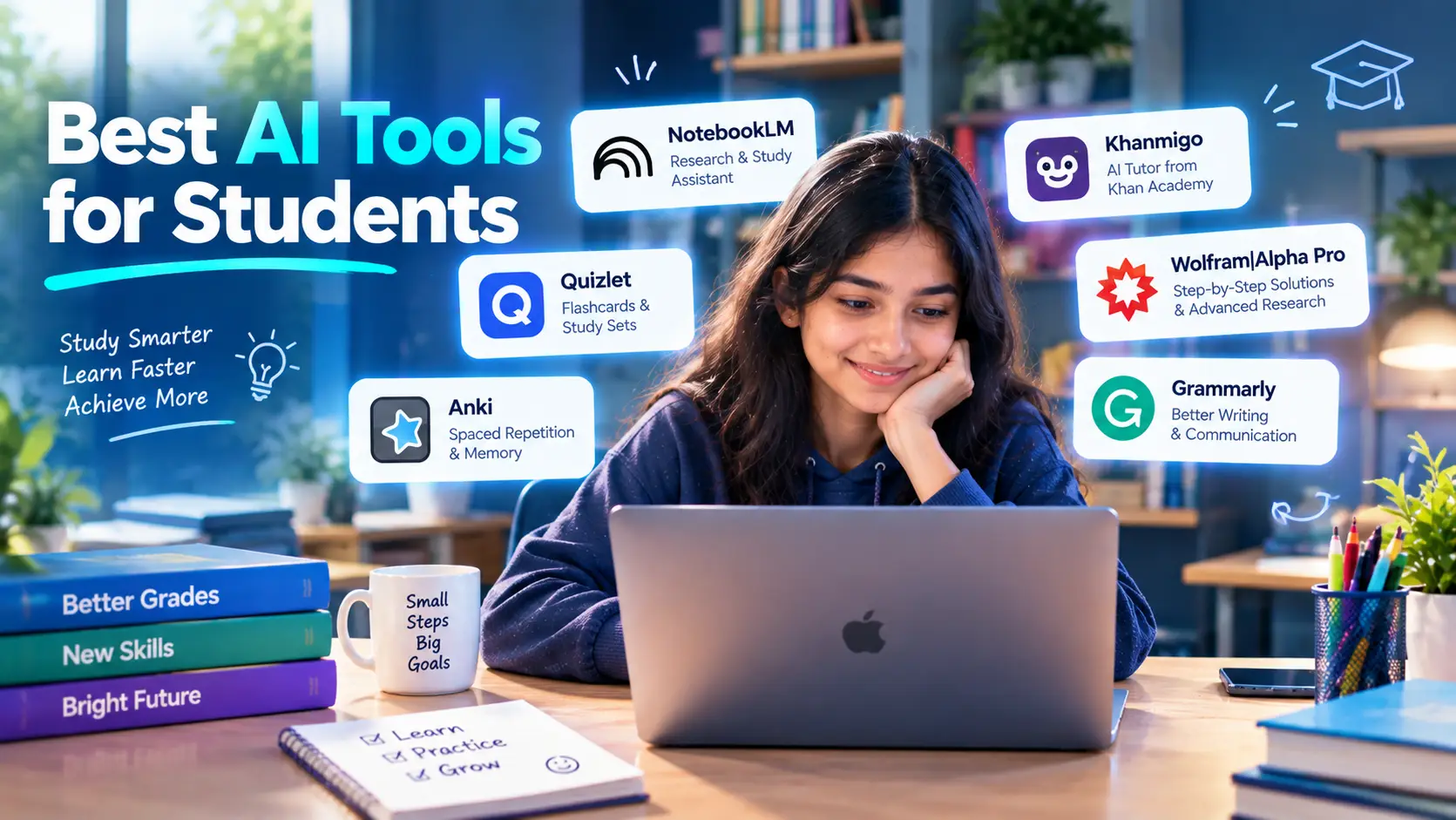
The best AI tools for students are the ones that help you understand material, not the ones that finish assignments for you. Based on each vendor's own description and the research on AI and learning, these are the tools worth looking at, grouped by what they do:
- Study from your own material: NotebookLM answers questions from sources you upload and creates flashcards, quizzes and audio summaries.
- Practice and memorize: Quizlet turns notes into flashcards and practice tests, and Anki schedules reviews based on how well you recall each card.
- Tutoring that guides instead of answering: Khanmigo from Khan Academy is designed to lead you to the answer instead of giving it.
- Math and science problem solving: Wolfram|Alpha Pro offers step-by-step solutions and generates practice problems.
- Writing support: Grammarly checks spelling, grammar and tone, with AI rewriting on its plans.
- General AI assistants: ChatGPT, Claude and Gemini can explain topics and generate practice questions, but they will also write your essay if you ask, so how you use them matters most.
One finding shapes how you should use any of them. A 2025 randomized trial at a high school in Turkey, published in PNAS, found, as reported in summaries of the paper, that unguarded generative AI can harm learning when students are later tested without it, while a version designed to promote reasoning protected learning (PNAS). In plain terms: use AI to practice and check understanding, then test yourself without it.
Introduction
AI use among students has grown quickly. In a Pew Research Center survey of 1,391 US teens, conducted from September 18 to October 10, 2024, 26% said they had used ChatGPT for schoolwork, double the 13% recorded in 2023. The same survey found that 54% of teens thought it acceptable to use ChatGPT to research new topics, while only 18% thought it acceptable for writing essays (Pew Research Center).
That split matches the practical reality. Some uses help you learn, and others replace the learning. This guide is a research-based list of AI tools for students, with what each one does according to its maker, where to be careful and how to use AI without risking your grades or your understanding.
It does not claim to have run controlled tests of each tool. It relies on vendor pages, published research and clearly labeled reported figures. Pricing and free tiers change often, so confirm on each vendor's site before you pay. For the bigger picture on AI in schools, see our guide to AI in education.
Before You Start: Check Your School's AI Rules
Rules on AI vary by school, course and even assignment. UNESCO reported, citing a global survey of more than 450 schools and universities, that fewer than 10% had institutional policies or formal guidance on generative AI (UNESCO). Many students are therefore working with unclear or instructor-specific rules.
A few practical steps:
- Read the syllabus and the assignment instructions. If AI use is not mentioned, ask your instructor.
- Disclose AI use when required. If you are unsure, say what you used and for what.
- Do not submit AI-generated text as your own unless the rules explicitly allow it.
- Keep your drafts and notes. They show your process if your work is ever questioned.
- Know that detectors are imperfect. AI-detection software has error rates, which is covered in our guide to how AI detectors work. A flagged essay is not proof, but a clear record of your process helps.
What Makes an AI Tool Good for Students?
Not every popular tool is good for learning. These criteria are worth checking:
- Does it help you understand or just give answers? Tools designed to guide you through reasoning are more likely to support learning, based on the Turkey and Nigeria studies discussed in our AI in education guide.
- Can you check where answers come from? Tools that cite your own sources make errors easier to catch.
- Does it work with your material? Tools that use your notes and readings fit your course better than generic answers.
- What does it cost? Many tools have free tiers with limits, and some offer student pricing.
- What does it do with your data? Check privacy terms before uploading coursework or personal information.
- Is it accurate for your subject? Generative models can state wrong information confidently, so verify important facts.
The Best AI Tools for Students
Comparison table
| Tool | Best for | What the vendor says it does | Cost note |
|---|---|---|---|
| NotebookLM | Studying from your own notes and readings | Answers grounded in your sources; flashcards, quizzes, audio overviews | Free tier exists; check Google for current limits |
| Quizlet | Flashcards and practice tests | Turns notes into study sets with AI features | Free tier and paid plans; check vendor |
| Anki (non-AI) | Long-term memorization | Schedules reviews for when you are most likely to forget | Free on desktop; paid on iOS |
| Khanmigo | Guided tutoring | Guides learners to answers instead of giving them | Paid for learners; free for eligible teachers |
| Wolfram|Alpha Pro | Math and science homework | Step-by-step solutions and a problem generator | From $5/month for students (vendor page) |
| Grammarly | Writing mechanics and tone | Spelling, grammar, tone and AI suggestions | Free plan; paid plans vary by region |
| ChatGPT, Claude, Gemini | Explanations and practice questions | General-purpose assistants | Free tiers and paid plans; check each vendor |
1. NotebookLM: Study From Your Own Sources
What it is: Google's NotebookLM lets you upload your own documents and ask questions about them. Google's student-features post says it can "instantly create study aids from your documents, including lecture notes, research papers or work reports," and that its interactive tools are "grounded entirely in your sources," with an explain function that gives citations pointing back to the original material when it clarifies a flashcard or a quiz question you missed (Google). It also offers audio overview formats, including a short "Brief" summary, and a "Learning Guide" that asks probing, open-ended questions to help you work through problems step by step.
Why it suits students: answers tied to your own readings and notes are easier to check than a generic chatbot answer, and the quiz and flashcard tools support self-testing.
Watch out for: it is only as good as what you upload, and summaries can miss nuance. Reading the original source still matters. Google's site appears to brand the product as Gemini Notebook now, so you may see either name. Limits and plans change, so check Google's current terms. Google has also run student promotions for its paid AI plans; offers are time-limited and region-specific, so verify eligibility on Google's own pages.
2. Quizlet: Flashcards and Practice Tests
What it is: a study platform built around flashcards, practice tests and games. Third-party summaries describe its AI features as Magic Notes, which converts uploaded notes or PDFs into flashcards, practice tests and outlines, and Q-Chat, a conversational tutor that quizzes you on your own material. Quizlet Plus has been reported at $7.99 per month or $35.99 per year, with a free tier for basic flashcard use. Quizlet's own pricing page could not be read, so these details are reported and should be confirmed on the vendor's site.
Why it suits students: it is built around self-testing, which is a study method that asks you to retrieve information instead of rereading it.
Watch out for: auto-generated flashcards can contain errors or focus on minor details, so review them against your course material before relying on them.
3. Anki: Spaced-Repetition Flashcards
What it is: Anki describes itself as "a flashcard program that helps you spend more time on challenging material, and less on what you already know." It works by having you rate your recall after each card, and it schedules the next review "for when you're most likely to forget the information." The desktop version is free for all major platforms, AnkiMobile on iOS is paid, and AnkiDroid on Android is free (Anki).
Why it suits students: it is well suited to material you need to hold for a long time, such as vocabulary, anatomy terms or formulas. Anki is not itself a generative AI tool. It is included as a non-AI study method that works alongside the AI tools above.
Watch out for: it takes time to set up good cards, and the interface is plainer than most study apps. Making your own cards is part of the benefit.
4. Khanmigo: A Tutor That Guides
What it is: Khan Academy's AI tutor and teaching assistant. Khan Academy says Khanmigo "challenges you to think critically and solve problems without giving you direct answers," and that it covers subjects such as algebra, SQL and essay writing. Its page says learners and parents need a paid subscription and must be 18 or older with a US billing address, while teachers 18 or older in 44 or more countries and territories can use it free (Khanmigo).
Why it suits students: it is designed around guiding reasoning instead of handing over answers, the approach the studies discussed in our AI in education guide point toward.
Watch out for: the age and billing requirements on the learner side mean some students may not be able to sign up directly, and some of its claims, such as ratings, are vendor-reported. Check what your school provides.
5. Wolfram|Alpha Pro: Step-by-Step Math and Science
What it is: a computation tool whose student plan offers step-by-step solutions, a problem generator for unlimited practice problems, photo input in its mobile apps and extended computation time, starting at $5.00 per month according to its student page (Wolfram|Alpha).
Why it suits students: the step-by-step format helps you see how a solution is built, and the problem generator supports practice.
Watch out for: seeing a worked solution is not the same as being able to produce one yourself. Cover the steps, try the problem, then check.
6. Grammarly: Writing Support
What it is: a writing assistant. Its plans page lists a free plan with spelling and grammar checks, tone detection and 100 AI prompts, and a Plus plan with sentence rewriting, tone adjustment, plagiarism detection, detection of AI-generated text and 2,000 AI prompts (Grammarly). Prices on the page as read were shown in a regional currency, so check the price for your location.
Why it suits students: it catches mechanical errors and can flag accidental plagiarism, which helps you fix problems before submission.
Watch out for: rewriting tools can change your voice, and some schools treat heavy AI rewriting as AI use that must be disclosed. Its AI-text detection is subject to the same accuracy limits as other detectors, discussed in our guide to how AI detectors work.
7. ChatGPT, Claude and Gemini: General AI Assistants
What they are: general-purpose assistants that can explain a concept in several ways, generate practice questions, check your reasoning or help you plan a study schedule. Some may offer tutoring-style modes, but the current details could not be confirmed from their pages, so check each vendor before relying on a specific feature.
How to use them for learning, not for shortcuts:
- Ask for an explanation of a concept in simpler terms, then explain it back in your own words.
- Ask for practice questions on a topic, answer them without help, then ask for feedback.
- Paste your own attempt at a problem and ask where the reasoning goes wrong, instead of asking for the solution.
- Ask for a hint, not the answer.
- Verify any fact or citation against a textbook or the original source, since these tools can produce plausible but wrong information.
Watch out for: they will write your essay if you ask, which can break your school's rules and, according to the PNAS study above, may leave you worse off on a test taken without AI (PNAS).
Which AI Tool Should You Use? A Quick Guide
| If you want to... | Try |
|---|---|
| Study from your lecture notes and readings | NotebookLM |
| Turn notes into flashcards and quizzes | Quizlet or NotebookLM |
| Remember facts for a long time | Anki |
| Get tutoring that does not hand over answers | Khanmigo (if available to you) |
| Check step-by-step math or science work | Wolfram|Alpha Pro |
| Proofread and improve your writing | Grammarly |
| Get an explanation in different words | A general assistant such as ChatGPT, Claude or Gemini |
If you record lectures and want transcripts, see our overview of AI meeting assistants, which covers transcription tools, though check whether your school allows recording. If you study programming, our guide to free AI coding tools for beginners is a better fit.
AI Tools by Type of Task
Different assignments call for different tools, and the same tool can be a good or a poor fit depending on how you use it.
Reading and note-taking. When the job is to make sense of a long reading, a tool that works from your own documents, such as NotebookLM, keeps answers tied to a source you can check. Ask it questions, then go back to the original passage to confirm.
Memorizing. For vocabulary, definitions and formulas, flashcard tools such as Quizlet and Anki are built around recalling information instead of rereading it. Anki's scheduling, which brings a card back when you are most likely to forget it, suits material you need to remember over weeks or months.
Problem sets. For math and science, a tool that shows steps, such as Wolfram|Alpha Pro, is most useful after you have tried the problem. Work it first, then compare your method to the worked solution and note where they differ.
Writing. For essays, use AI for planning questions, feedback on structure and proofreading, within your school's rules. The argument, the evidence and the wording should stay yours, and you should know what your instructor allows before you paste anything into a tool.
Languages and other skills. Conversation practice with a general assistant can help you rehearse, but check any grammar or vocabulary explanation against a reliable reference, since the output can be wrong.
Programming. Coding assistants can explain errors and suggest fixes. Try to understand each change instead of pasting it in, and see our guide to free AI coding tools for beginners.
How to Study With AI Without Hurting Your Learning
The research suggests a simple rule: use AI to practice, not to replace practice.
A study routine that keeps you in charge
- Try first. Attempt the problem, outline or summary yourself before asking an AI.
- Ask for a hint, not the answer. Request the next step or a question that points you in the right direction.
- Explain it back. Write the idea in your own words without looking.
- Test yourself without AI. Use flashcards, past papers or a blank page to check what you actually remember.
- Verify. Check facts, formulas and citations against your course materials.
- Disclose. Follow your school's rules on stating AI use.
Why this matters
In the Turkish high school trial, students using a standard GPT interface did far better on assisted practice than the control group, but the unguarded version harmed learning when students were later tested without AI, while a version designed to promote reasoning protected performance, as reported in summaries of the paper (PNAS). The figures are reported, not verified here, but the pattern is the point: doing well with help is not the same as learning.
Risks and Limits of AI Tools for Students
- Accuracy. AI can state wrong information confidently. Always verify.
- Over-reliance. UNESCO names over-reliance and declining deep reading skills among the challenges of AI in education (UNESCO).
- Academic integrity. Submitting AI-written work as your own can break your school's rules.
- Privacy. Think before uploading personal details, unpublished work or other people's data.
- Detector errors. Software that flags AI text has error rates, and students can be wrongly flagged. Keep your drafts.
- Cost creep. Free tiers have limits, and subscriptions add up across several tools.
- Unequal access. Not every student has the same devices, internet or paid access.
Common Mistakes Students Make With AI
- Copying output instead of learning from it. If you cannot explain it, you do not know it yet.
- Trusting citations without checking. Look up every source an AI gives you.
- Skipping the rules. Policies differ between courses.
- Using only AI-assisted practice. Test yourself without AI before an exam.
- Paying for several overlapping tools. Start with one or two and add more only if you need to.
- Uploading sensitive information. Keep personal details out of prompts.
Frequently Asked Questions
What are the best AI tools for students? Good options include NotebookLM for studying from your own sources, Quizlet and Anki for flashcards and review, Khanmigo for guided tutoring, Wolfram|Alpha Pro for math and science, Grammarly for writing and general assistants such as ChatGPT, Claude and Gemini for explanations. The best choice depends on what you are studying and what your school allows.
Are there free AI tools for students? Several have free tiers. NotebookLM has a free tier, Anki's desktop version is free, Quizlet has a free tier for basic flashcards and Grammarly has a free plan. Free tiers have limits and change often, so check each vendor.
Is it cheating to use AI for homework? It depends on your school's and instructor's rules. Using AI to explain a concept is treated differently from submitting AI-written work as your own. Read the assignment instructions, ask if unsure and disclose use when required.
Can teachers tell if I used AI? Not reliably with software alone. Detectors have error rates, and researchers caution against treating a score as proof. Keeping your drafts and notes helps if your work is questioned. See our guide to how AI detectors work.
Which AI tool is best for studying for exams? Tools built around self-testing, such as Quizlet, Anki and the quiz features in NotebookLM, fit exam preparation. Pair them with practice papers done without AI.
Which AI tool is best for math? Wolfram|Alpha Pro offers step-by-step solutions and a problem generator. Use the steps to learn the method, then solve similar problems without looking.
Which AI tool is best for essays? Use AI for planning, feedback and proofreading, within your school's rules. Tools such as Grammarly can check mechanics and tone, but the argument and the writing should be your own.
Can AI make me learn worse? It can. A 2025 PNAS study of high school math found that unguarded generative AI harmed learning when students were tested without it, while a tutor designed to promote reasoning protected learning (PNAS).
Are AI study tools safe for my data? It depends on the tool. Read the privacy policy, avoid uploading personal or sensitive information and ask your school whether it has approved specific tools.
How should I start using AI as a student? Pick one tool for one job, such as NotebookLM for your readings or Anki for review, learn your school's AI rules and always test yourself without AI before an exam.
Conclusion
The best AI tools for students make you do the thinking. NotebookLM ties answers to your own materials, Quizlet and Anki support self-testing and spaced review, Khanmigo guides instead of answering, Wolfram|Alpha shows worked steps and Grammarly cleans up mechanics. General assistants are flexible, but they are also the easiest to misuse.
Whatever you choose, follow your school's rules, verify what AI tells you, keep your drafts and test yourself without AI before it counts. The research cited here suggests that is what separates using AI to learn from using it to get through the assignment.
Sources
- Google, NotebookLM features for students
- Anki, Anki: powerful, intelligent flashcards
- Khan Academy, Khanmigo (vendor page; claims are vendor-reported)
- Wolfram|Alpha, Pro for Students
- Grammarly, Plans (prices shown in a regional currency when read)
- Pew Research Center, About a quarter of U.S. teens have used ChatGPT for schoolwork, double the share in 2023 (January 2025)
- UNESCO, Artificial intelligence in education and UNESCO: Governments must quickly regulate Generative AI in schools
- Bastani et al., Generative AI without guardrails can harm learning: Evidence from high school mathematics (PNAS, 2025; figures as reported, paper not directly readable)
- Quizlet pricing and AI features: reported by third-party summaries; confirm at quizlet.com