
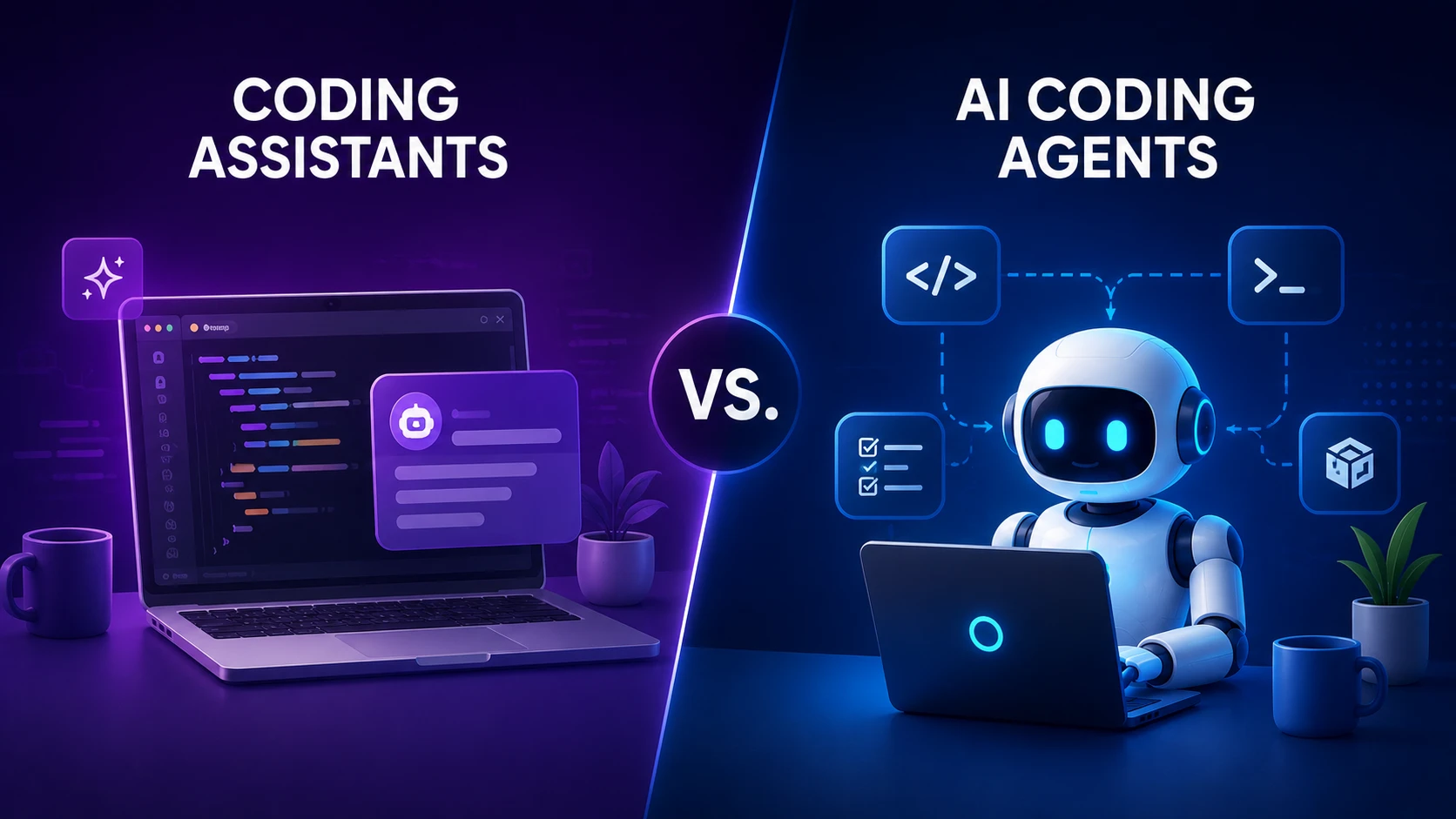
An AI coding assistant waits for your instructions. You ask, it suggests, you decide. An AI coding agent works differently. You give it a goal. It plans the steps, edits files across your project, runs commands, tests the result, and comes back with something ready for review.
That is the core difference. The rest of this article breaks down where that line actually sits, why it keeps shifting, and which type of tool fits your situation.
Quick Answer: AI Coding Assistants vs. AI Coding Agents
An AI coding assistant helps with one coding task at a time. You ask, and it responds: completing a line, explaining a function, writing a test, fixing an error you point to. You stay in control of every change.
An AI coding agent works from a bigger goal. Tell it "add authentication to this app," and it can inspect your codebase, plan the changes, edit multiple files, run terminal commands, run tests, read the results, and try again. You supervise the outcome more than each individual step.
This used to be a clean split. It no longer is. GitHub Copilot started as a pure autocomplete tool. It now ships an agent mode. Gemini Code Assist has an agent mode too. Cursor and Windsurf blend both styles in the same product. So the better question is not "assistant or agent." It is "how much autonomy do I want this tool to have on this task."
What Is an AI Coding Assistant?
An AI coding assistant helps you write, understand, or fix code when you ask for help. It does not act on its own. It waits for a prompt, gives you a suggestion or an answer, and lets you decide what to do with it.
This is the category most developers already know. It grew out of autocomplete. You type a few characters, and the assistant predicts the rest of the line or function. You ask a question in a chat panel, and it answers. You highlight a block of code and ask what it does, and it explains.
Common capabilities of an AI coding assistant include:
- Code completion: predicting the next few lines or a full function as you type.
- Code generation: writing a function, class, or script from a plain-language description.
- Code explanation: describing what an unfamiliar block of code does.
- Debugging assistance: pointing out a likely cause of an error you paste in.
- Refactoring suggestions: proposing cleaner ways to write existing code.
- Documentation generation: writing docstrings, comments, or README content.
- Test generation: creating unit tests for a function you specify.
- Answering programming questions: explaining a language feature, library, or pattern.
- Autocomplete and inline suggestions: ghost text in the editor as you type.
- Chat-based coding help: a conversational interface for asking about your code.
You stay in control of the workflow at every stage. You decide what to ask, when to ask it, and whether to accept, edit, or reject each suggestion. Nothing gets written to a file or run in a terminal unless you approve it first.
Here is a simple example. You are writing a Python script and type def calculate_discount(. The assistant suggests a full function body based on the surrounding code. You read it, fix the tax logic it got wrong, and accept the rest. That is how an assistant works: small steps, one decision at a time, you in charge throughout.
What Is an AI Coding Agent?
An AI coding agent takes a broader goal and carries out the steps needed to complete it. It needs less moment-to-moment direction than an assistant does.
The key difference is not that an agent writes better code. Many assistants and agents run on similar models. The real difference is autonomy: the ability to plan a sequence of actions and actually take them inside your development environment, instead of only proposing text for you to paste in.
Capabilities commonly associated with AI coding agents include:
- Understanding a larger codebase: reading across many files to build full context.
- Planning multi-step tasks: breaking a goal into an ordered list of actions.
- Creating or modifying multiple files: editing several parts of a project in one pass.
- Running terminal commands: executing scripts, build tools, or other CLI utilities.
- Installing dependencies: adding packages a task requires.
- Running tests: executing a test suite and reading the results.
- Analyzing errors: interpreting stack traces or failed test output.
- Iterating on failed changes: adjusting code and retrying until a task passes or a limit is reached.
- Using development tools: calling out to linters, formatters, or outside services, often through MCP (Model Context Protocol), an open standard for connecting AI tools to external systems.
- Inspecting repository structure: exploring folders and file relationships on its own.
- Implementing features from plain-language requirements: turning a written spec into working code.
- Making changes across a project: touching the front end, back end, tests, and config together.
- Working toward a goal with less step-by-step instruction: you set the target, the agent finds the path.
For example, GitHub's cloud-based coding agent can take an assigned GitHub issue and work in the background. It writes code, runs tests, and opens a pull request without a developer present for each step. Anthropic's Claude Code reads a codebase from the terminal, plans a task, edits files, and runs shell commands in one session. Both are agent-style workflows. The scope is broader, the execution is more autonomous, and developer review happens at defined checkpoints instead of after every keystroke.
AI Coding Assistant vs. AI Coding Agent: Key Differences
| Category | AI Coding Assistant | AI Coding Agent |
|---|---|---|
| Definition | Tool that responds to direct developer requests | Tool that works toward a broader goal across multiple steps |
| Primary purpose | Speed up individual coding tasks | Complete larger, multi-step development tasks |
| Level of autonomy | Low; acts only when asked | Higher; plans and executes with less supervision |
| Developer involvement | Continuous, step by step | Set the goal, then review the result |
| Code generation | Yes, per request | Yes, across a planned sequence of changes |
| Context awareness | Often limited to the open file or selection, though many now index the project | Typically spans the full project or repository |
| Multi-file changes | Limited or manual | Common and expected |
| Terminal access | Rare in the original sense; many assistants now add this | Common, often core to the workflow |
| Tool use | Minimal | Frequent use of external tools, MCP servers, or APIs |
| Testing | Can generate tests on request | Can run and interpret test results itself |
| Debugging | Suggests fixes for errors you provide | Can detect, investigate, and attempt fixes on its own |
| Planning | None; responds turn by turn | Breaks a goal into an ordered plan |
| Iteration | Developer re-prompts manually | Agent can retry automatically based on results |
| Code review | Developer reviews each suggestion | Developer typically reviews a finished diff or PR |
| Best use cases | Small, well-scoped tasks; learning; quick fixes | Larger features, refactors, repetitive multi-file work |
| Main risks | Incorrect suggestions, over-reliance | Unintended file changes, wider blast radius, tool permission risk |
| Human oversight | Continuous by design | Essential at review checkpoints, since less happens in view |
This table shows typical patterns, not a strict rulebook. Individual products mix and match these traits. The same product often behaves differently depending on which mode you pick.
The Simplest Way to Understand the Difference
An AI coding assistant is like a highly capable pair programmer who helps when you ask. You are still writing the code. It looks over your shoulder, fills in blanks, answers questions, and catches mistakes when you ask it to.
An AI coding agent is more like a junior developer. Give it a defined task, and it works through several steps on its own, uses development tools, and returns with a finished result for you to review.
This analogy is not perfect. A junior developer builds judgment over years and understands company context an AI model never sees. An AI agent does not get tired and does not ask for a raise, but it also does not always know when to stop and ask a question instead of guessing. Human developers stay responsible for reviewing anything important these tools produce, no matter how good the demo looked.
AI Coding Assistant vs. AI Coding Agent: A Real-World Example
Consider a common task: adding authentication to a web application.
With an AI coding assistant
The developer directs each step by hand:
- "Write a JWT authentication function.".
- "Explain this middleware.".
- "Fix this TypeScript error.".
- "Generate unit tests for this function.".
Each request stands alone. The developer decides what to build next, reviews each response, and assembles the pieces. If the JWT function needs a change once it is wired into the middleware, that becomes a new prompt.
With an AI coding agent
The developer gives one bigger task instead:
"Add authentication to this application using JWT, create the required API routes and middleware, update the database schema, add tests, run the test suite, and fix any failures."
A capable agent can work through this in stages:
- Inspect the project structure and existing patterns
- Identify the relevant files: routes, models, middleware, config
- Plan the sequence of changes needed
- Modify or create multiple files
- Run the necessary setup or install commands
- Run the test suite
- Analyze any test failures
- Modify the implementation based on those failures
- Run the tests again to confirm the fix
- Present the full set of changes for developer review
Not every agent performs every one of these steps on its own. Some stop and ask for approval before running commands or touching certain files. Others need a direct instruction to run tests at all. The point is the shape of the workflow, not a guarantee: one prompt, several autonomous actions, one review at the end, instead of ten separate prompts along the way.
Are AI Coding Agents Replacing Developers?
Not based on current evidence. Agents can automate a real chunk of the mechanical work in software development: writing boilerplate, wiring up routine endpoints, running a test suite and fixing an obvious failure, applying a repetitive change across many files. That is genuine, useful automation.
But the work developers still need to do has not gone away. Software architecture, meaning how a system's parts are structured and how they interact, still needs human judgment. That judgment weighs trade-offs an agent cannot fully see, like future maintenance cost or team skill level.
Requirements still matter, because an agent builds what you describe, not necessarily what you meant. A vague or incomplete instruction can produce code that technically satisfies the prompt while missing the point entirely.
Code review still matters, because agents make mistakes, sometimes subtle ones. A function that passes its own tests can still create a security hole, a performance problem, or a design inconsistency that only a human reviewer will catch.
Security review matters even more with agentic tools, since a tool that can run commands and install packages has a wider blast radius than one that only writes text.
Production decisions, meaning what actually ships and when, still need human judgment about risk, rollback plans, and business context that lives outside the codebase.
The honest way to frame this: AI coding agents are shifting where developer time goes, away from writing routine code and toward reviewing, directing, and designing systems. That is a real shift. It is not the same as developers becoming unnecessary.
How Their Workflows Differ
Assistant workflow
Developer asks → AI suggests → Developer reviews → Developer implements
Each cycle is short. The developer starts every step, and nothing changes in the codebase until the developer applies it directly.
Agent workflow
Developer defines objective → Agent plans → Agent acts → Agent tests → Agent iterates → Developer reviews
The cycle is longer and mostly runs without interruption. The developer's main control points sit at the start, when setting the objective and any limits, and at the end, when reviewing the outcome. Some tools also offer checkpoints in between.
Actual workflows vary by product and setup. Most agentic tools let you tighten or loosen this loop. You can require approval before every file edit and every terminal command, or let the agent run mostly unsupervised inside a sandbox until it finishes or hits a limit.
Popular AI Coding Assistants and Coding Agents
It helps to look at specific products here, with one caveat: this space moves fast, and many tools now offer both assistant-style and agent-style modes in the same product. For a closer side-by-side look at three of the most-discussed options, see our Claude Code vs Cursor vs GitHub Copilot comparison.
Tools generally associated with assistant-style interaction:
- GitHub Copilot built its reputation on inline code completion and chat. It has since added an agent mode for autonomous multi-file editing, plus a separate cloud coding agent that can turn a GitHub issue into a pull request.
- Google Gemini Code Assist offers code completion and chat-based help in the IDE. Google has also rolled out an agent mode that can plan and run multi-step tasks with human-in-the-loop approval.
- Amazon Q Developer provides AWS-aware chat, code suggestions, and security scanning inside VS Code and JetBrains. Its agent features tend to target discrete, bounded tasks, such as version upgrades, rather than open-ended autonomy.
Tools generally associated with agentic, more autonomous workflows:
- Anthropic's Claude Code is a terminal-based agentic coding tool. It reads a codebase, edits files, runs shell commands, and integrates with development tools, with added surfaces in the IDE, desktop app, and browser.
- OpenAI Codex plans and executes multi-step tasks, runs commands in a sandboxed environment, and supports subagents for tasks like parallel codebase exploration.
- Cursor is a full IDE built on VS Code with an Agent mode that can edit files, run terminal commands, and execute multi-step tasks on its own, alongside Background Agents that run in the cloud.
- Windsurf, now positioned under Cognition alongside the Devin agent brand, built its Cascade agent around autonomous multi-file editing and command execution, with cloud-based task delegation layered on top.
- Cline is an open-source, editor-integrated agent for VS Code and other editors. It reads a project, edits files, runs terminal commands, and asks for approval at each step through its Plan and Act modes.
- Aider is a terminal-based, open-source pair-programming tool. It edits your local Git repository directly from plain-language requests and commits changes as it goes.
- Replit Agent runs entirely in Replit's browser-based cloud environment. It scaffolds projects, writes code, installs dependencies, and deploys applications without any local setup.
Do not treat this as a rigid taxonomy. GitHub Copilot is not "only" an assistant anymore, and Cursor is not "only" an agent. Both ship autocomplete-style suggestions and autonomous multi-step modes in the same product. The label on a marketing page does not always describe everything a tool can do. Check the current documentation for the specific product and mode you plan to use, since capabilities here change quickly. For a broader look at the field, see our roundup of the best AI coding tools available right now.
Why the Line Between Assistants and Agents Is Blurring
The market has moved through a clear progression: autocomplete, then chat, then context-aware coding that understands a whole project, then tool use, then full agentic workflows that plan and act with limited supervision.
A few trends are driving this shift together:
- Larger context windows let a single session hold far more of a codebase at once. That closes the gap between "answering a question about one file" and "understanding an entire project.".
- Better reasoning in newer models makes multi-step planning more reliable, which any agentic behavior depends on.
- Tool calling, often standardized through protocols like MCP, lets a model reach outside the chat window into terminals, file systems, databases, and outside services.
- Terminal access turns a text-generation tool into something that can actually carry out the changes it proposes.
- Repository indexing gives a tool the kind of project-wide awareness that used to be unique to agentic products.
- Code and test execution let a tool check its own work instead of only guessing whether a suggestion is correct.
- Improved models overall raise the ceiling on how complex a task can be handed off with confidence.
- IDE integrations mean assistant-style and agent-style features increasingly live in the same interface, sometimes as a simple toggle rather than a separate product.
Because of this shift, asking "is this tool an assistant or an agent" is often less useful than asking how much autonomy it offers, and how much of that autonomy you want turned on for a given task. Most modern tools let you dial that up or down as you see fit, which is part of a broader move across AI developer tools toward adjustable, task-by-task autonomy rather than one fixed mode.
Levels of AI Coding Autonomy
The framework below is an analytical tool built to explain this spectrum. It is not an official industry standard, and different products will not map onto it perfectly.
Level 1: Code Completion. The AI predicts the next few lines or suggests a snippet as you type. No planning and no project-wide context required.
Level 2: Conversational Assistance. The AI answers coding questions and generates code from prompts in a chat interface. Still reactive, one exchange at a time.
Level 3: Context-Aware Assistance. The AI understands relevant files and broader project context, so its answers reflect more than just the current file or selection.
Level 4: Agentic Coding. The AI plans and executes multi-step tasks using tools such as terminal commands, file edits, and test runs, with developer checkpoints along the way.
Level 5: Semi-Autonomous Software Engineering. The AI can take a larger issue or feature request, implement the changes, test them, and produce a reviewable result with limited developer involvement during execution.
Most products on the market today sit somewhere between Level 3 and Level 5. Many let you choose your level for a given task through a mode switch or a settings panel.
AI Coding Agents vs. Assistants: Security Risks
Security risk does not disappear with either category. But the shape of that risk changes based on how much a tool can act, rather than only suggest.
Risks relevant to both assistants and agents include:
- Malicious or insecure code generation, where the model produces code with a flaw, such as poor input handling or a weak authentication check.
- Insecure dependencies, where a suggested package has known vulnerabilities or sits unmaintained.
- Hallucinated APIs, where the model references a function, package, or endpoint that does not actually exist.
- Insecure authentication code, a common category of subtle mistake in generated login and session logic.
Risks that grow larger, or appear for the first time, once a tool can act instead of only suggest include:
- Secrets exposure, where an agent with file or terminal access could read, log, or send along credentials it comes across.
- Prompt injection, where instructions hidden in a file, webpage, or issue the agent reads get carried out as if the developer had typed them directly.
- Malicious repository instructions, a specific form of prompt injection where a compromised or hostile file tries to redirect an agent's actions.
- Excessive tool permissions: an agent gets more terminal, network, or file access than a task needs.
- Unintended file changes: an agent edits more of the codebase than the developer expected.
- Command execution risks: a terminal-capable agent runs a bad or unexpected command.
- Dependency installation risks: an agent installs a package that turns out to be malicious.
- Data leakage: project or customer data ends up exposed through a too-broad integration.
- Supply-chain attacks: compromised tools, packages, or MCP servers become a way into the agent itself.
Agents create more risk than assistants for one specific reason: agents can take actions instead of only offering suggestions a human checks first. An assistant that hallucinates a function name produces a compile error. An agent that hallucinates a shell command, and is set up to run commands without approval, can execute something destructive before anyone notices. This is not a reason to avoid agentic tools. It is a reason to set their permissions on purpose, not by default.
How Much Human Oversight Do You Need?
No matter which category of tool produced a change, review it before it goes further. Worth checking every time:
- Security: does it add a new weak spot, expose data, or loosen a control that was working.
- Correctness: does it do what was meant, not just what passes one test.
- Architecture: does it fit the system's design, or does it clash with it.
- Performance: does it slow things down in ways that will show up at scale.
- Dependencies: is each new package actually needed, trusted, and kept up to date.
- Database changes: are schema updates safe, reversible, and tested against real data.
- Authentication and authorization: are access controls still correct and not weakened.
- Error handling: does the code fail in a safe, predictable way.
- Tests: do they check the behavior that matters, not just run the code once.
- Observability: can the team watch and debug this change once it ships.
- Maintainability: will the next developer be able to read and change this code.
More autonomy does not remove the need for engineering judgment. It moves where that judgment gets applied, from writing each line to reviewing a bigger batch of changes at once. That shift can be a real productivity gain, but only if the review step is taken seriously instead of treated as a formality.
Are AI Coding Agents More Productive?
There is no single reliable number that says agents make developers a fixed percentage faster. Productivity depends on several factors that vary by team and task:
- Task complexity: well-defined, bounded tasks tend to go smoothly. Vague or highly context-dependent tasks tend to need more correction.
- Developer experience: an experienced engineer often gets more value from an agent, since they spot subtle mistakes fast and write better initial instructions.
- Codebase quality: a clean, well-organized, well-tested codebase gives an agent far better context than a tangled one.
- Model quality: the underlying model's reasoning and coding ability directly affects how often the agent's plan is right.
- Tool integration: how well the agent connects to your actual build system, test runner, and version control affects how much friction remains.
- Test coverage: an agent that can run a meaningful test suite can check its own work. One that cannot is working somewhat blind.
- Review requirements: strict review processes add time back into the loop, which is often the right call but reduces raw speed.
- Reliability: how often the tool produces a usable result on the first or second try.
- Ability to recover from errors: how gracefully the tool handles a failed test or a broken build.
Teams report some real benefits: faster prototyping, less time on boilerplate, faster initial debugging, automated handling of repetitive work, and quicker delivery of tasks that were already well defined.
There are real costs too: time spent reviewing generated code, correcting wrong assumptions the tool made, debugging changes an agent introduced, the security review overhead covered above, the effort of managing context so the tool has what it needs, and occasional cleanup after a change that went beyond the intended scope.
The honest takeaway: these tools tend to help most with well-scoped, well-tested, well-documented work, and help less, or even slow things down, on ambiguous or highly novel work. This is one reason AI productivity tools get evaluated task by task rather than judged as a single category.
Which Is Better for Beginners?
Programming students and junior developers usually benefit from spending real time with assistant-style tools before leaning hard on agentic ones. Watching a suggestion, understanding why it is right or wrong, and typing out logic yourself builds the foundational skill you need to review an agent's work later. Handing a beginner a fully autonomous agent risks producing code the beginner cannot evaluate, debug, or learn from.
Experienced developers and senior engineers are usually better positioned to use agentic tools well. They can write a clear objective, spot a flawed plan early, and review a large diff efficiently. Their judgment is what keeps an agent's output safe and correct.
Engineering managers and technical founders often benefit from both categories, depending on the task. Assistant-style tools help with reviewing or explaining unfamiliar code across a team. Agentic tools help with prototyping, well-scoped feature work, or routine tasks that would otherwise eat up disproportionate developer time. Anyone thinking about how these tools reshape entry-level work should also look at how they are changing AI careers more broadly, since the skills worth building are shifting alongside the tools.
Neither category wins outright for a given role. The right mix depends on the person's experience level and what they are trying to build or learn.
Which Should Your Development Team Use?
Most teams do best treating this as a workflow and governance question, not a single tool choice.
Team workflows should define where AI-generated or agent-generated changes enter the pipeline: as a suggestion inside an existing PR review process, or as an automatically generated PR that still passes through the same review gates as human-written code.
Code review should not relax just because a change came from AI. If anything, changes from a highly autonomous agent deserve closer review the first several times a team adopts one, until trust is earned.
Git branches and pull requests remain the right way to isolate and review agent-generated work, the same as any other change.
Testing requirements should apply equally to agent-generated code. A passing test run from the agent itself is a useful signal, not a substitute for the team's normal CI process.
Permissions matter more with agentic tools than with assistants, since an agent with terminal or file-system access can cause real damage if misconfigured. Scope what an agent can touch, and require approval for higher-risk actions like running arbitrary commands or reaching production credentials.
Security policies should name AI tools directly: what data can be shared with a given service, what permissions an agent gets, and how generated dependencies get checked before use.
Developer experience and governance work together here. Overly strict policies push developers to route around them. Overly loose policies create real security exposure. Most teams land somewhere in the middle, giving agents broad autonomy in sandboxed or non-production environments and tighter controls closer to production.
Cost management is worth planning for too. Agentic workflows that run multiple steps, retries, and tool calls typically use more compute or API budget than a single chat reply, and the usage-based pricing on several of these platforms reflects that directly.
The Future of AI-Assisted Software Development
The direction across every product covered here is consistent. Tool use keeps expanding, autonomy keeps growing, and more products now offer both assistant-style and agent-style modes in one interface. These tools are also getting steadily more reliable at planning multi-step work. Whether that pace holds is not something anyone can say for certain. Model capability, pricing, and product strategy in this space have all shifted a lot within single-year windows already.
What looks more durable is the idea this article keeps returning to: autonomy is a dial, not a fixed category. The developer's judgment about how far to turn that dial, task by task, is likely to stay the more important skill, even as the tools around it keep changing. That is also why AI software development as a discipline is increasingly about managing autonomy well, not just picking a tool once and moving on.
Frequently Asked Questions
1. What is the difference between an AI coding assistant and an AI coding agent? An AI coding assistant responds to direct requests, like completing a line or explaining code, and you control every step. An AI coding agent works from a broader goal, planning and running multiple steps such as editing files, running commands, and testing changes, with less step-by-step direction from you.
2. Is GitHub Copilot an AI coding assistant or an AI coding agent? It started as an assistant built around code completion and chat, and it still offers those features. It has since added an agent mode for autonomous multi-file editing, plus a separate cloud coding agent that can turn a GitHub issue into a pull request. Today it offers both, depending on the mode you pick.
3. Is Claude Code an AI coding agent? Yes. Anthropic describes Claude Code as an agentic coding tool that reads a codebase, edits files, runs commands, and integrates with development tools from the terminal, IDE, desktop app, or browser.
4. Is Cursor an AI coding assistant or agent? Cursor is a full IDE with both assistant-style inline code completion and an Agent mode capable of autonomous multi-file edits, terminal commands, and background agent sessions. It combines both categories rather than fitting cleanly into one.
5. Is OpenAI Codex an AI coding agent? Yes, in its current form. OpenAI's Codex CLI and related surfaces plan and run multi-step coding tasks, execute commands in a sandboxed environment, and support features like subagents for parallel work. Those are agentic capabilities.
6. Are AI coding agents replacing developers? Not based on current evidence. Agents can automate routine, well-defined coding work, but architecture decisions, requirements, code and security review, and production judgment still need human developers.
7. Are AI coding agents safe? They carry real risk if misconfigured, especially around unintended file changes, excessive tool permissions, and command execution. Scoped permissions, sandboxing, and required approval for higher-risk actions can manage that risk, but they do not remove it entirely.
8. Which is better, an AI coding assistant or an AI coding agent? Neither wins across the board. Assistants suit small, well-scoped tasks where you want to stay closely involved. Agents suit larger, well-defined tasks where you are comfortable reviewing a finished result instead of every step. The right pick depends on the task, the codebase, and your experience level.
9. Can AI coding agents write entire applications? Some agentic tools, especially browser-based ones like Replit Agent, can scaffold and build large parts of an application from a plain-language description, including installing dependencies and deploying it. The result usually still needs review, testing, and polish before it is production-ready, especially past the prototype stage.
10. What are the risks of AI coding agents? Key risks include unintended or excessive file changes, prompt injection through malicious content an agent reads, overly broad tool or terminal permissions, insecure generated code, risky dependency installs, and possible data leakage through integrations. These risks generally run larger than with assistant-style tools, since agents can act directly instead of only proposing suggestions for review.
11. Do AI coding agents need human supervision? Yes. Even highly autonomous tools benefit from defined checkpoints, scoped permissions, and a human review step before changes reach production. Moment-to-moment supervision can be lighter than with an assistant, but oversight of the final result stays necessary.
12. What is agentic coding? Agentic coding is AI-assisted development where the tool can plan a sequence of actions toward a goal and carry them out directly, such as editing multiple files, running terminal commands, and executing tests, instead of only generating text for a developer to apply by hand.
Final Verdict
AI coding assistants mainly help developers with individual coding tasks and decisions. AI coding agents can take a broader goal and run multiple steps with greater autonomy. The line between them keeps getting thinner as modern tools combine both approaches, often in the same product and sometimes in the same session.
There is no universally correct choice here. Several things shape the right answer: task complexity, your own experience level, and how much autonomy you actually want on a given piece of work. Your security requirements matter too, along with how complex and well-tested your codebase already is, and how your team handles review and governance around AI-generated changes.
For a quick fix, a single function, or a question about unfamiliar code, an assistant is usually faster and simpler. For a well-defined feature, a large but mechanical refactor, or a repetitive task spread across many files, an agent can save real time, as long as someone reviews what it produced. Most developers in 2026 end up using both, switching between them based on the shape of the task in front of them rather than committing to one category for good.